8-STEP BEGINNER GUIDE
From account setup to international dispatch
Follow the checklist in order, use the PC or mobile screenshots when needed, and mark each stage complete as you prepare your first consolidated parcel.
New User: Click here to create an account.
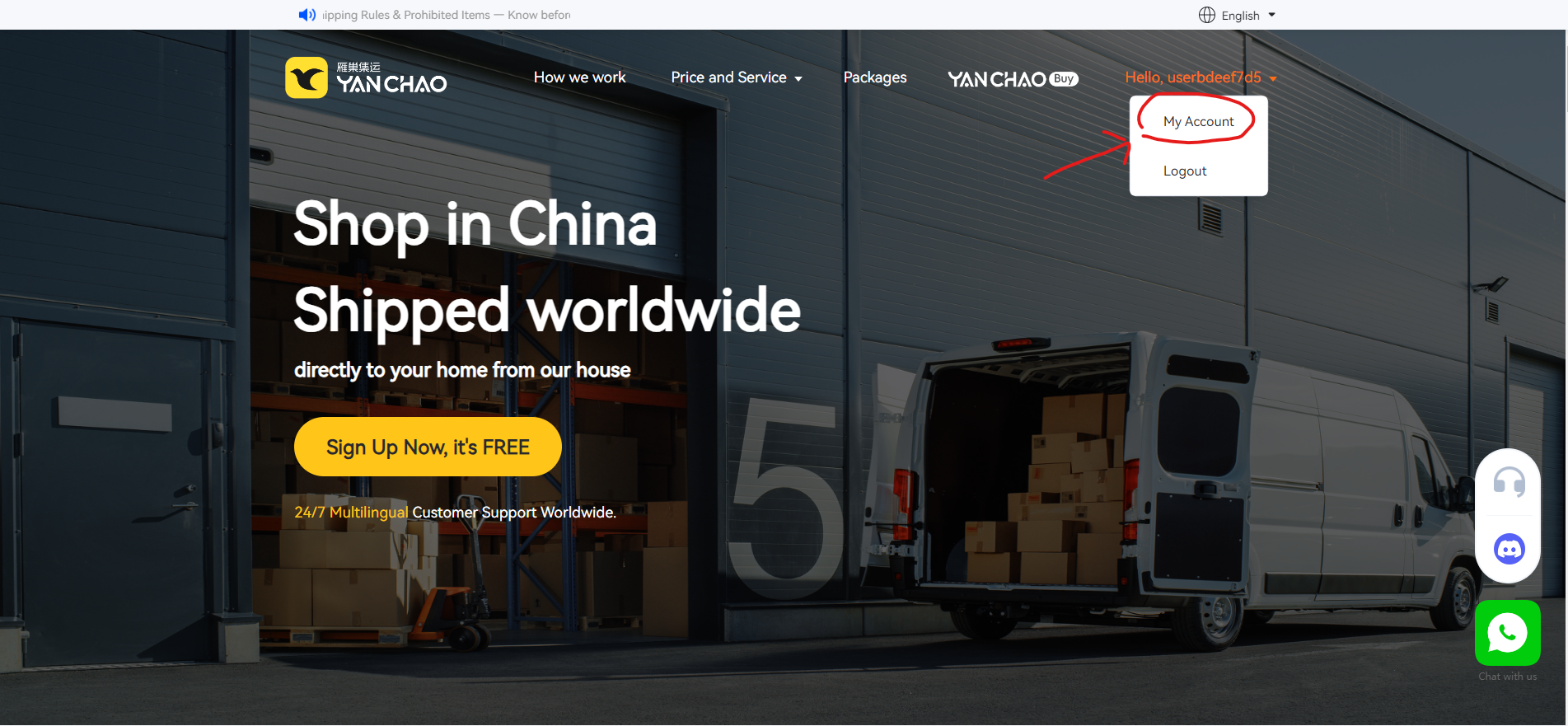
Existing User: Click here to log in to your account.
If you encounter any issues, you can follow our step-by-step video guide.
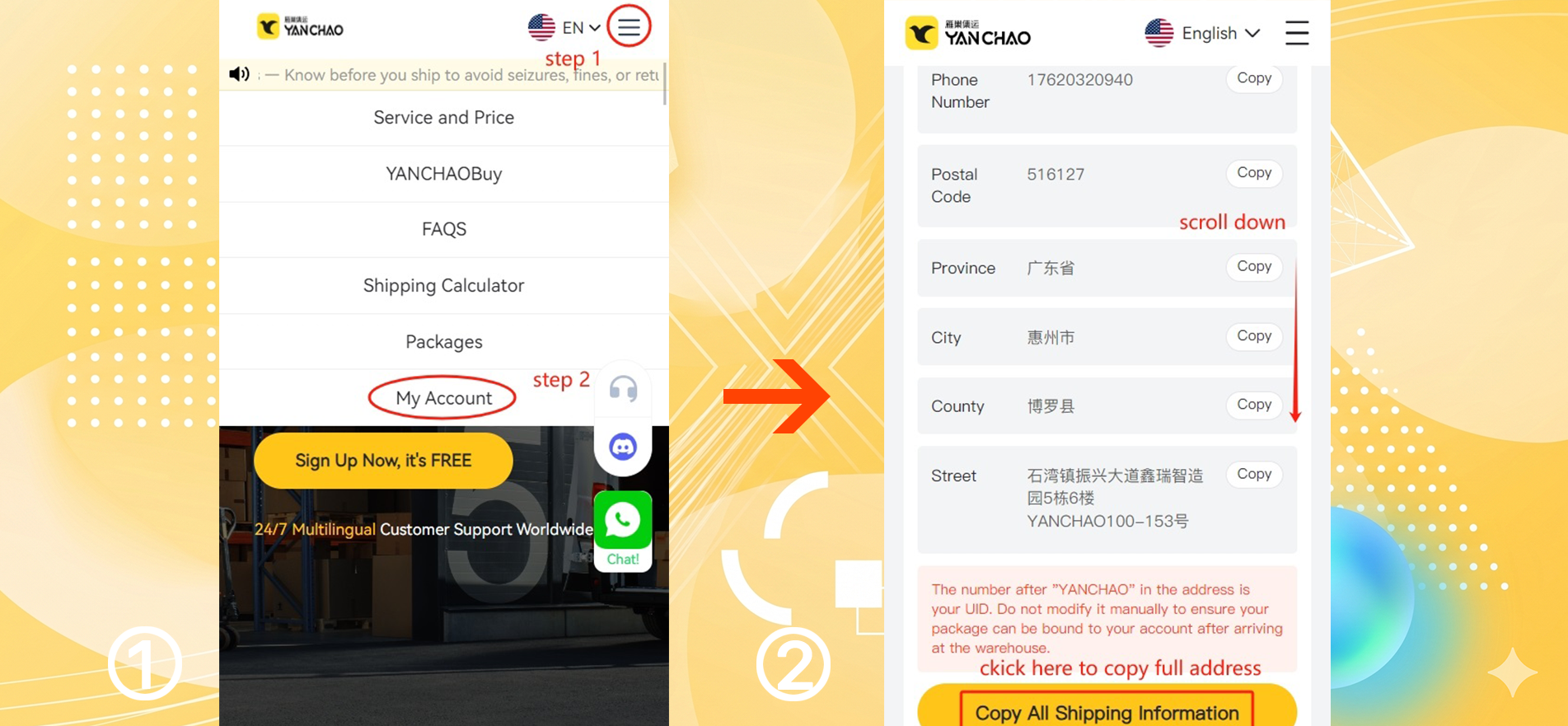
Verify Your Exclusive Address & UID
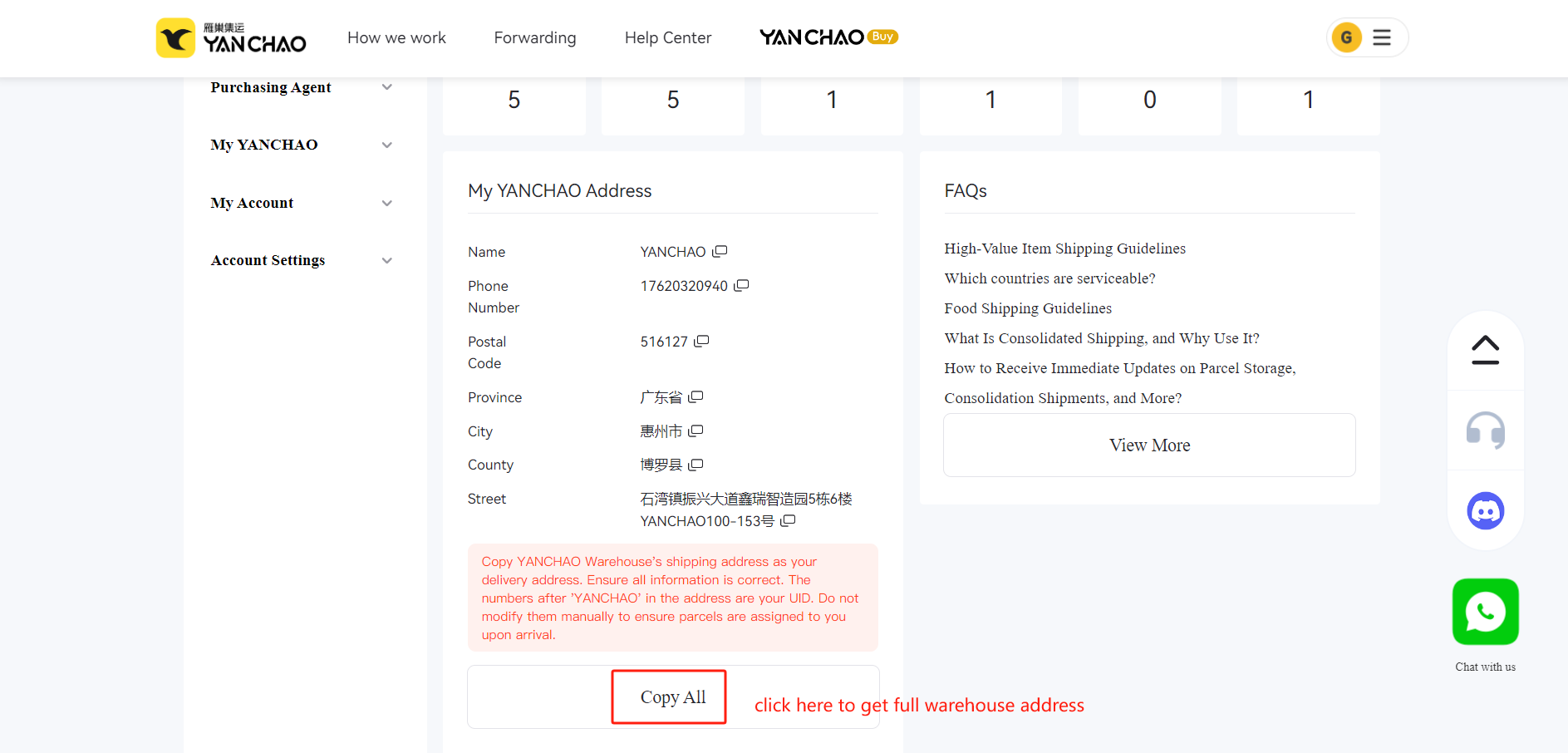
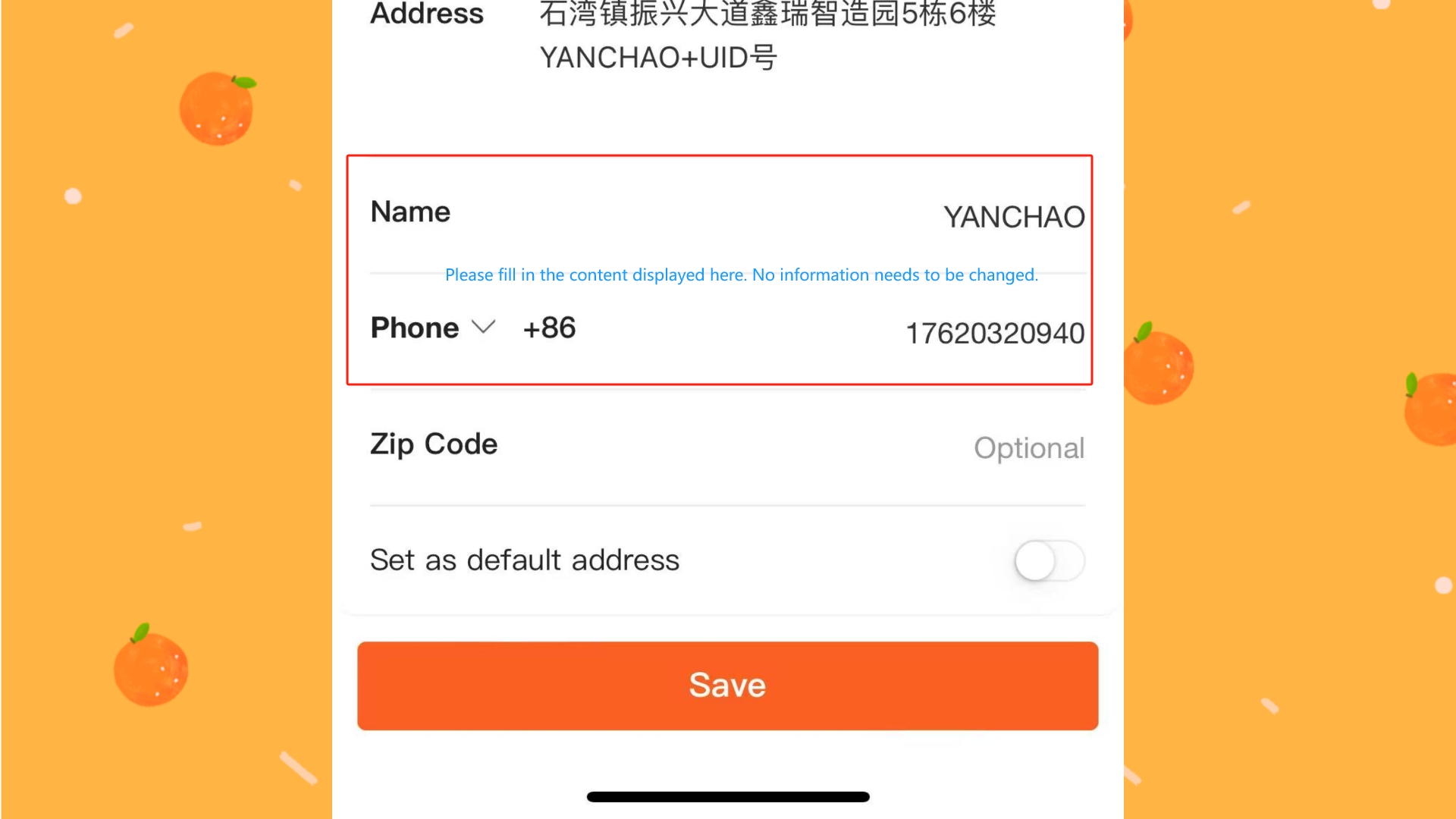
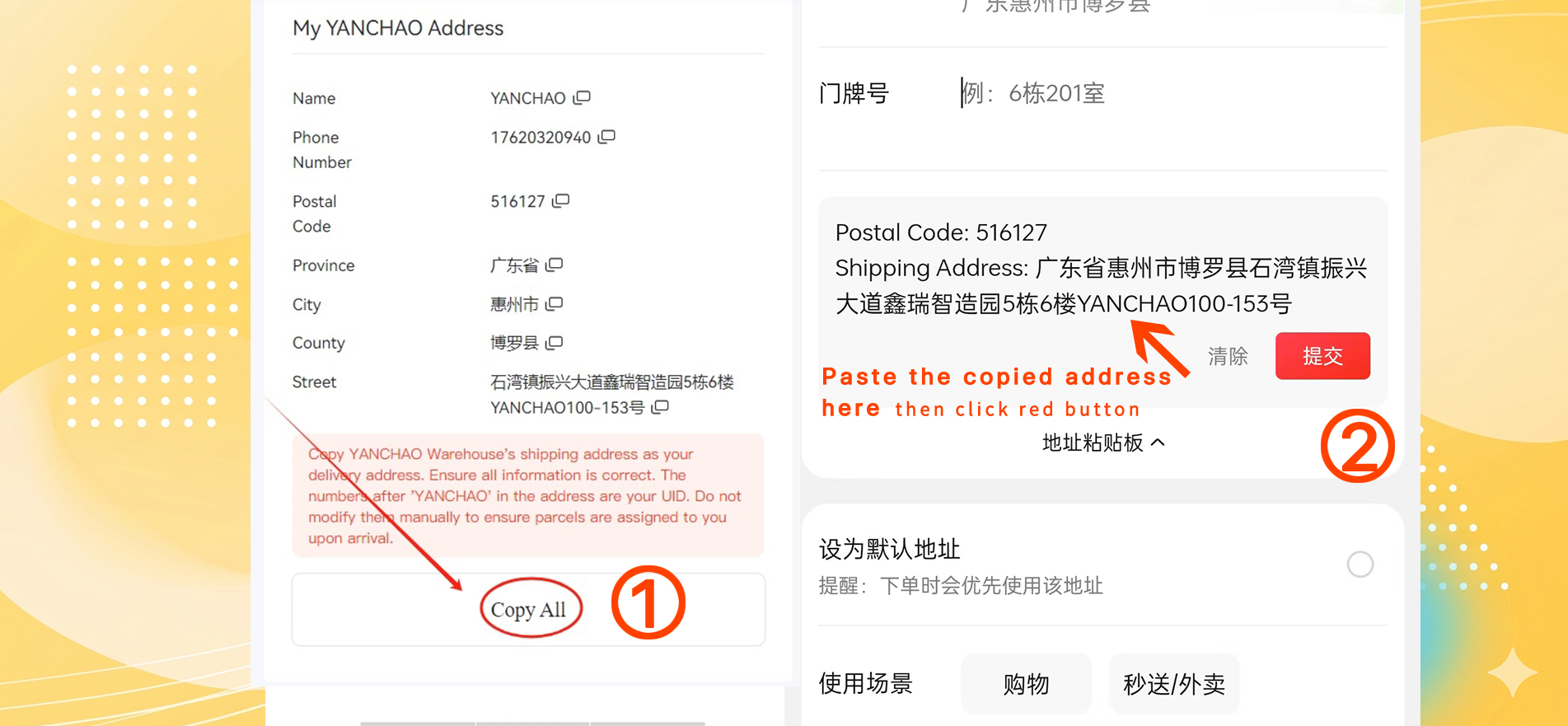
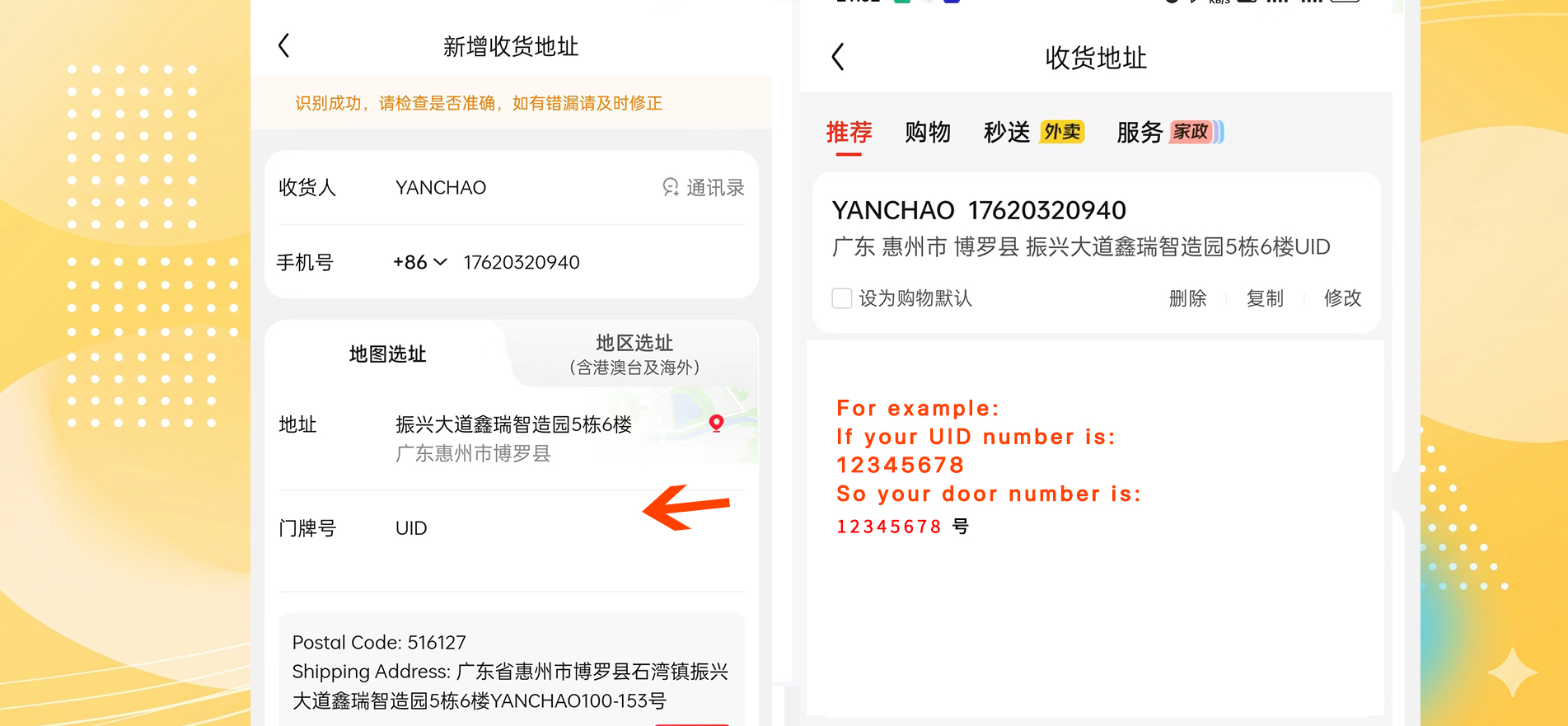
Please paste the messy address you copied from the platform below. Our system will intelligently extract the clean address and your UID:
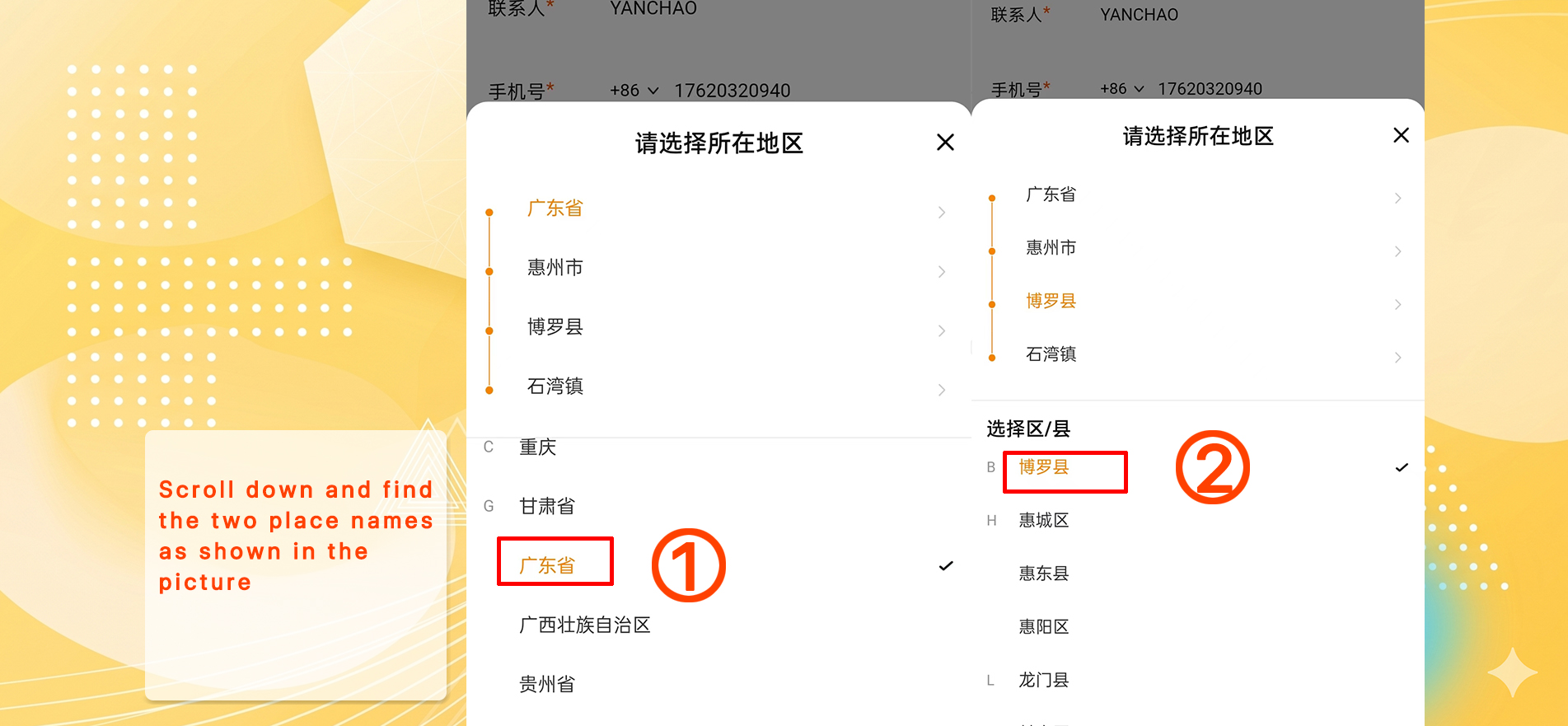
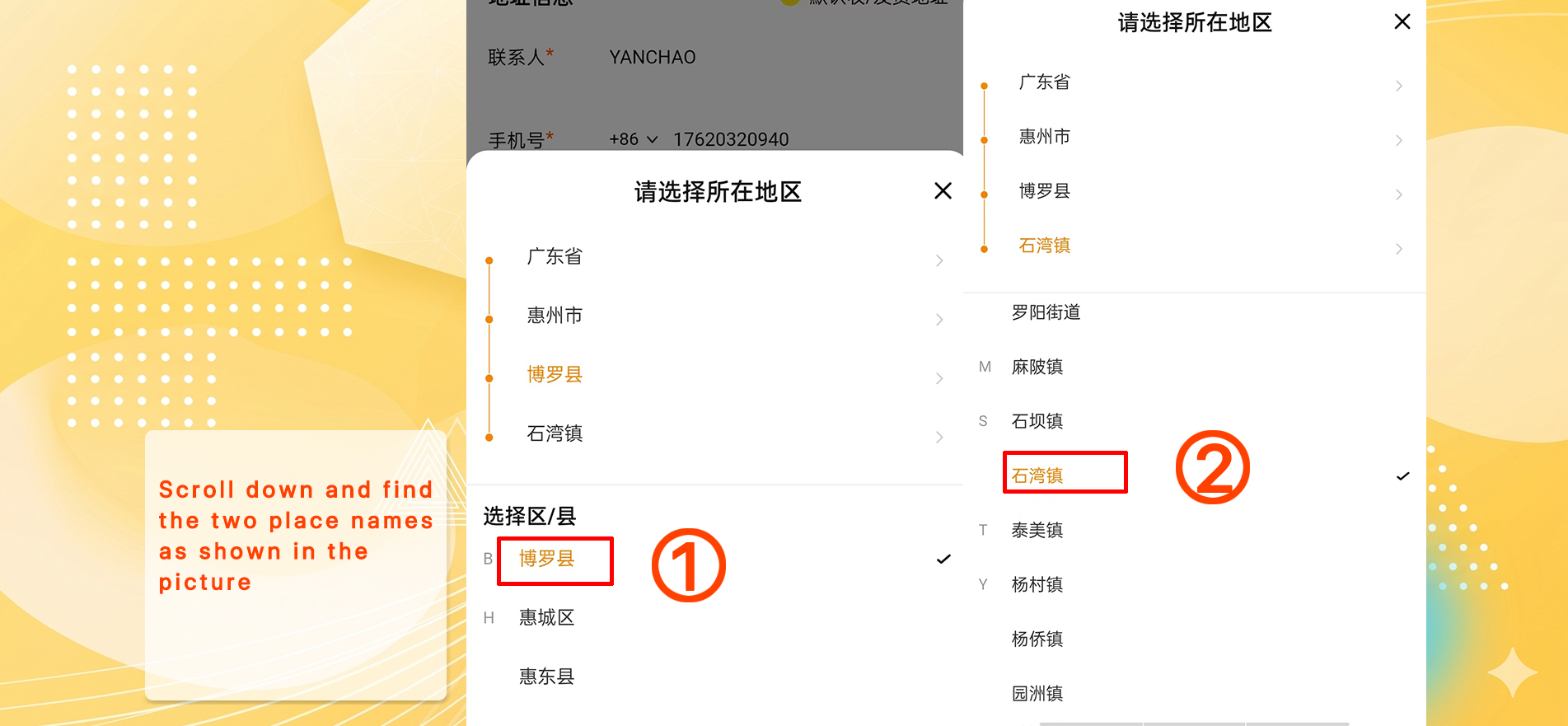
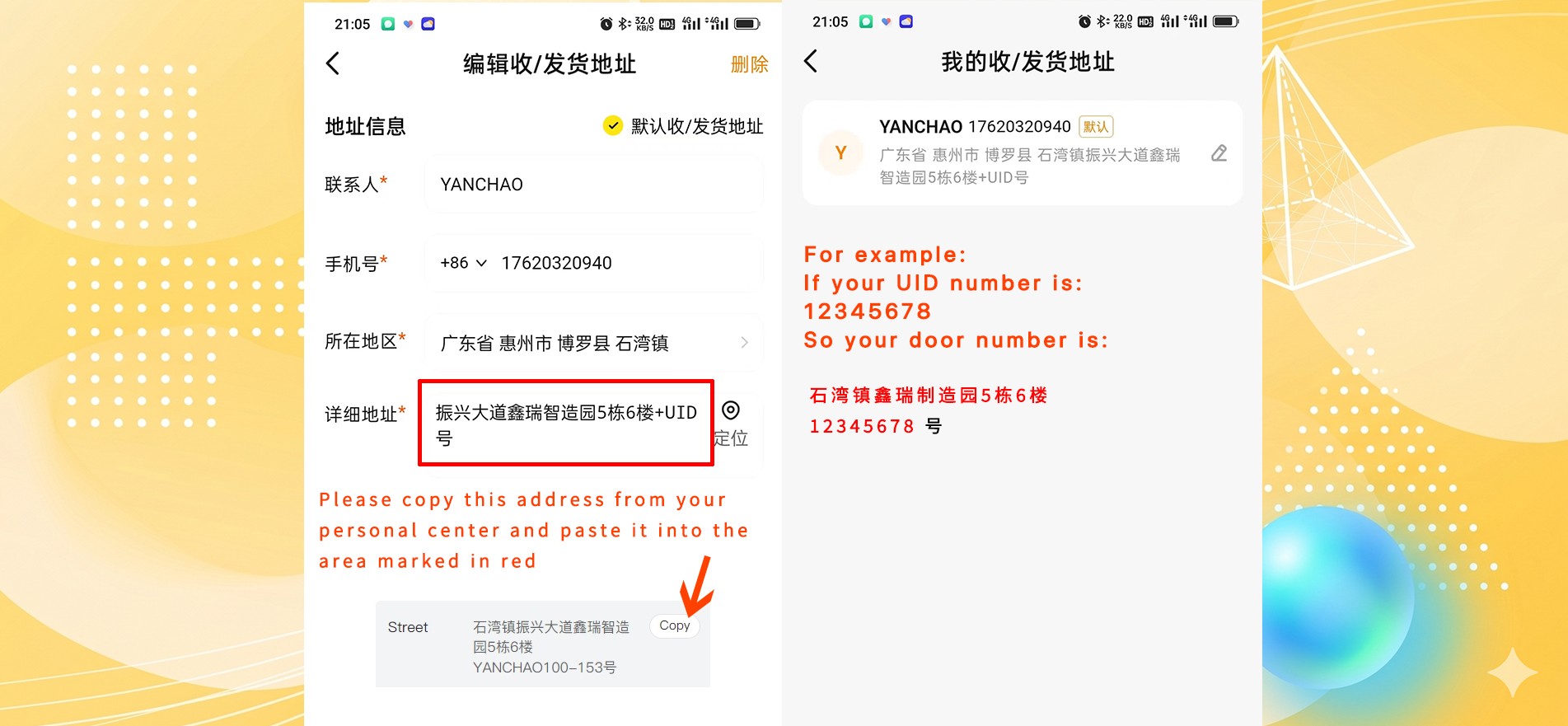
Setup Guides for Supported Platforms:
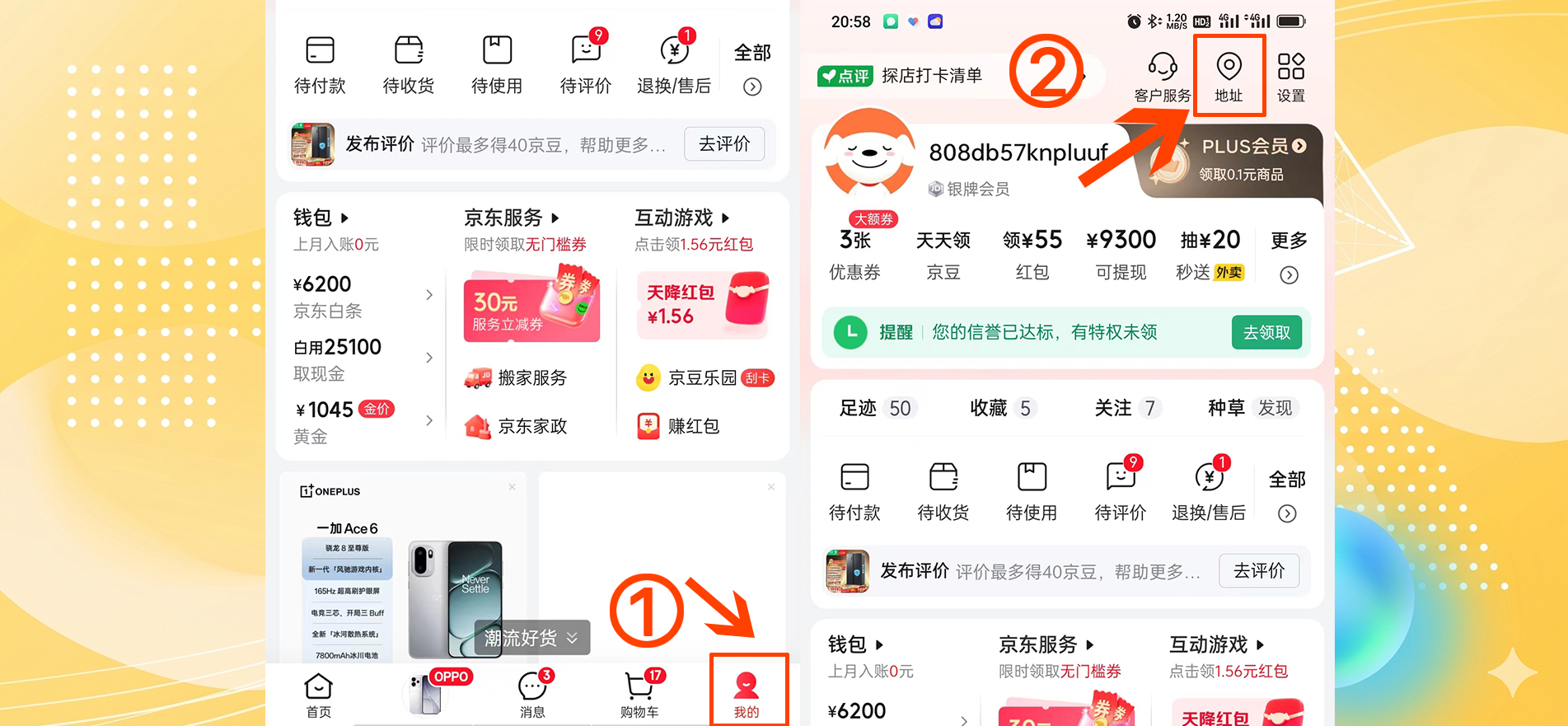
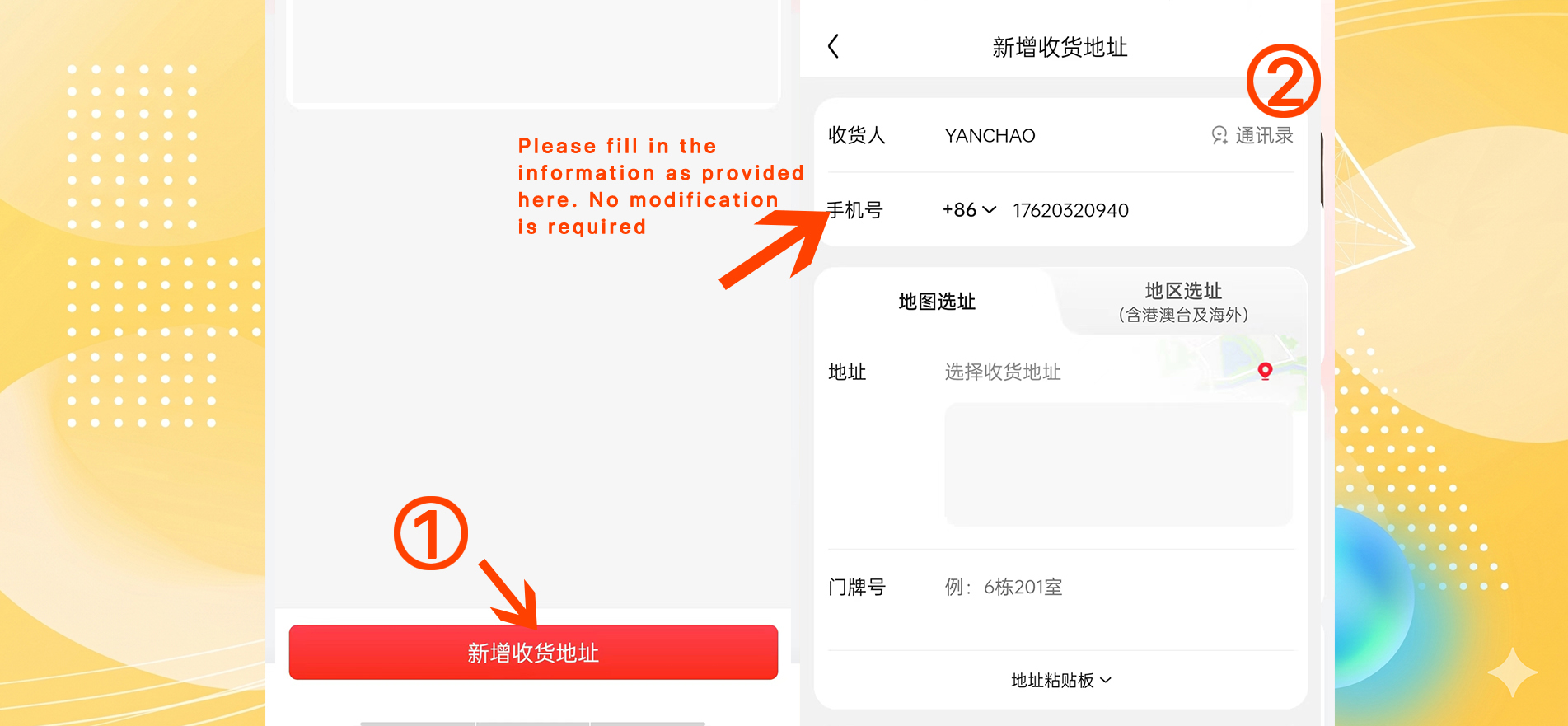
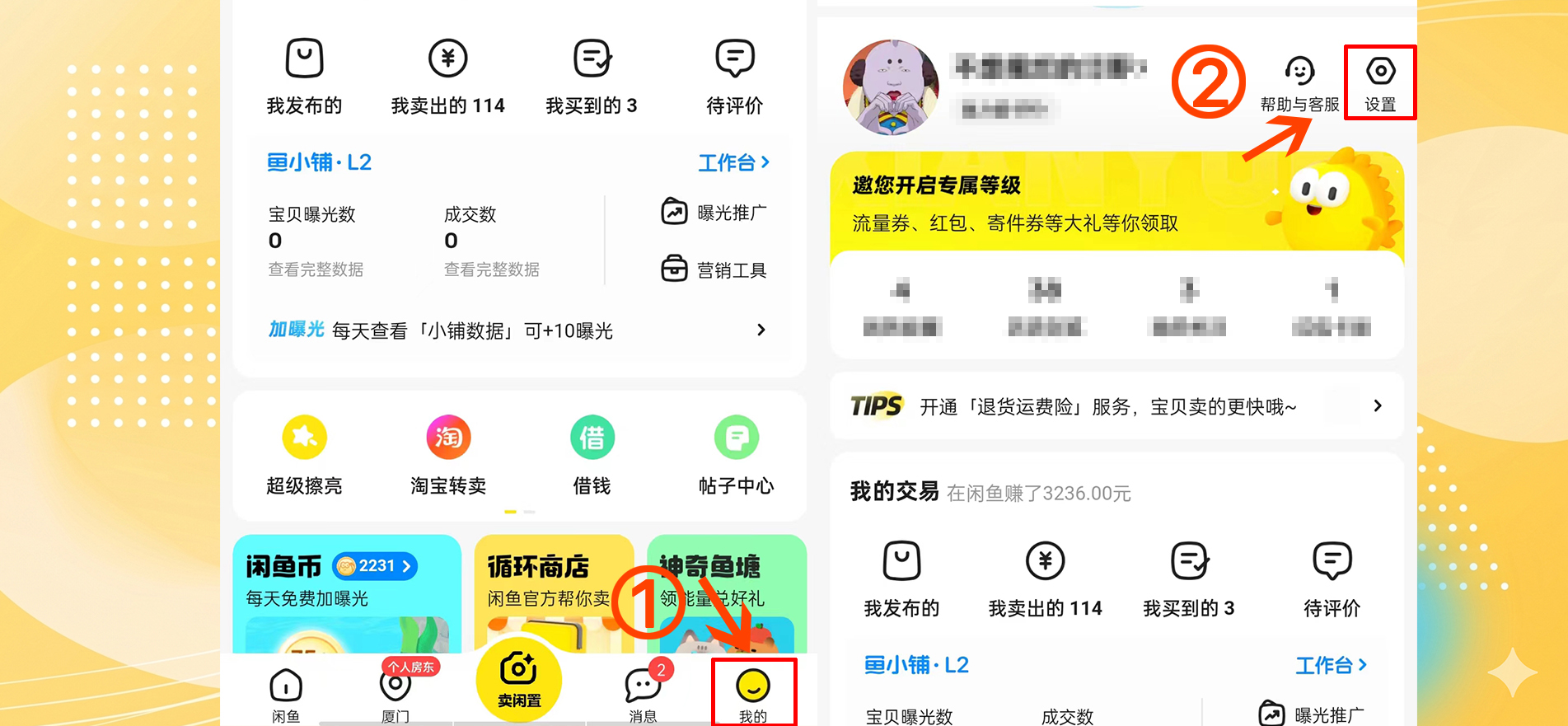
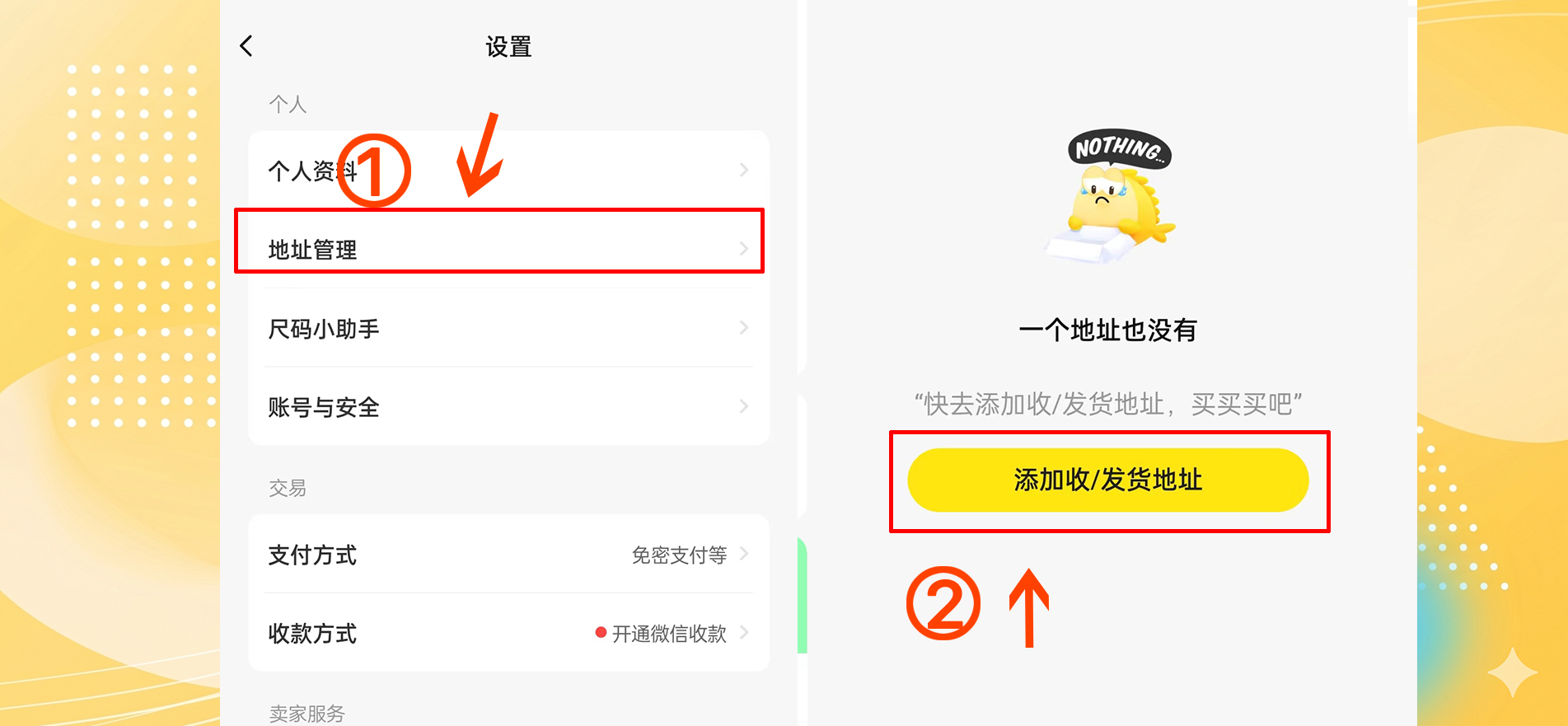
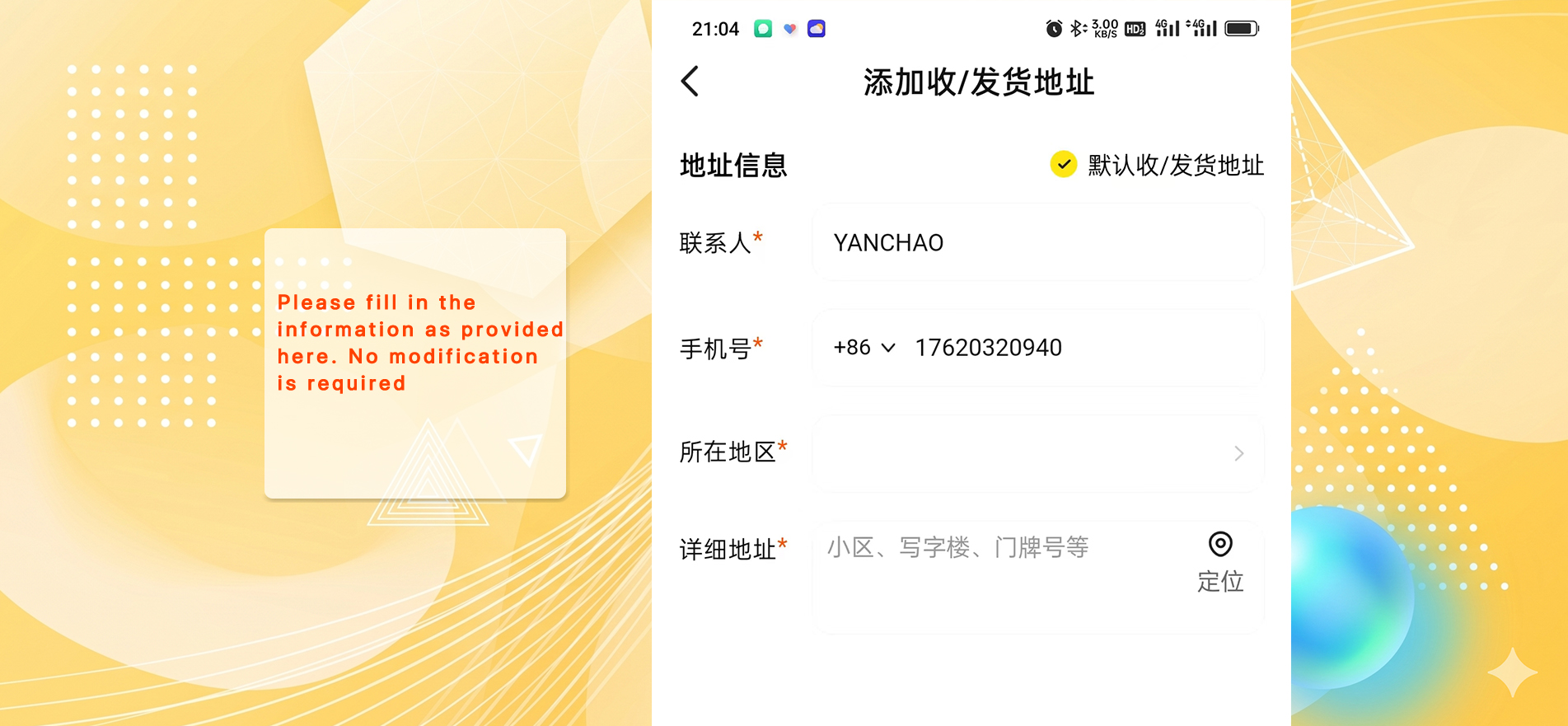
Select the platform you want to use to see how to fill the address into your shopping account. (Click image to enlarge)
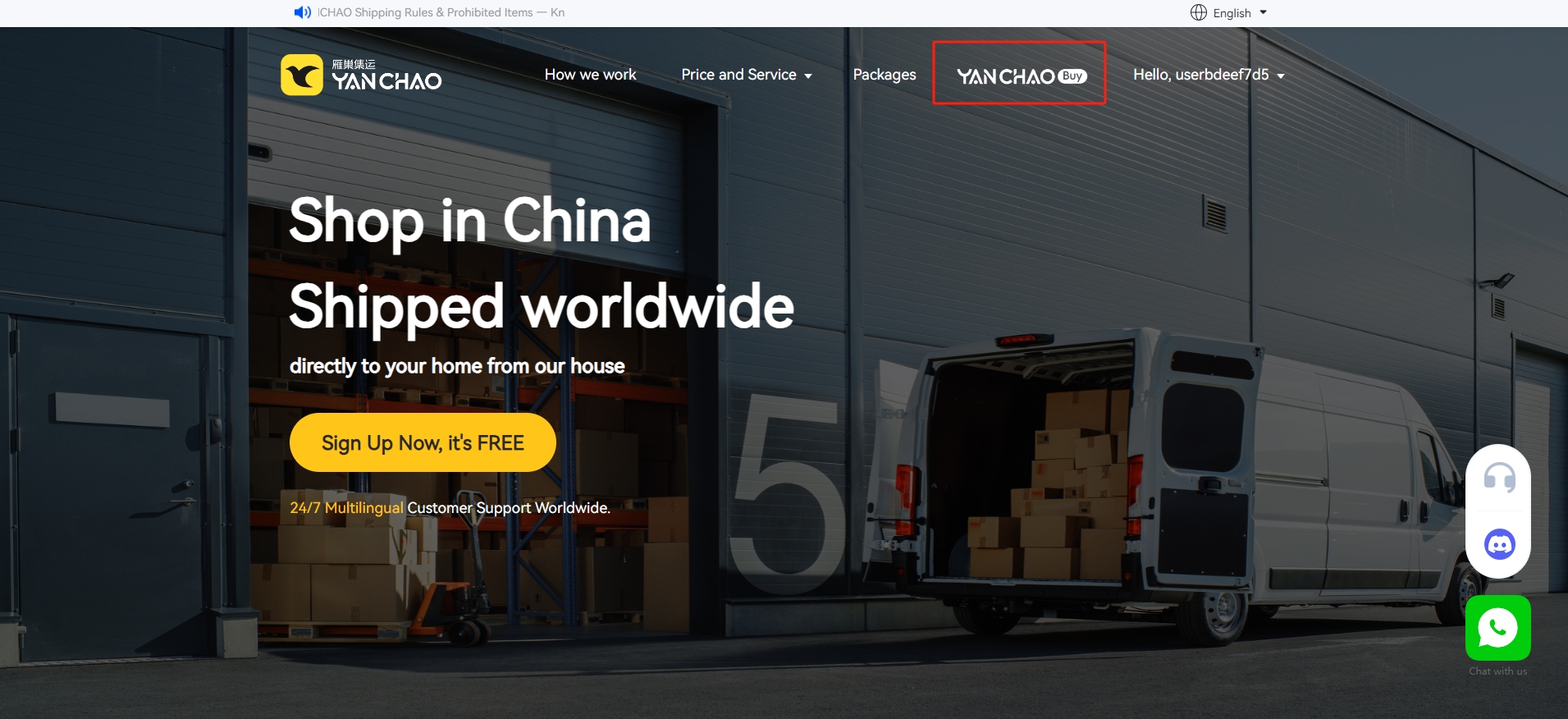
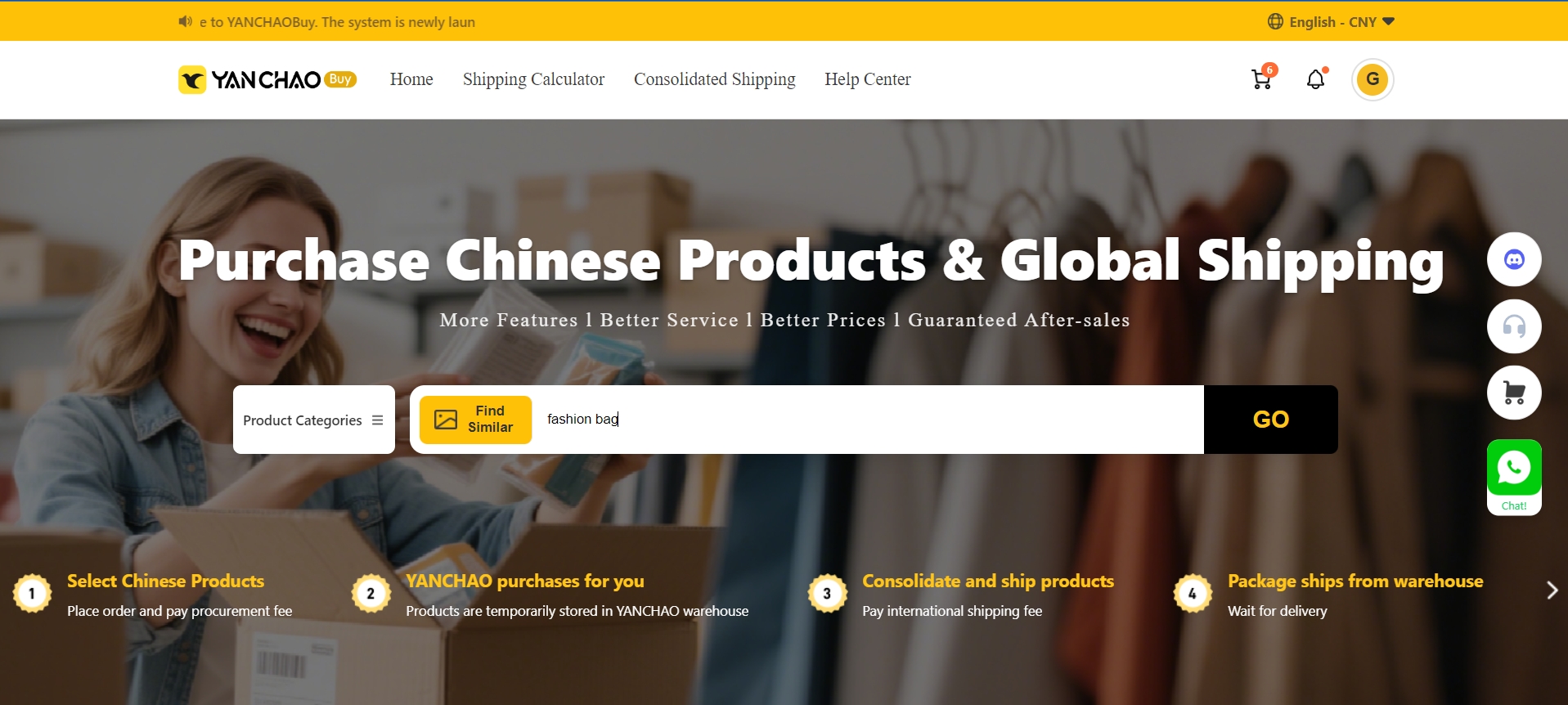
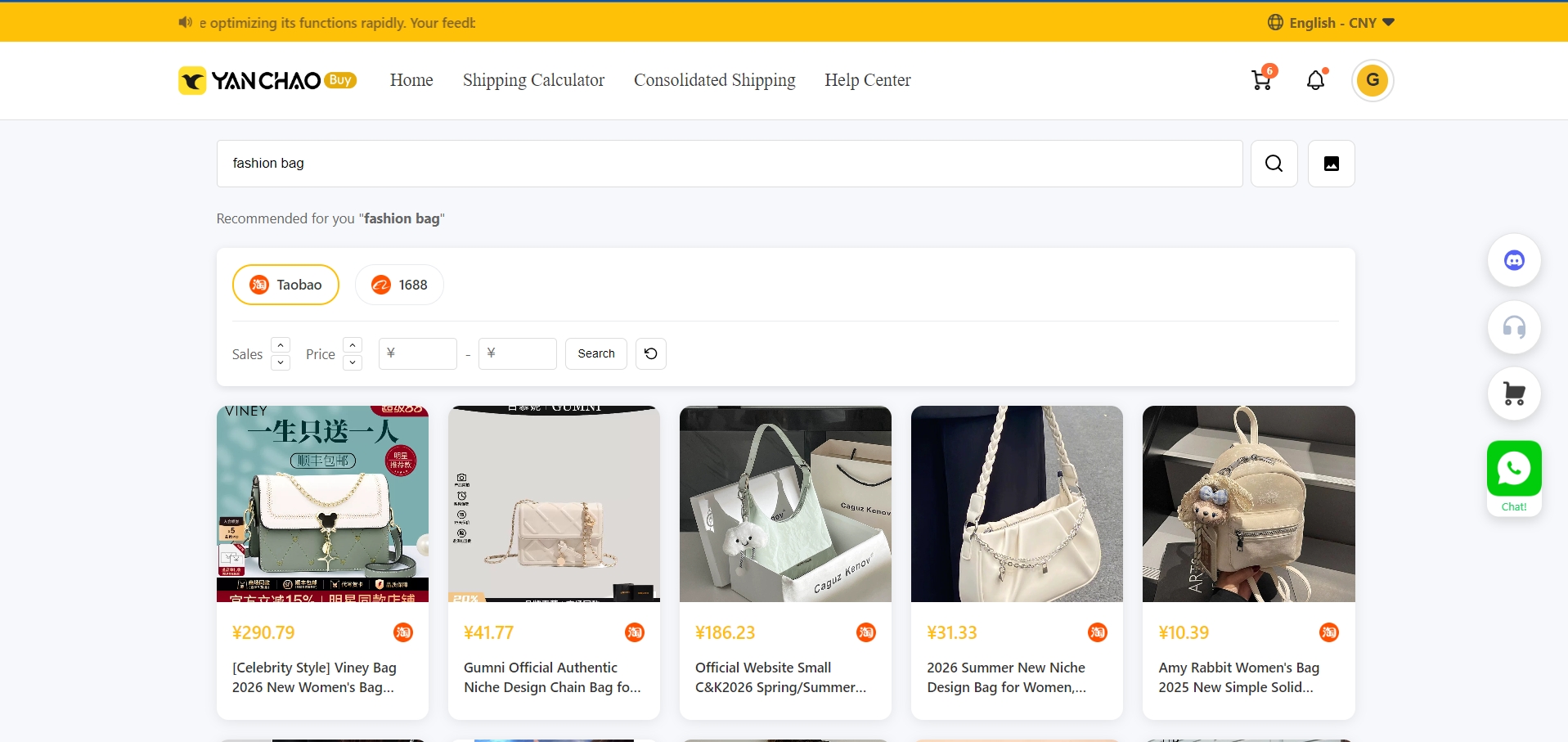
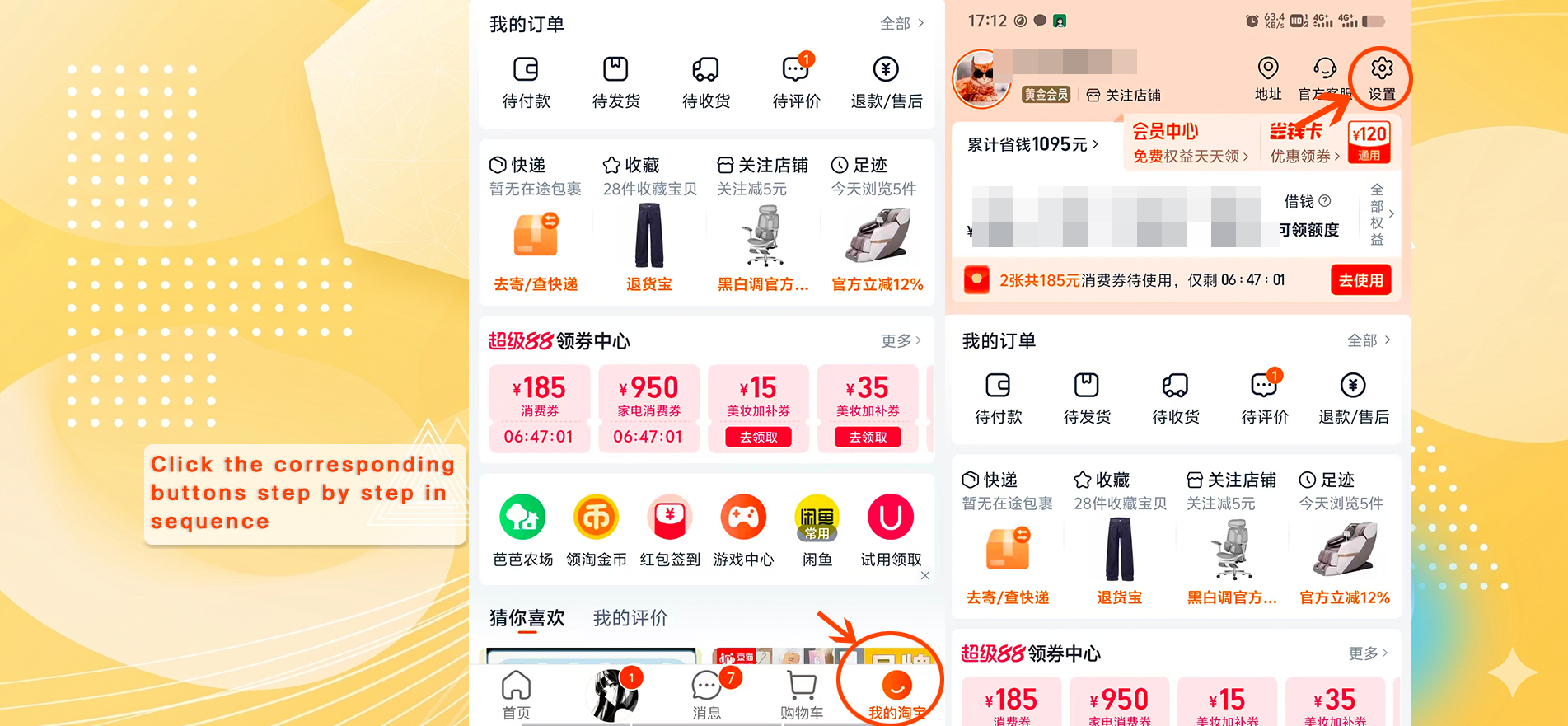
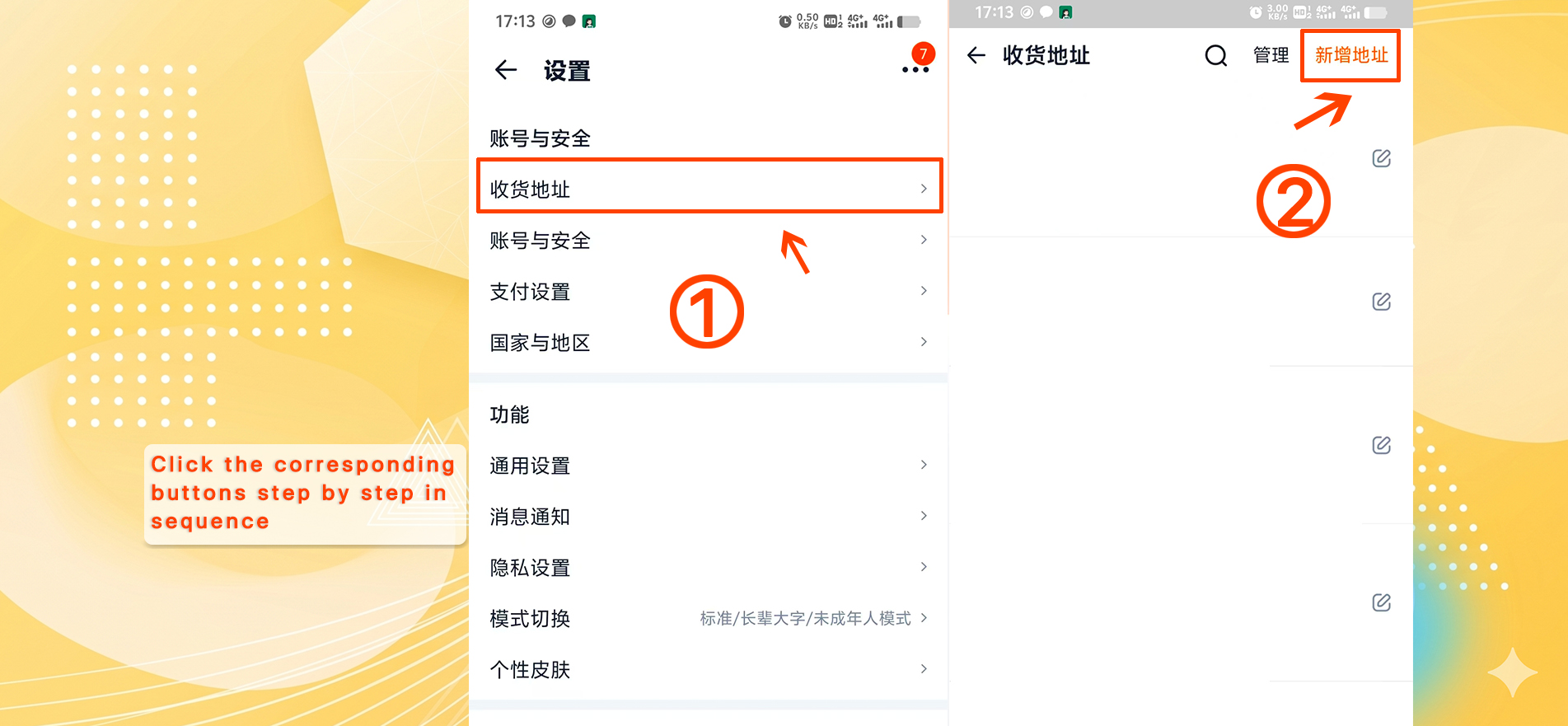
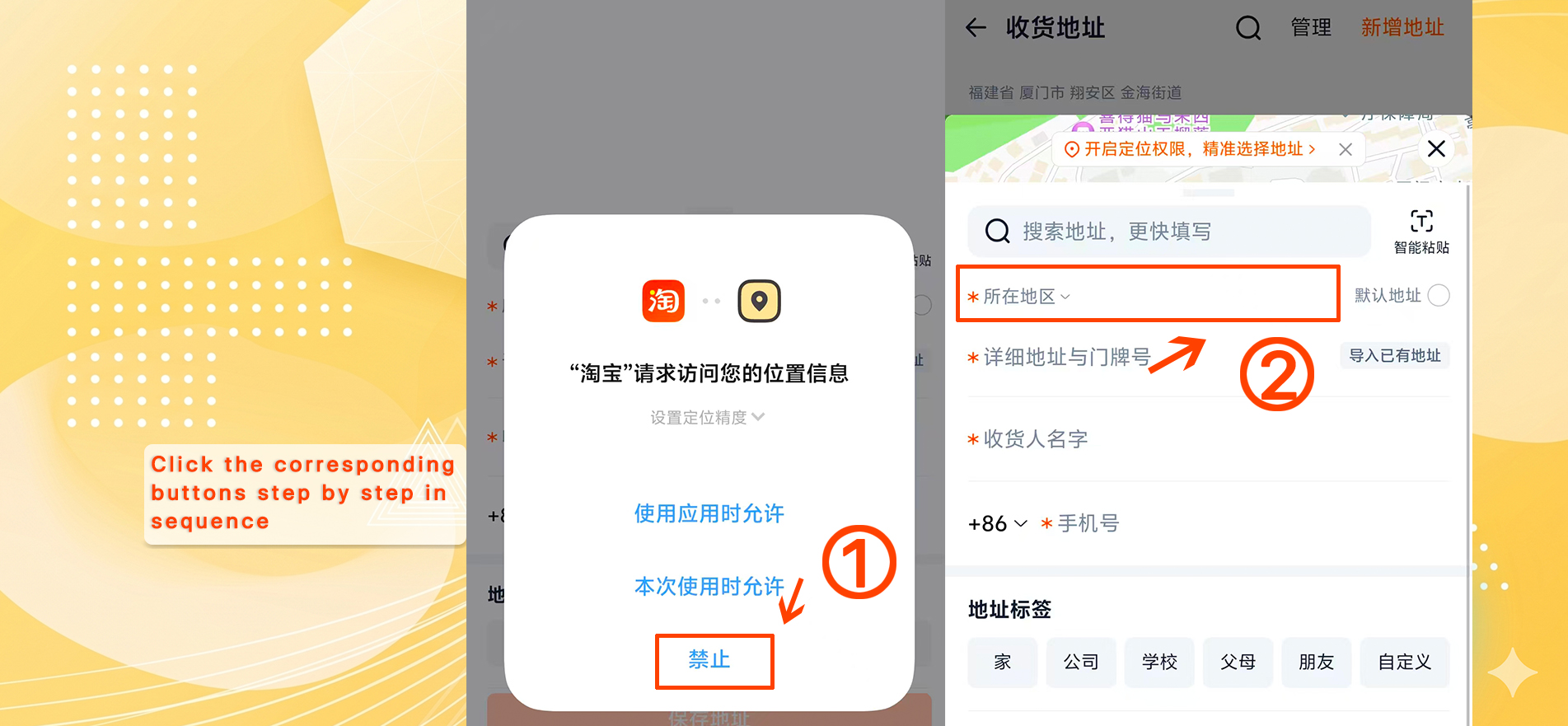
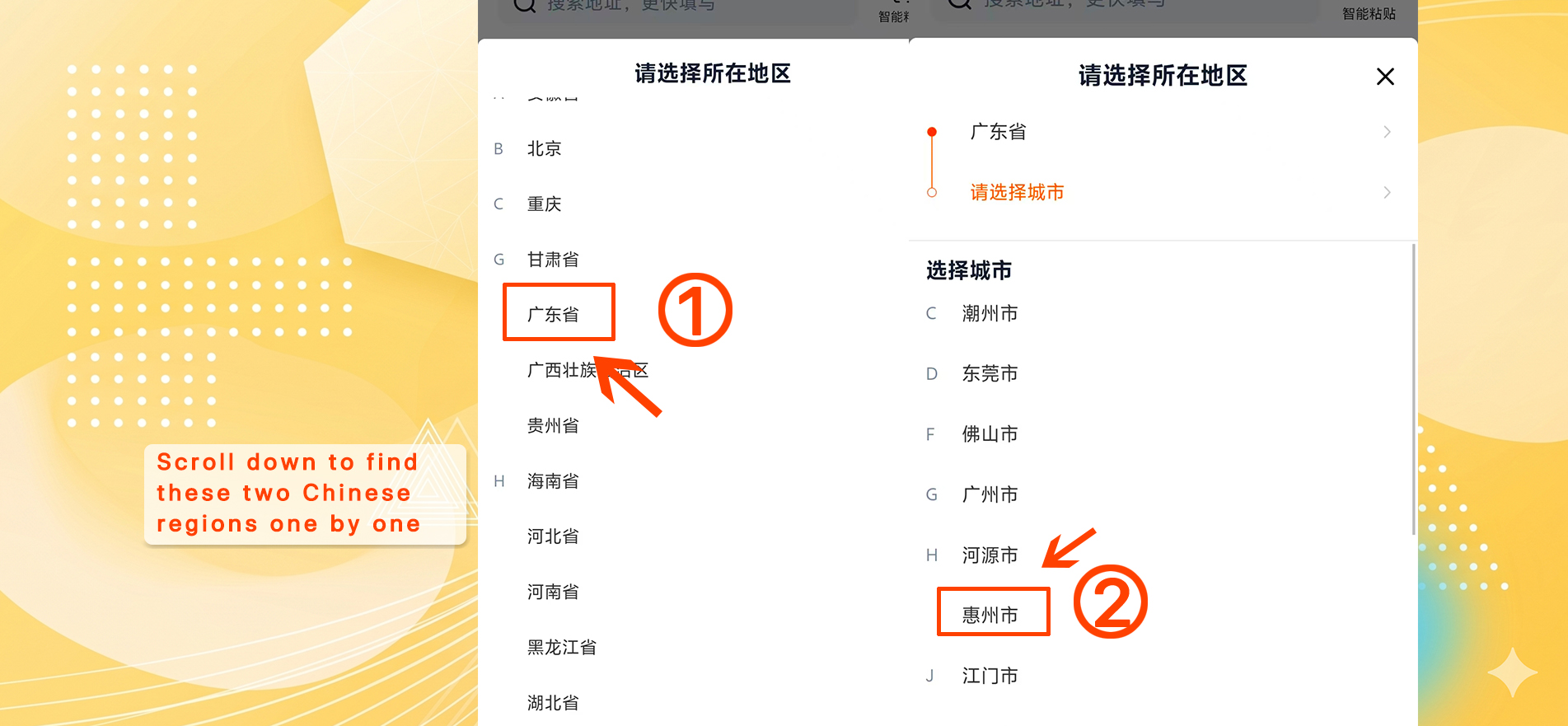
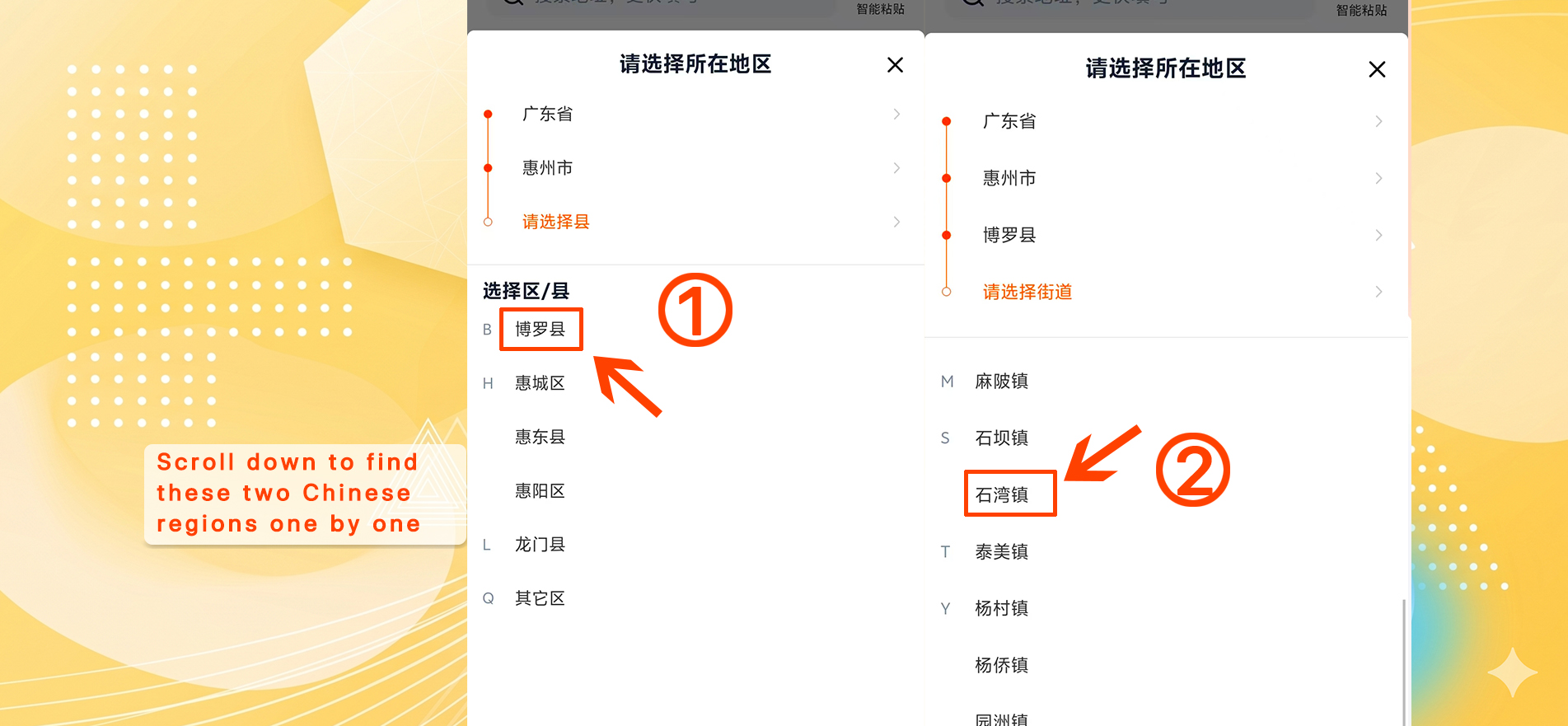
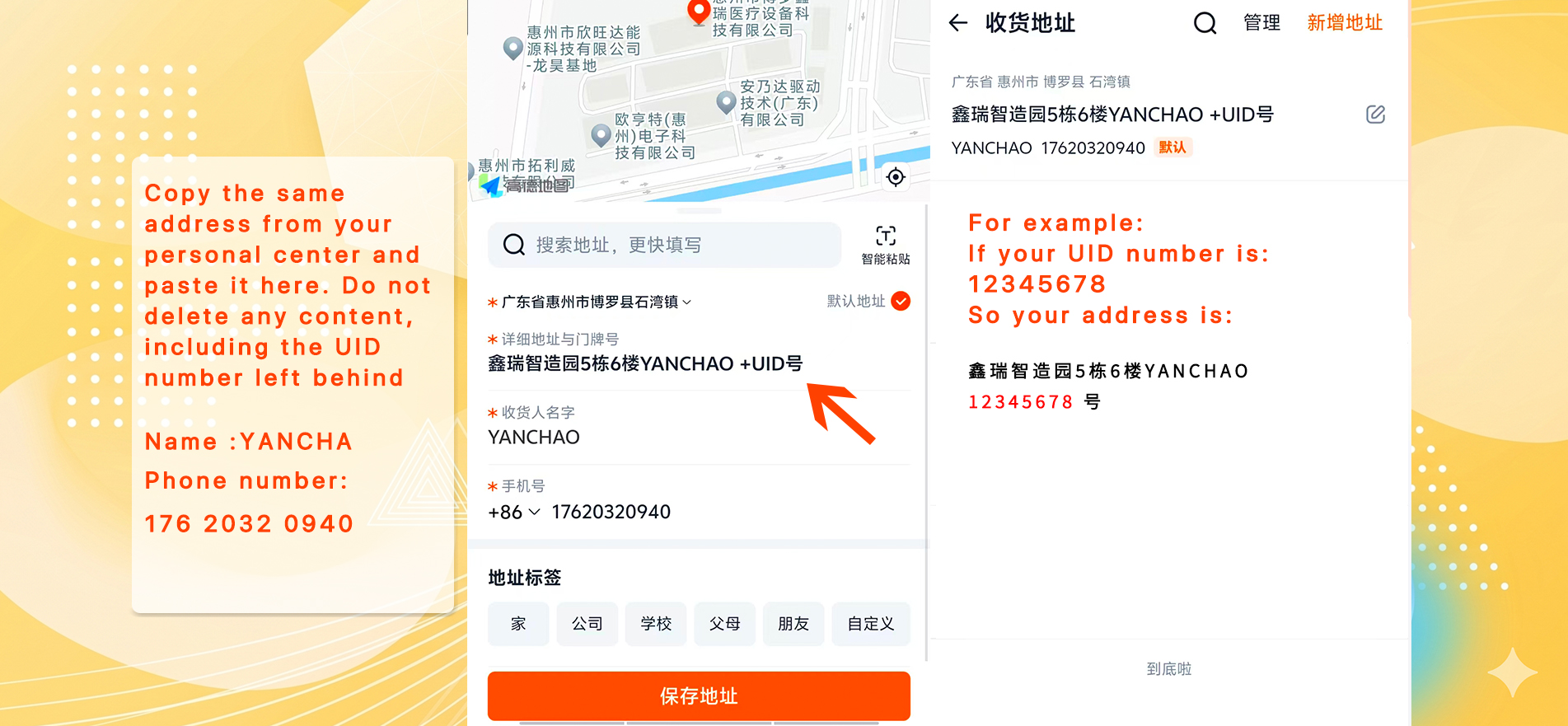
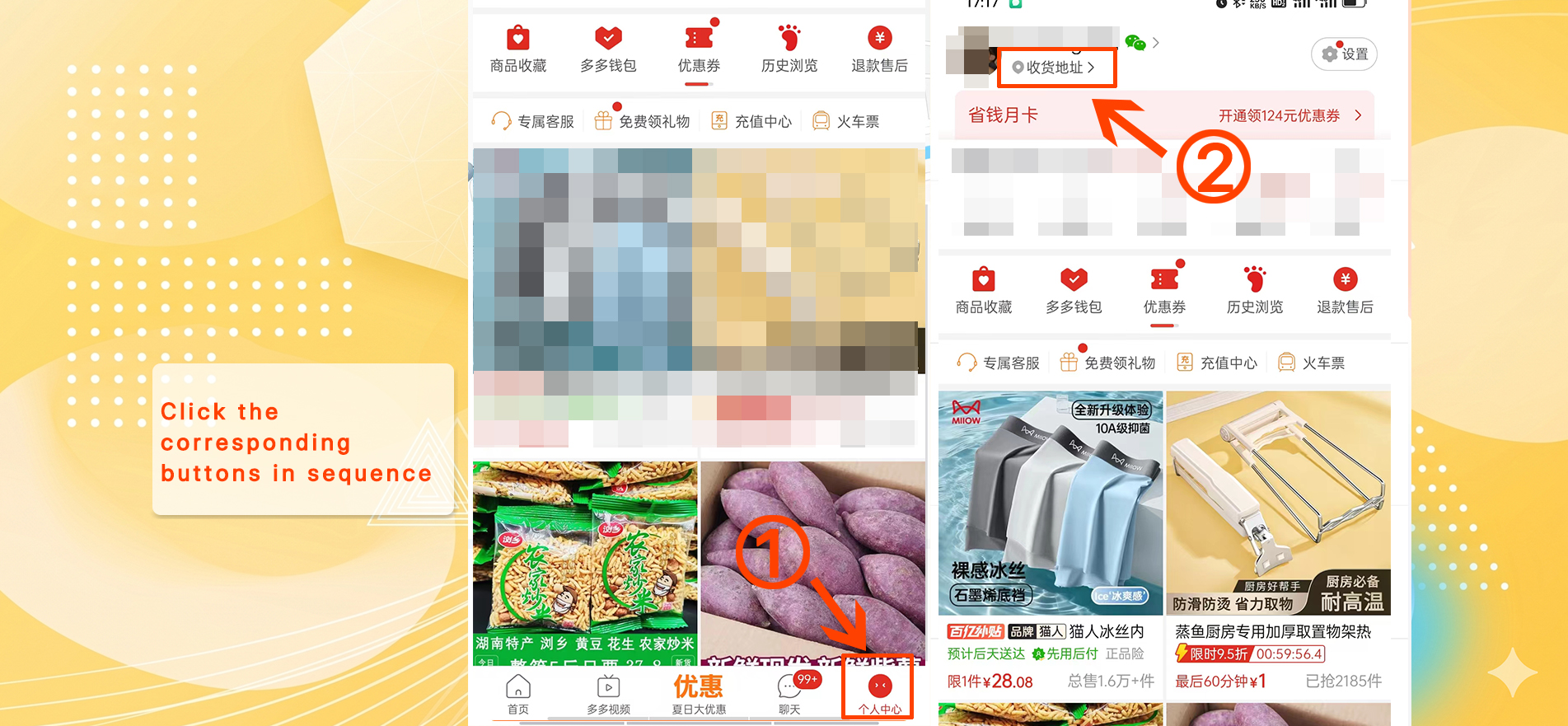
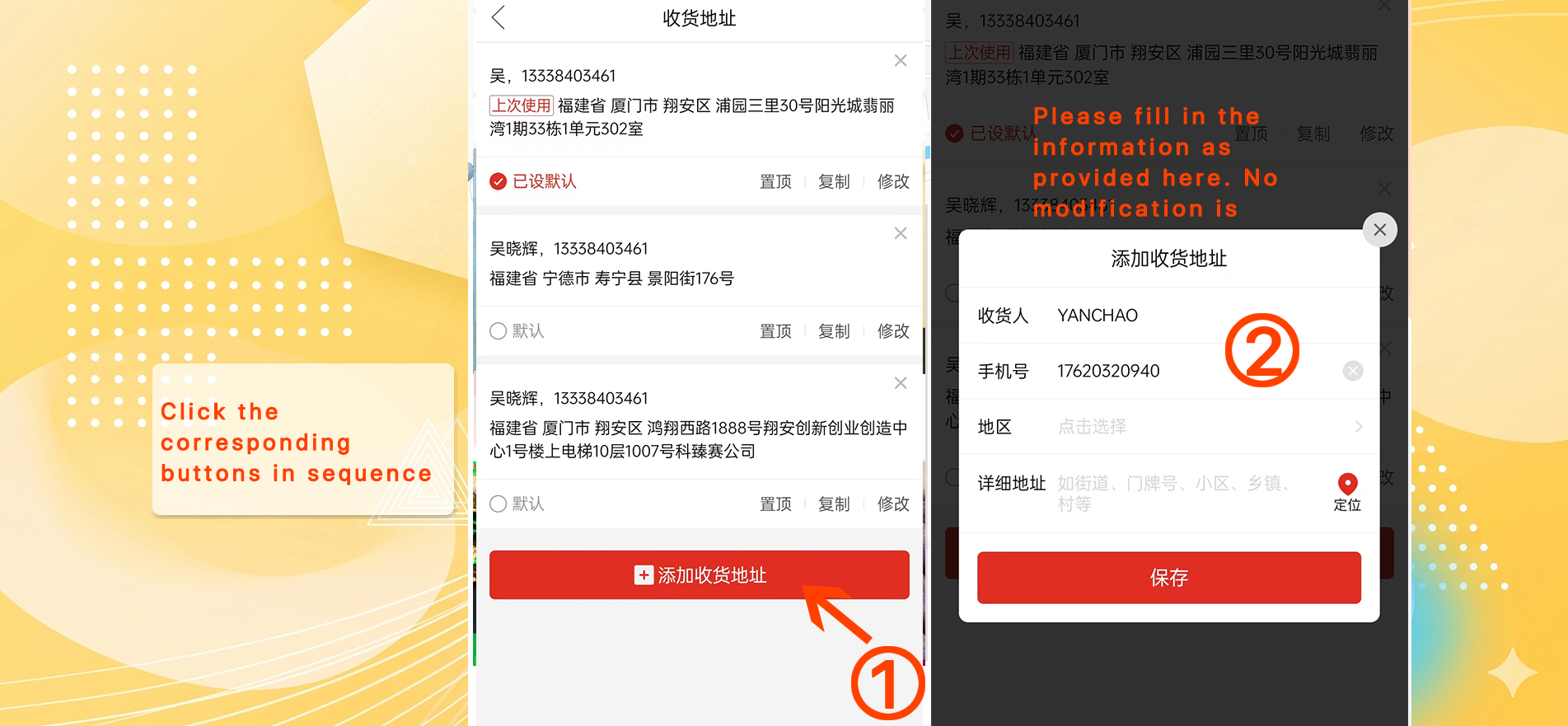
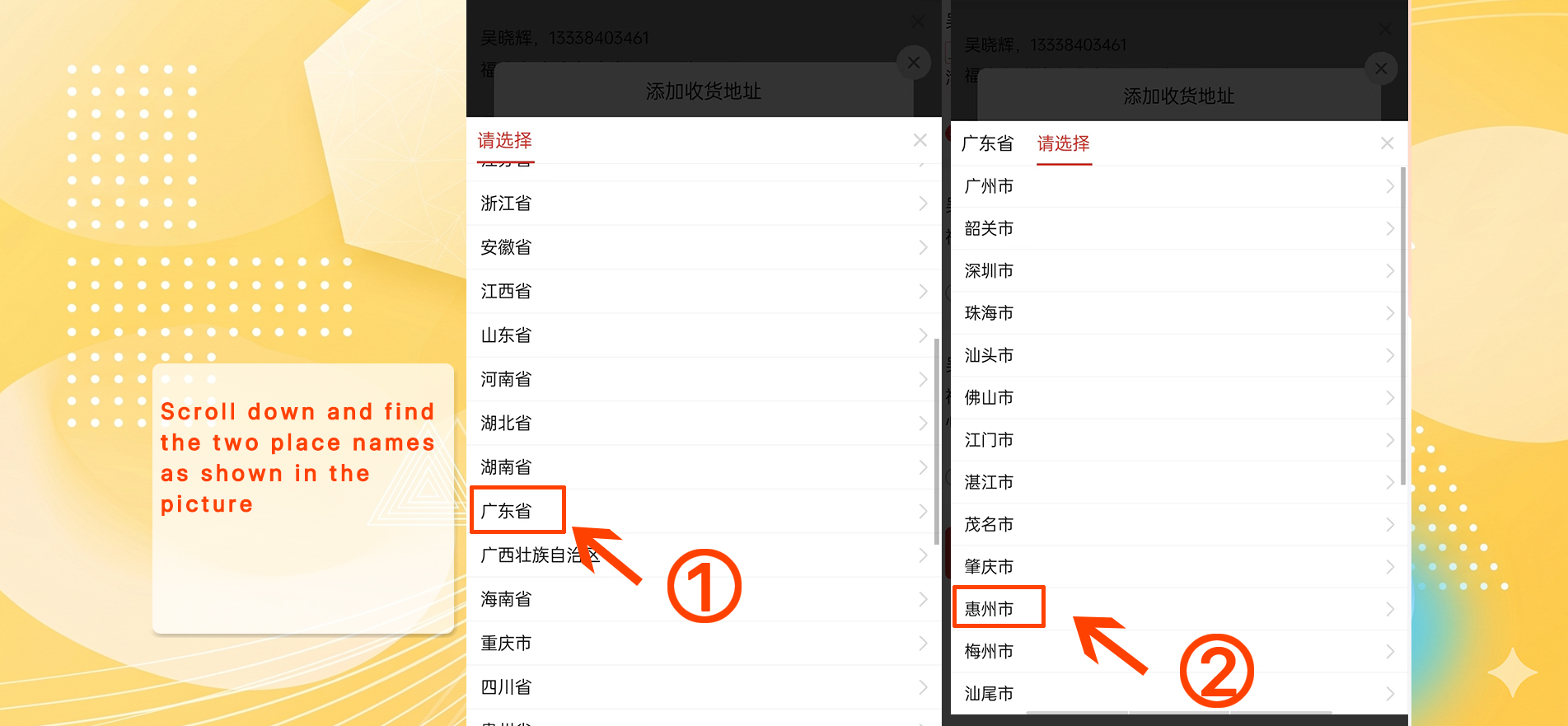
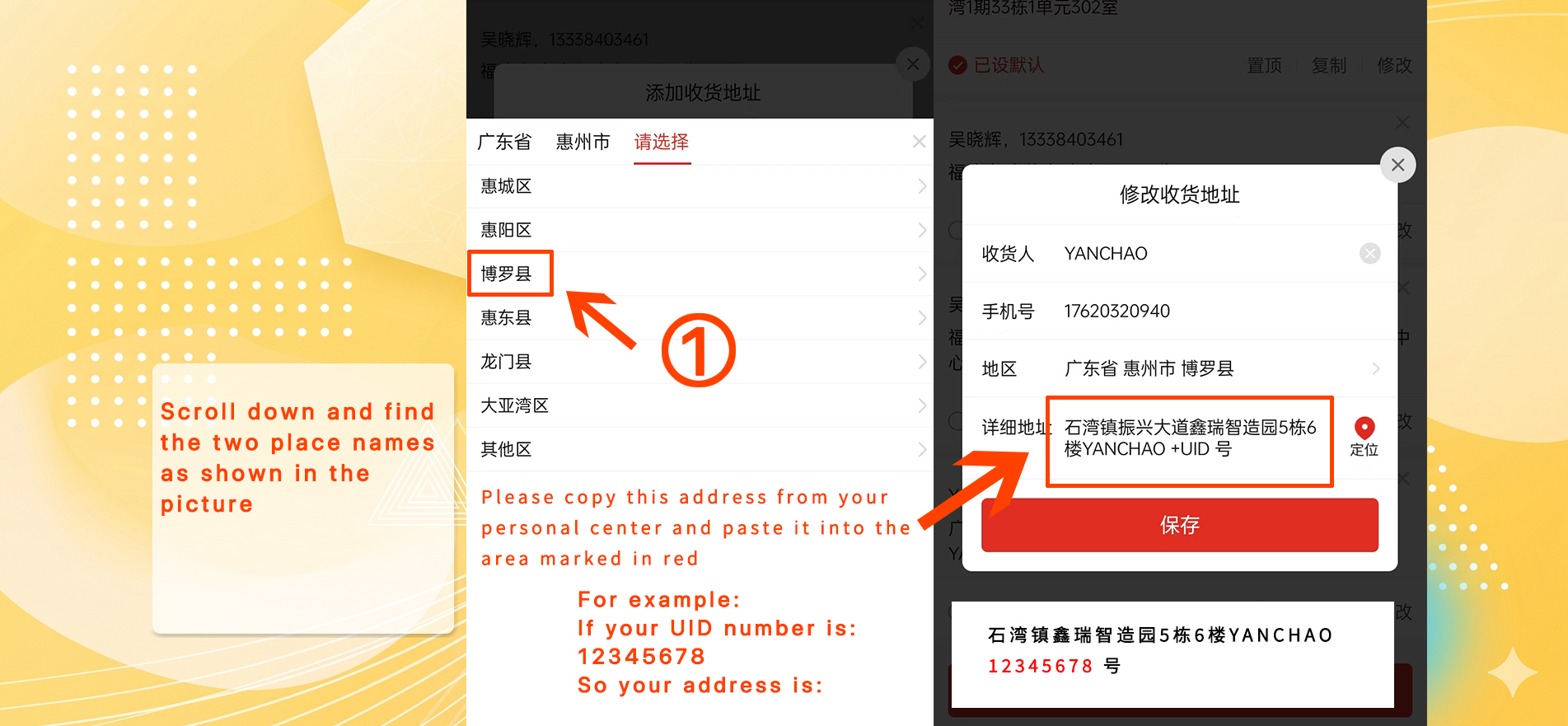
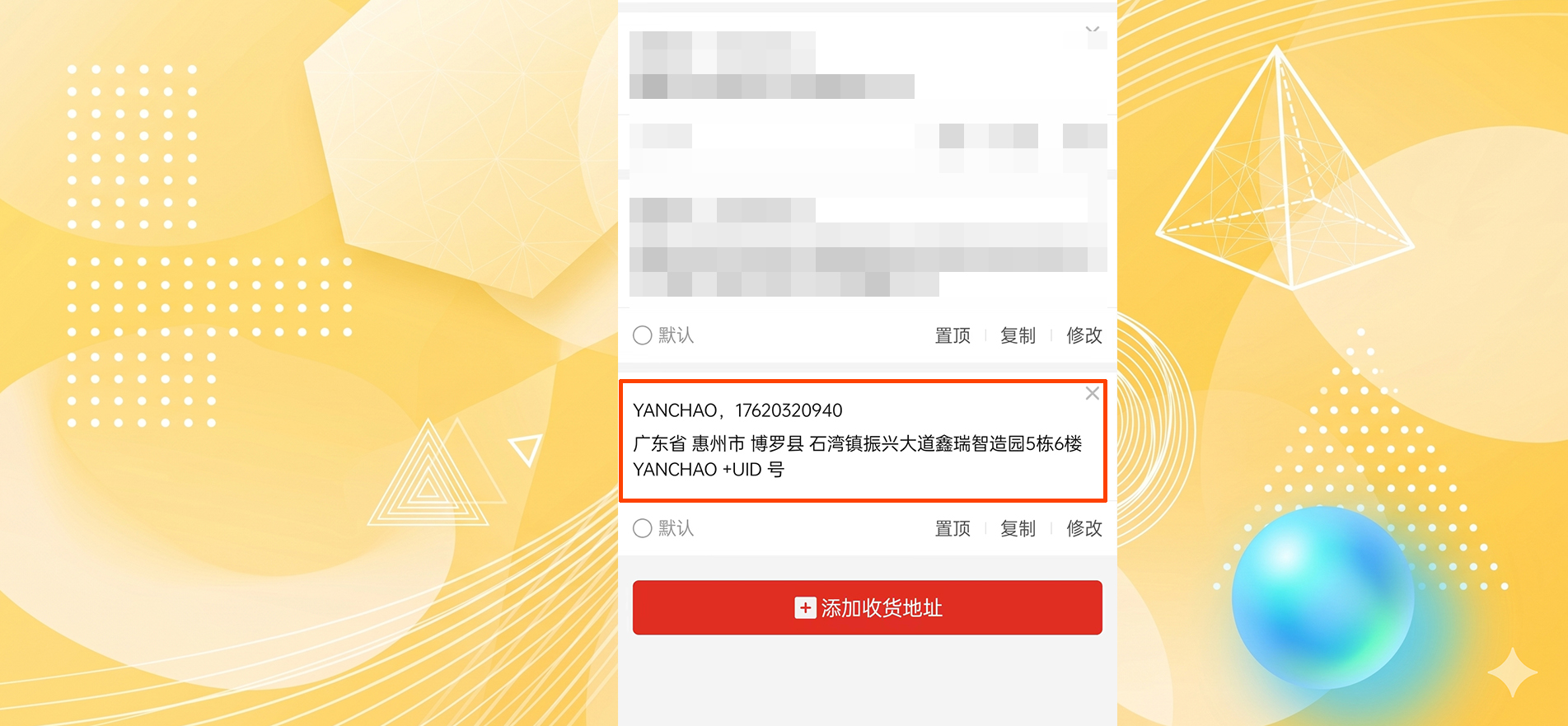
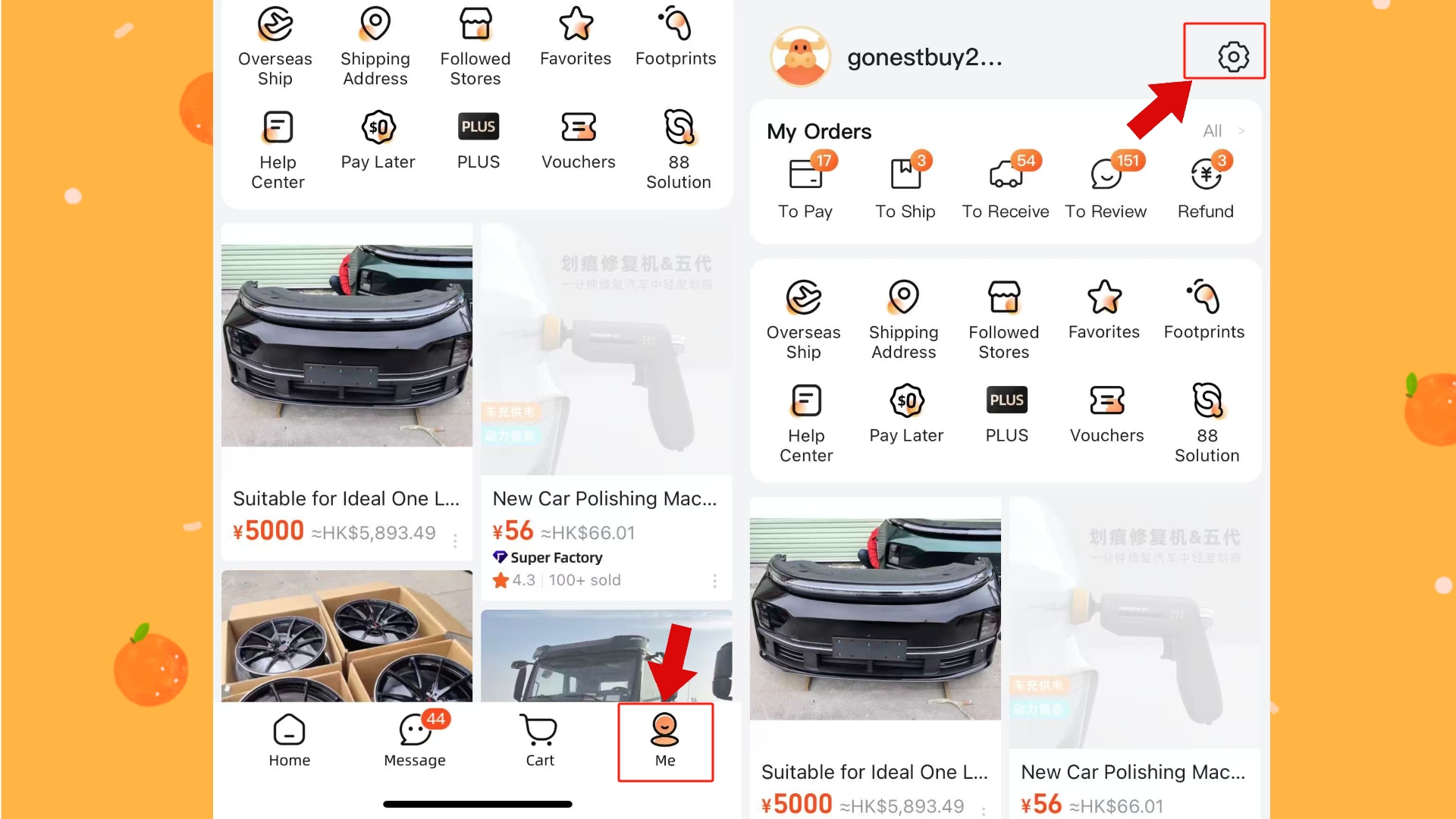
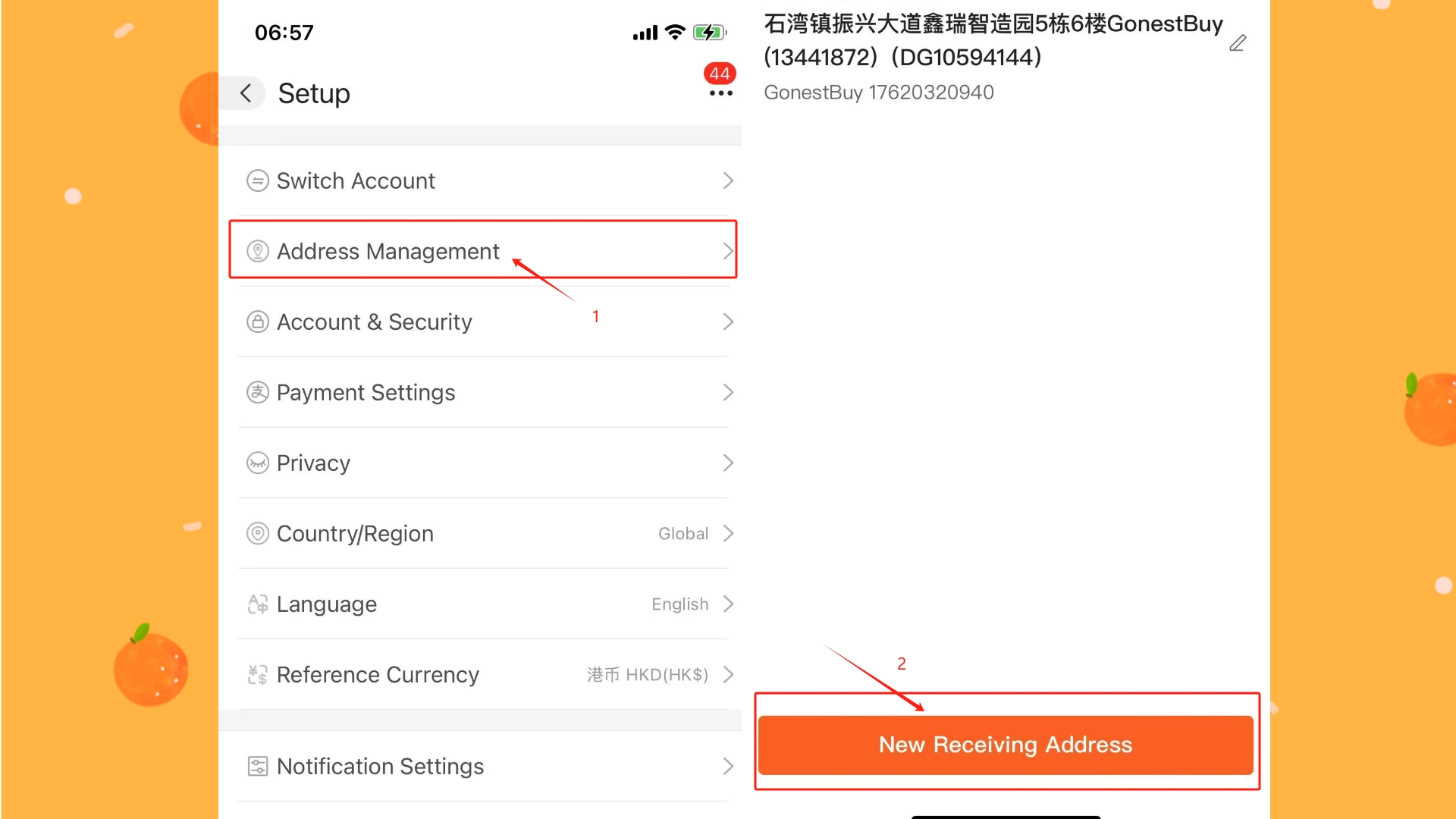
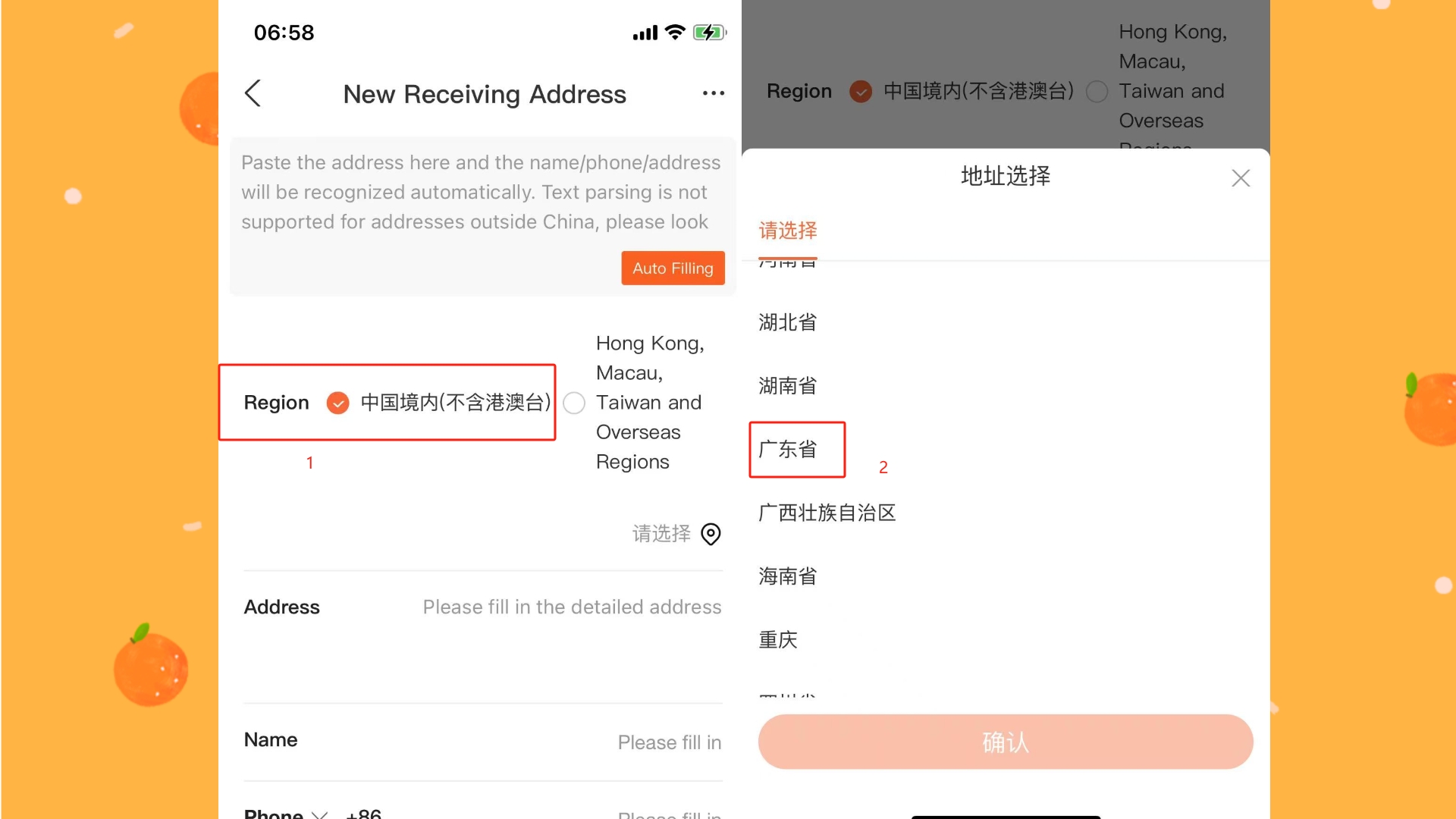
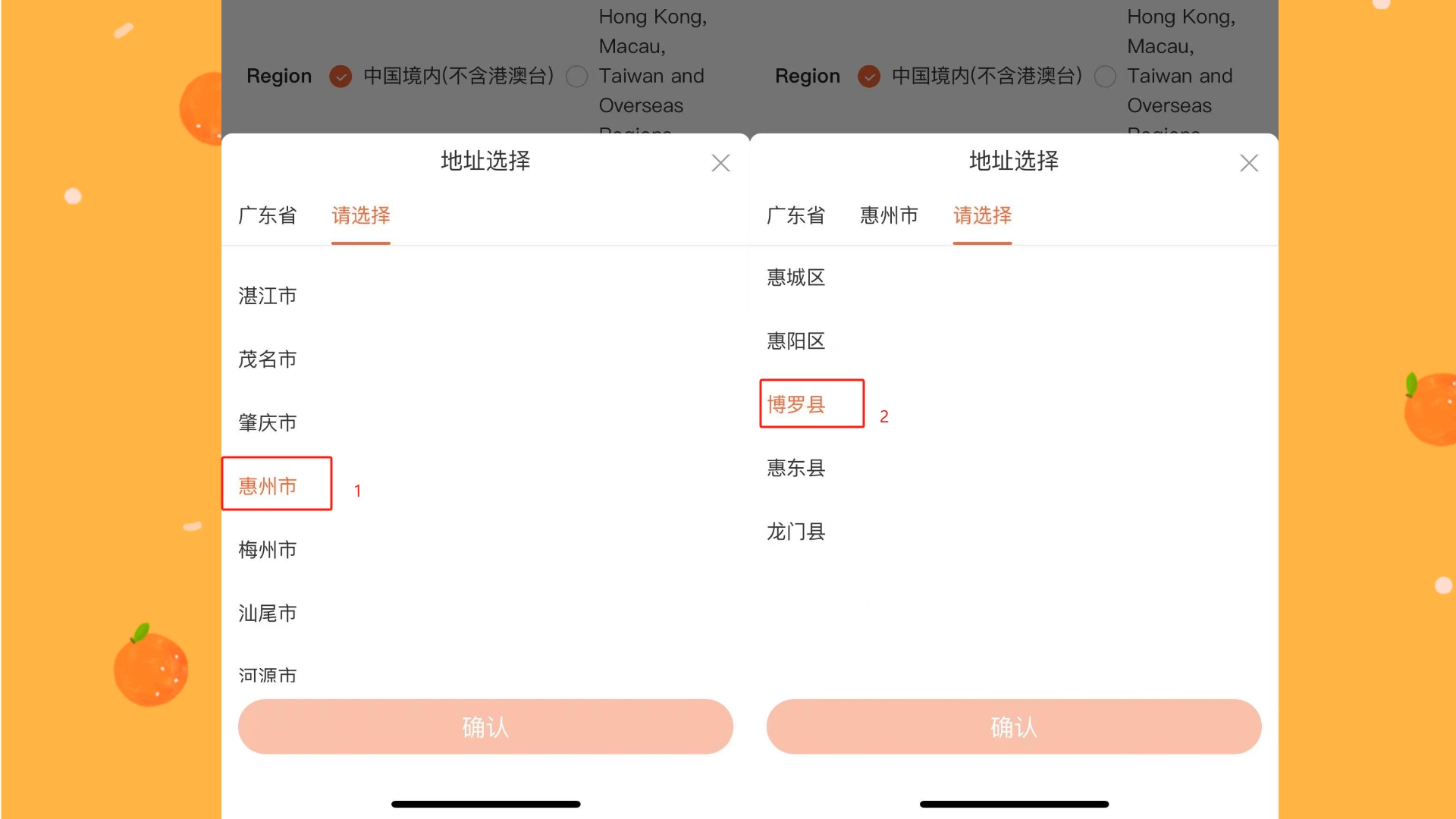
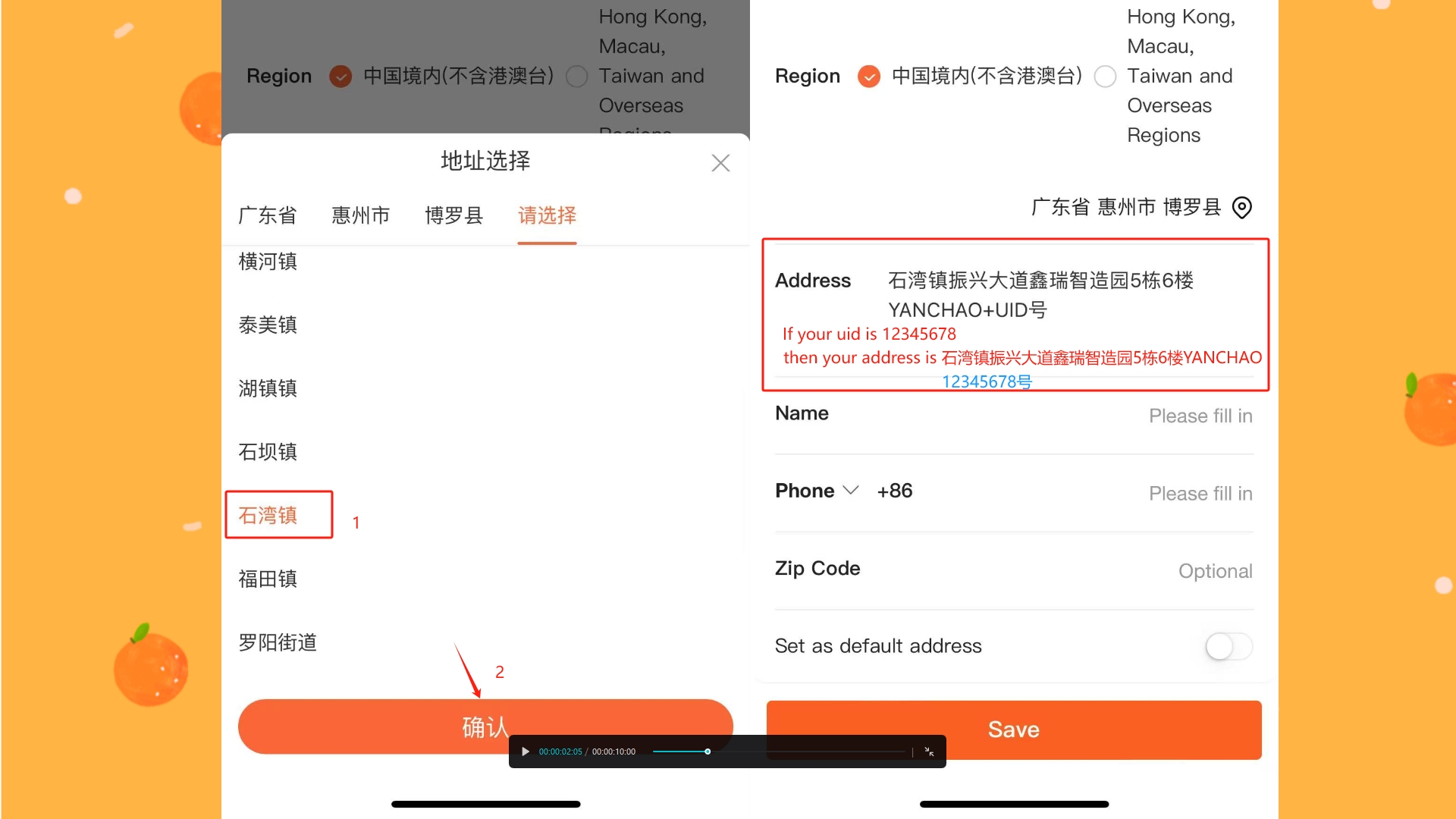
Order Guides for Supported Platforms:
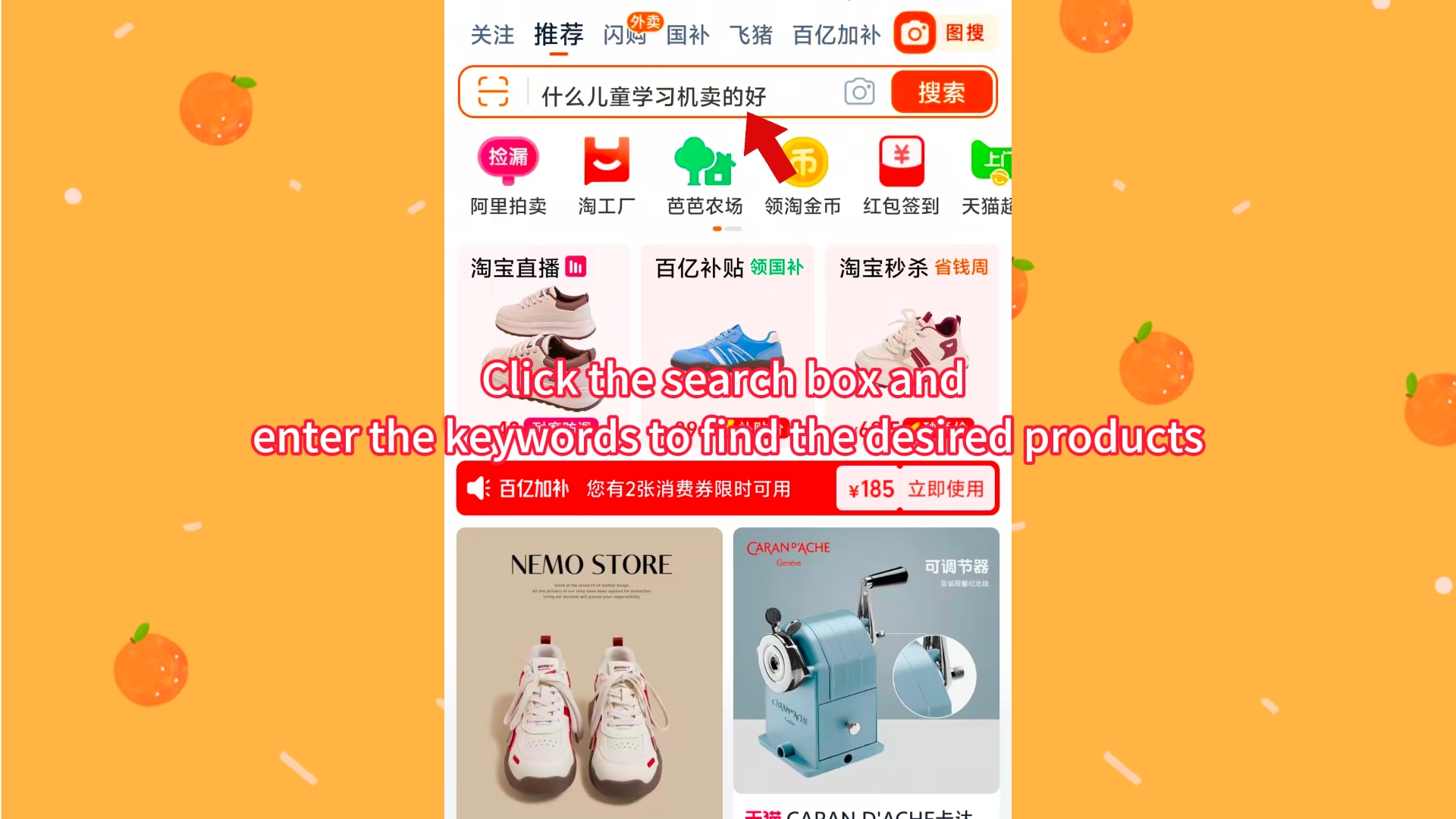
Select the platform to see the step-by-step ordering process.
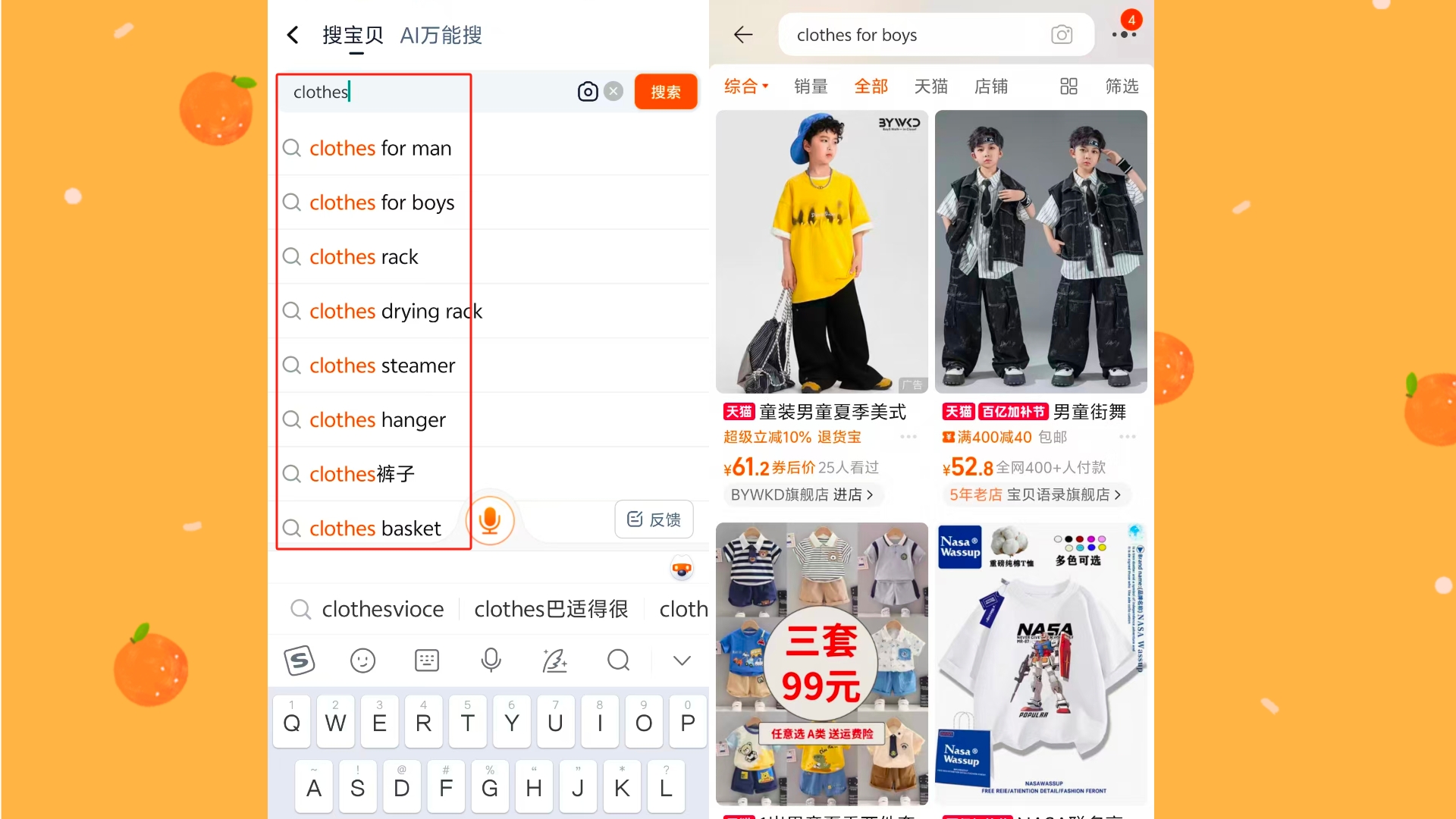
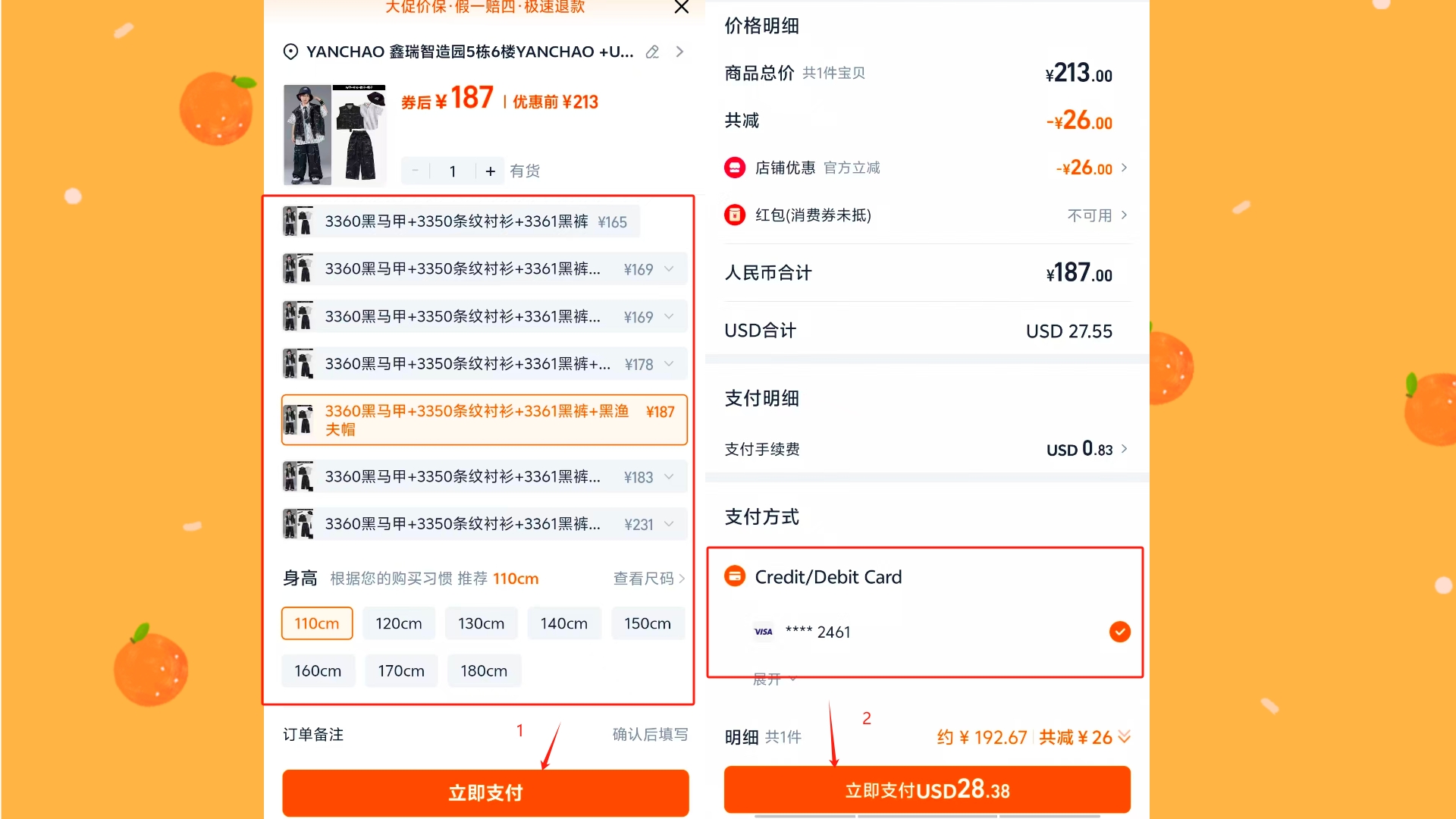
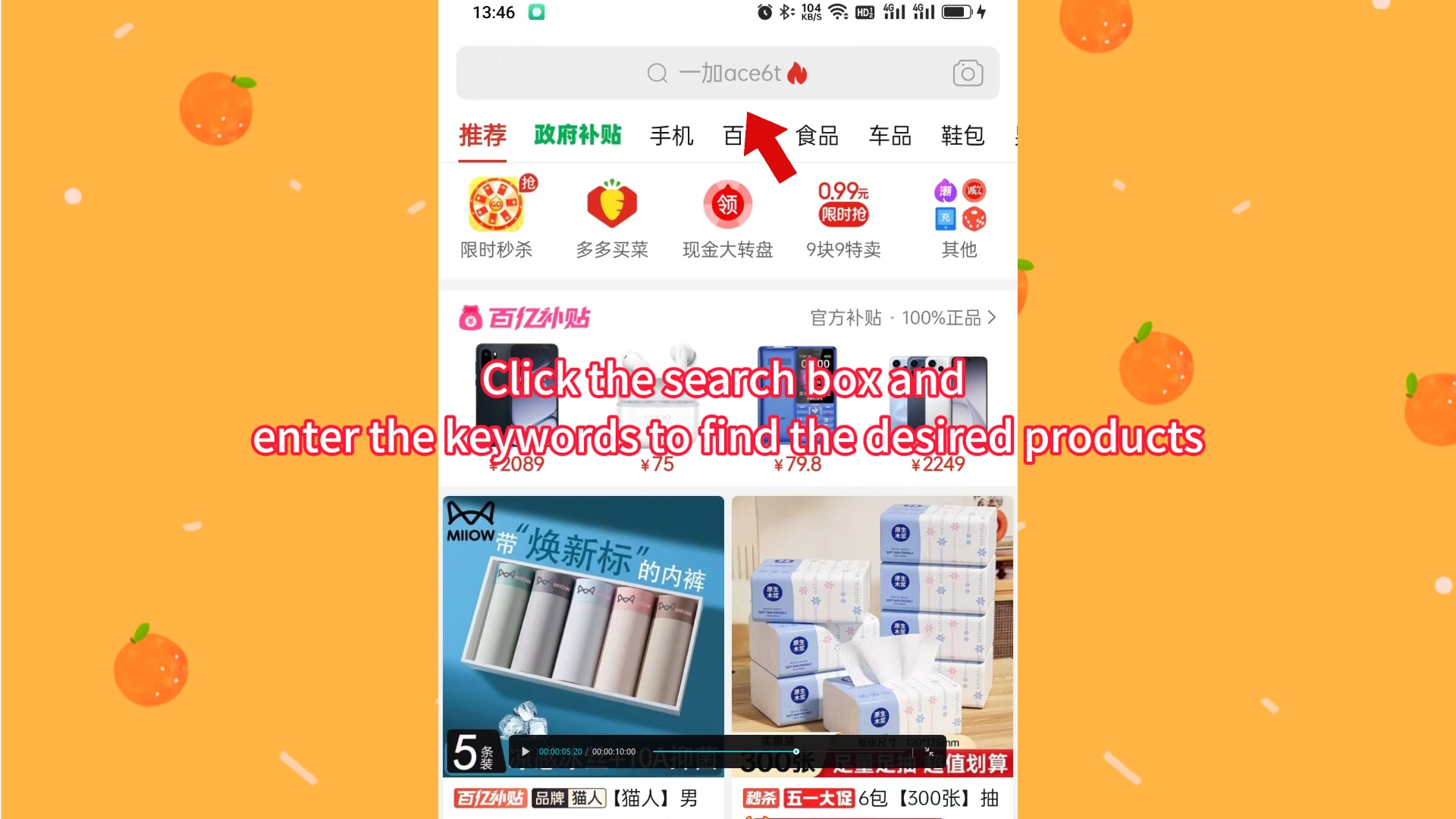
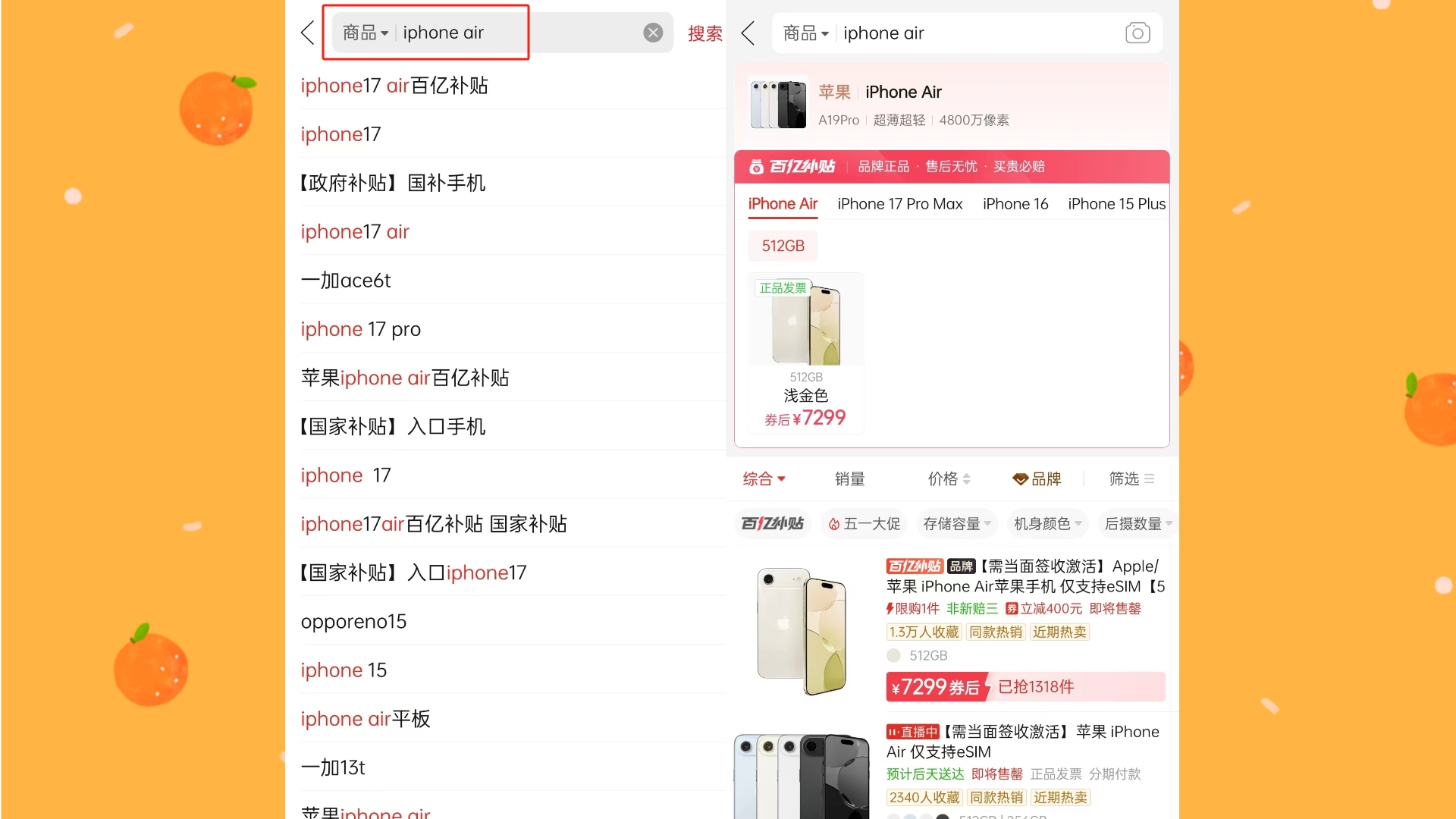
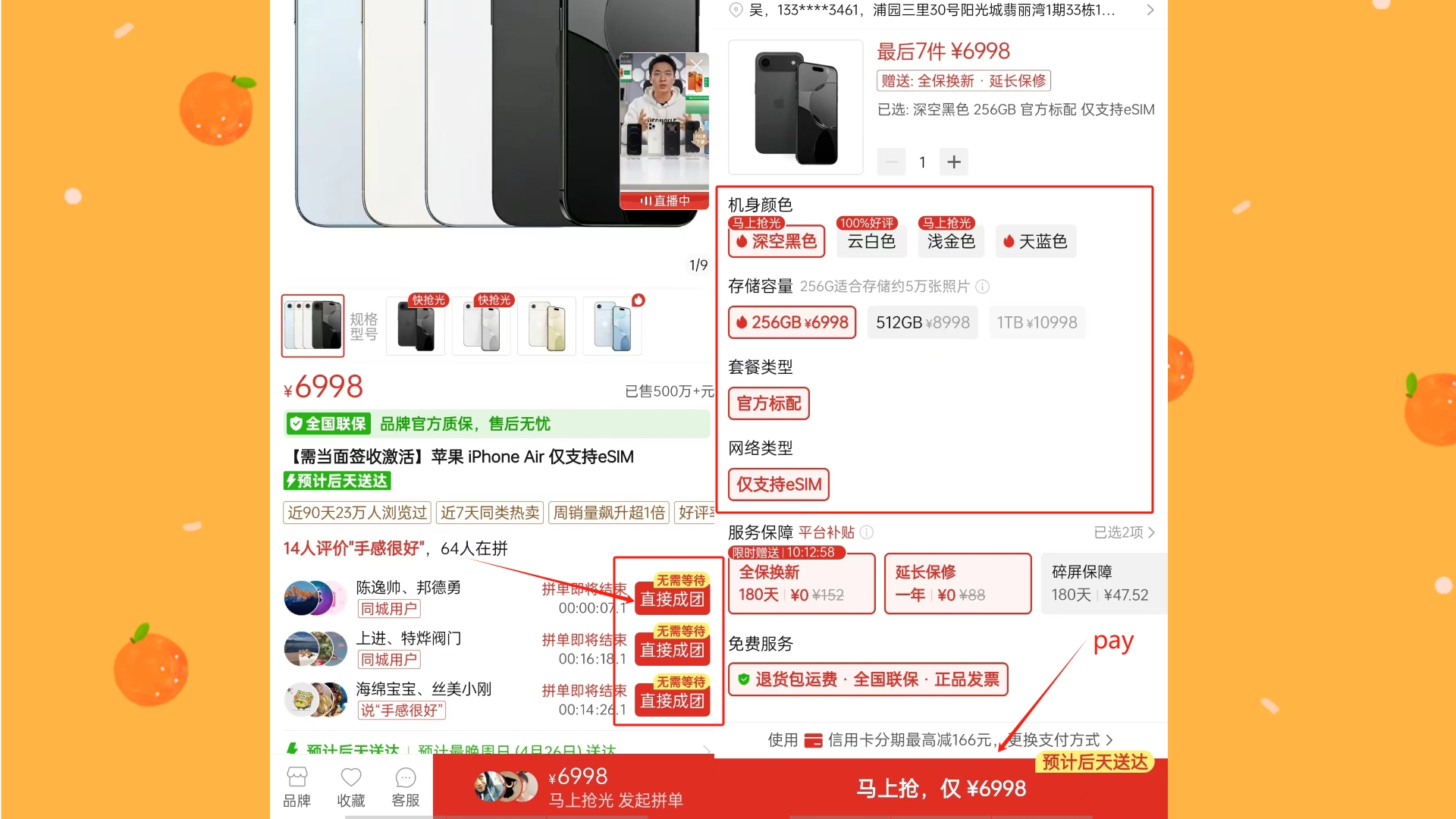
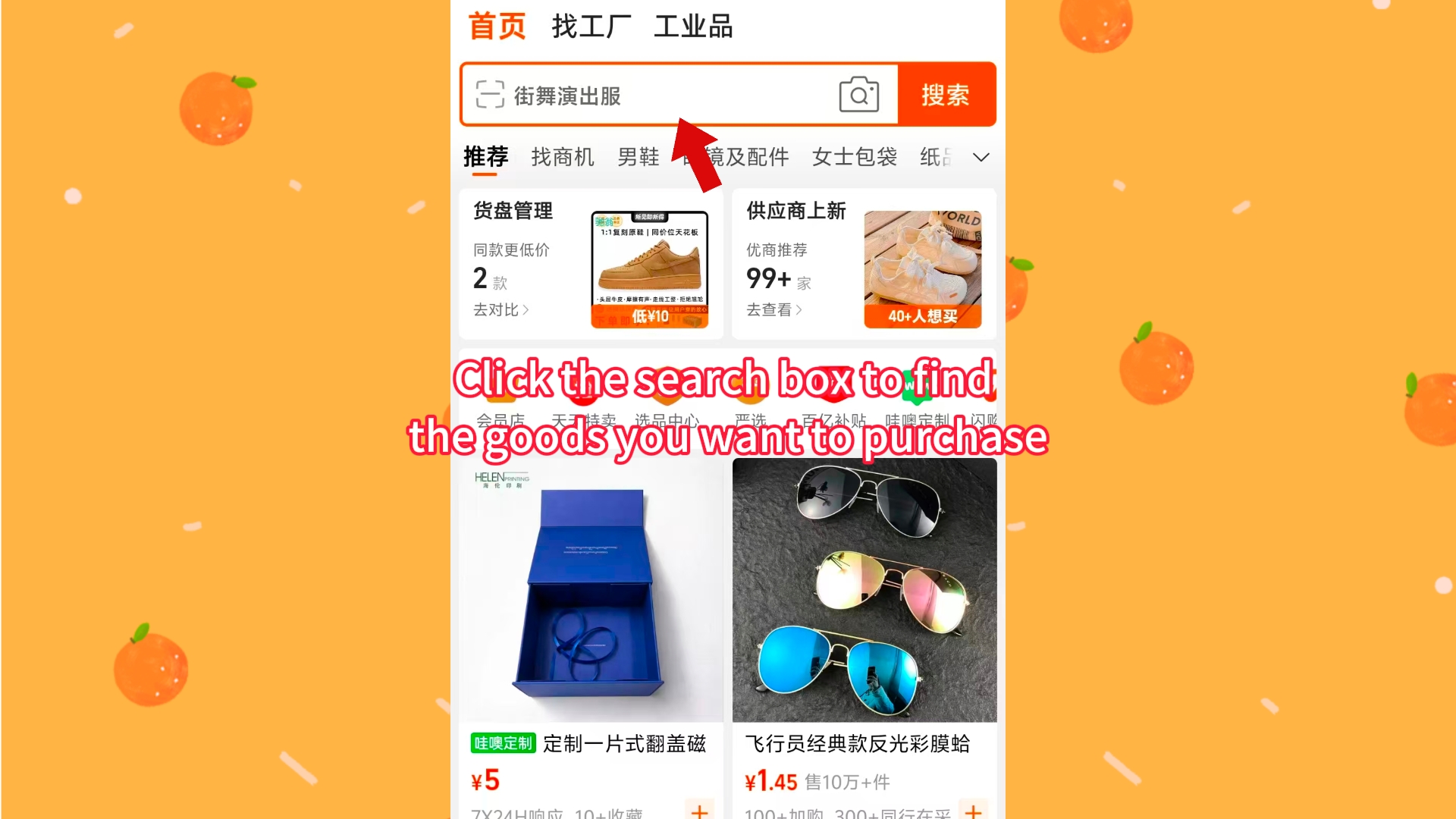
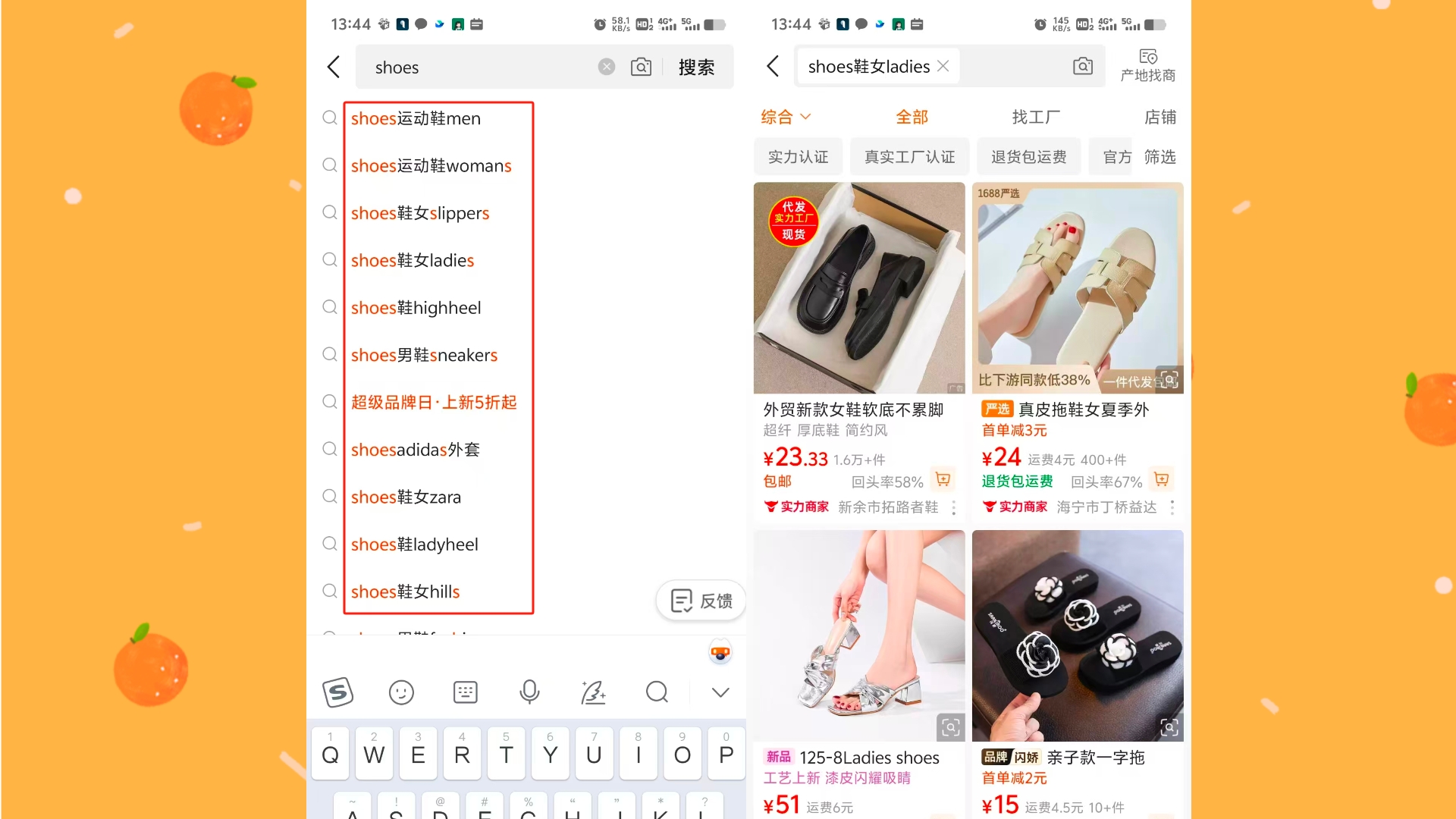
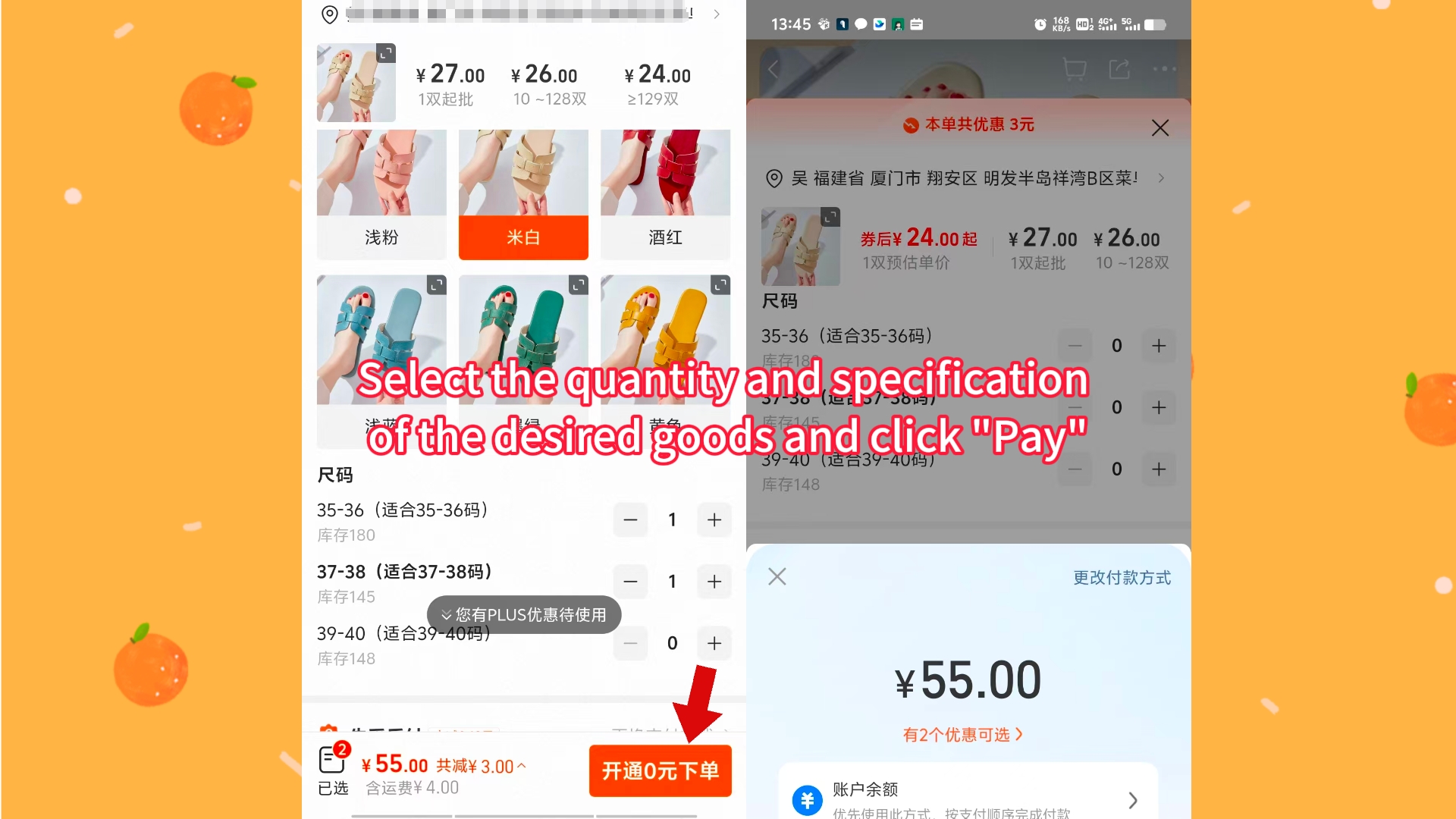
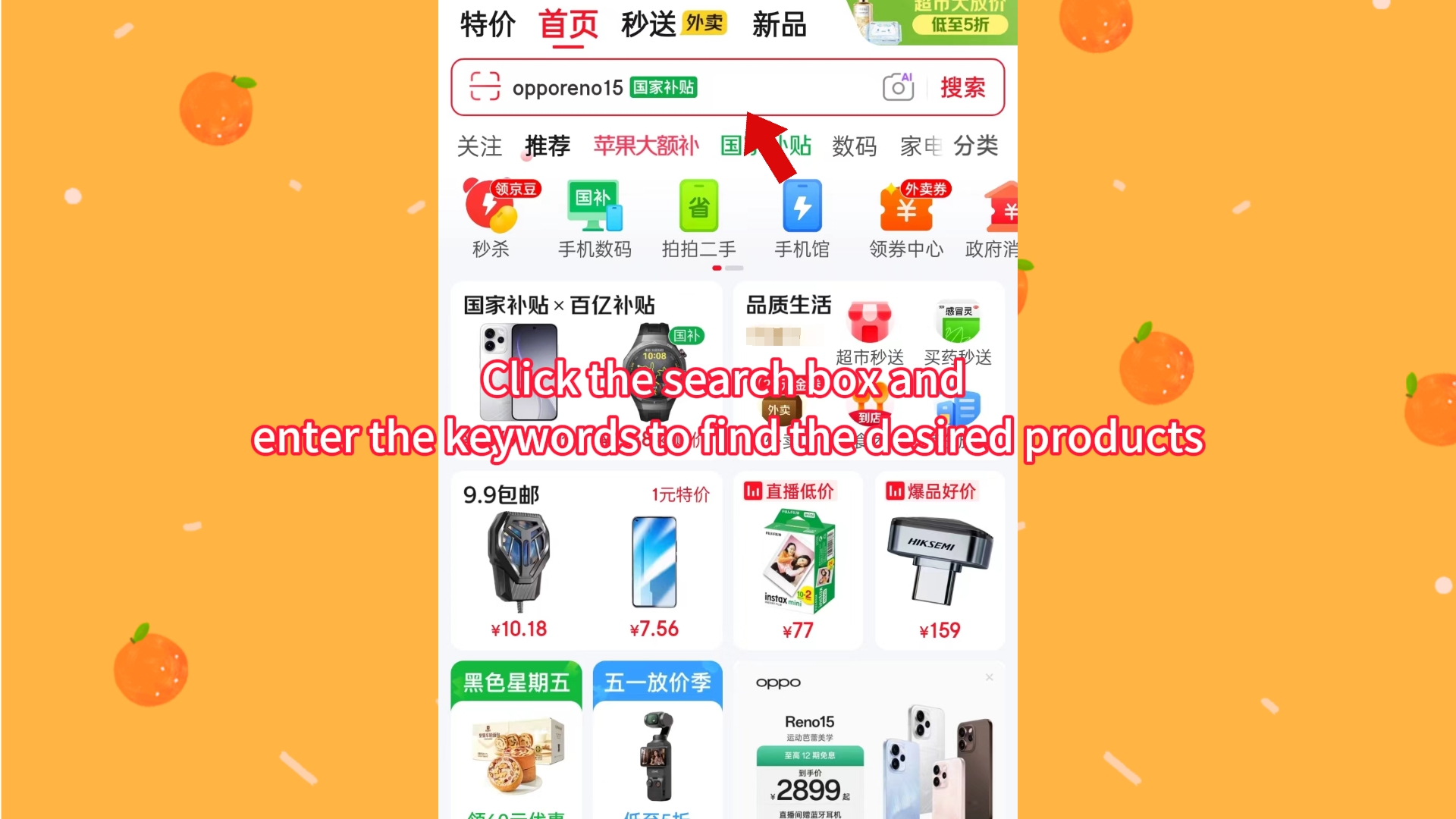
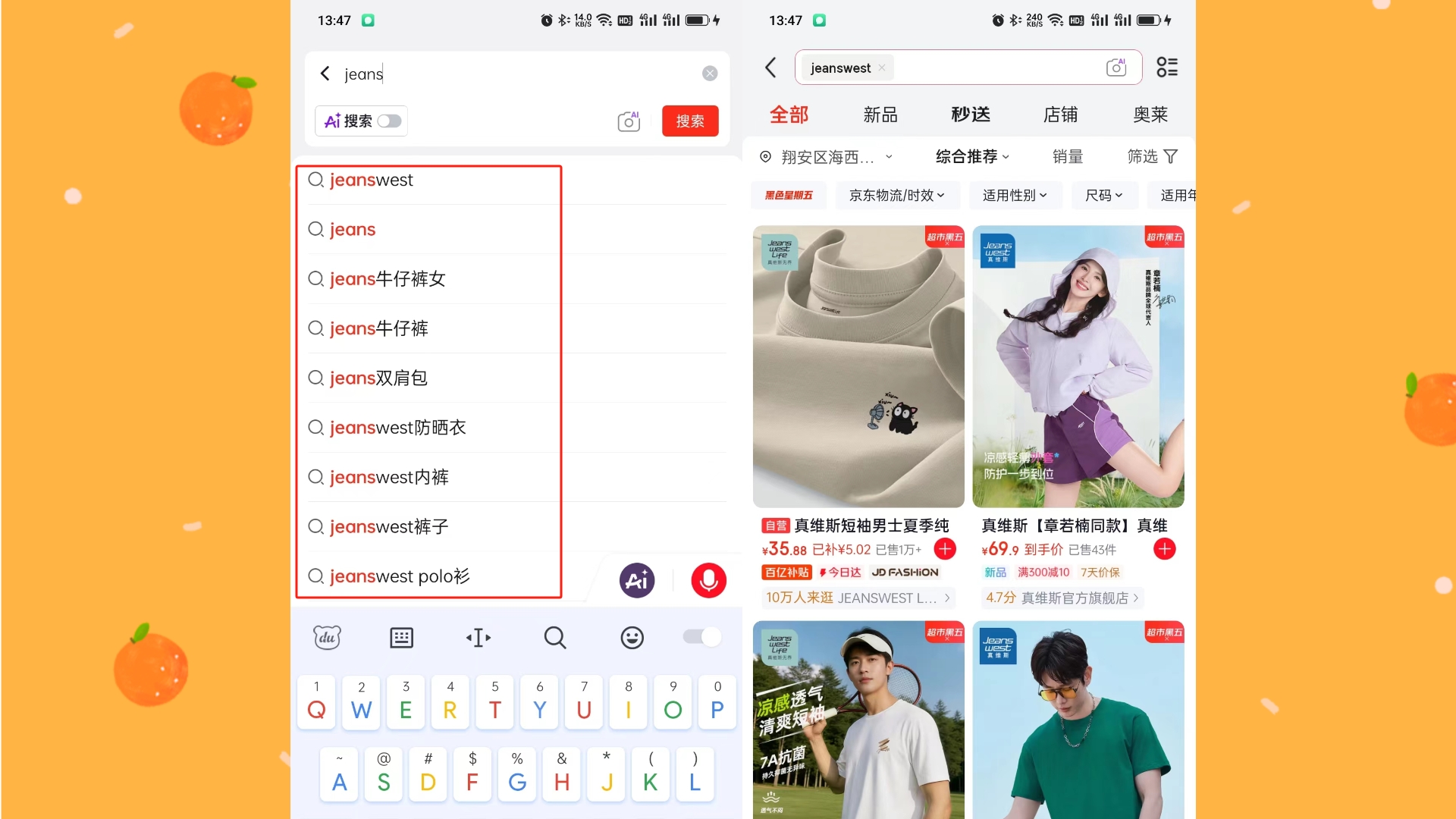
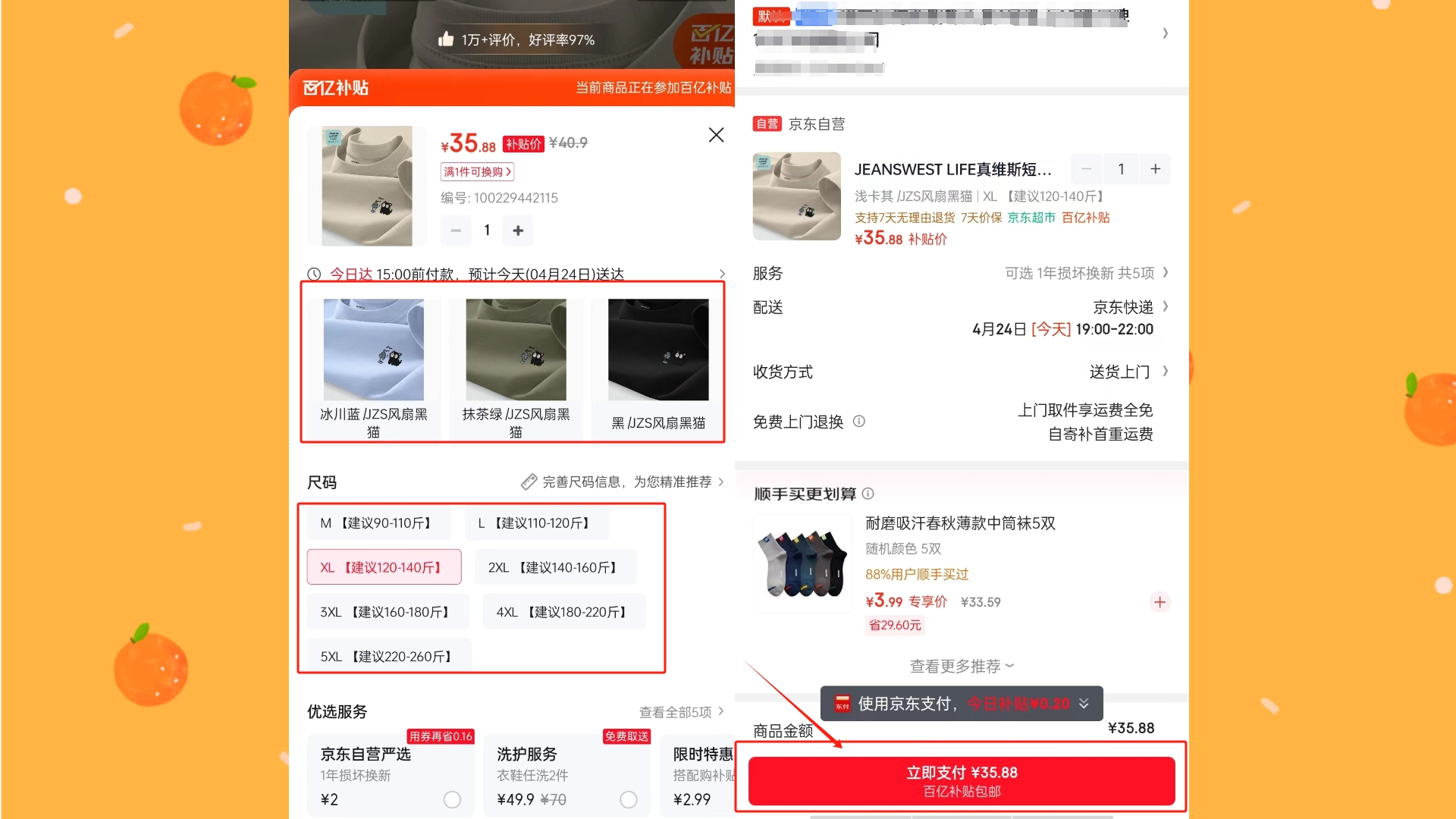
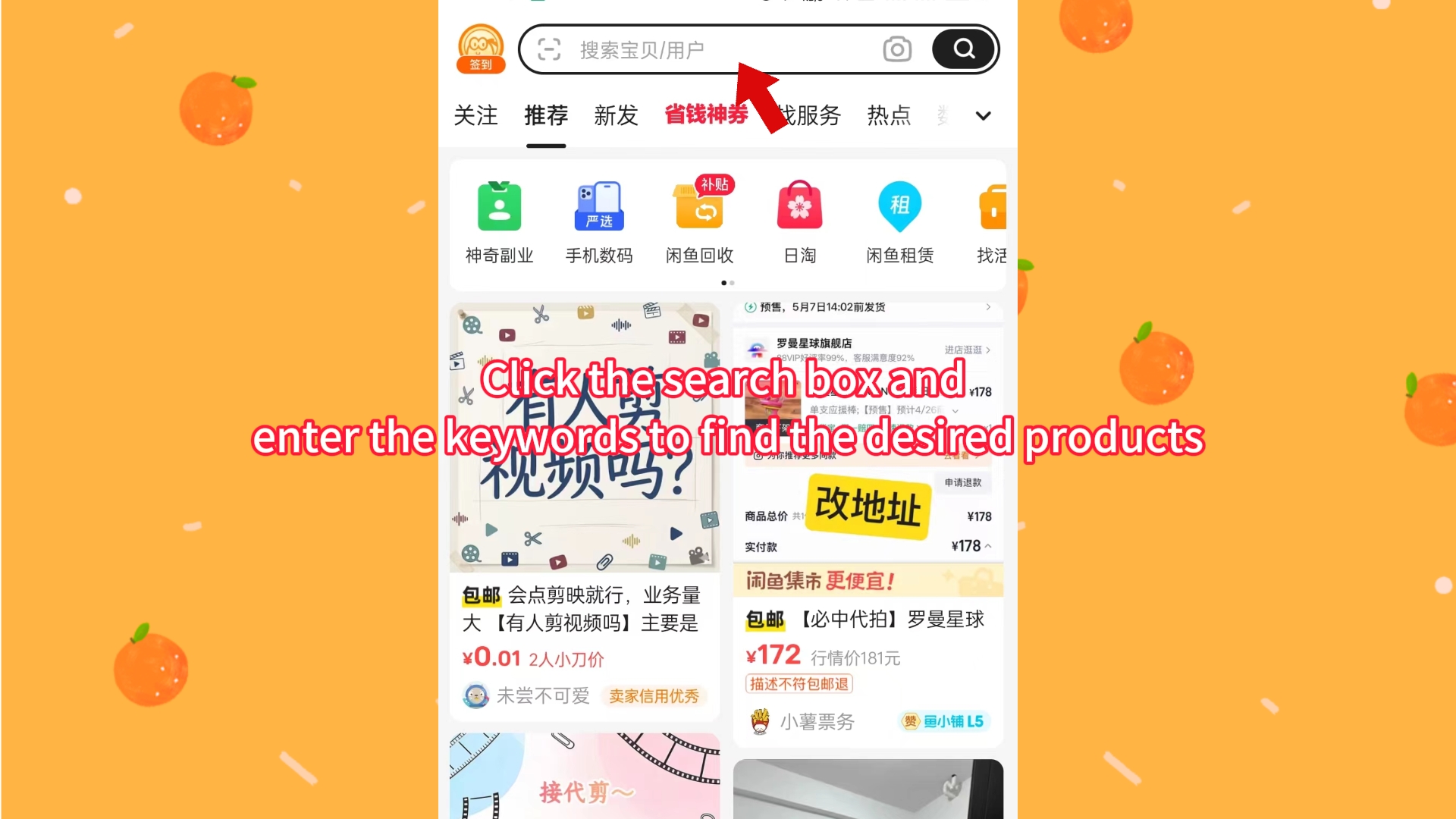
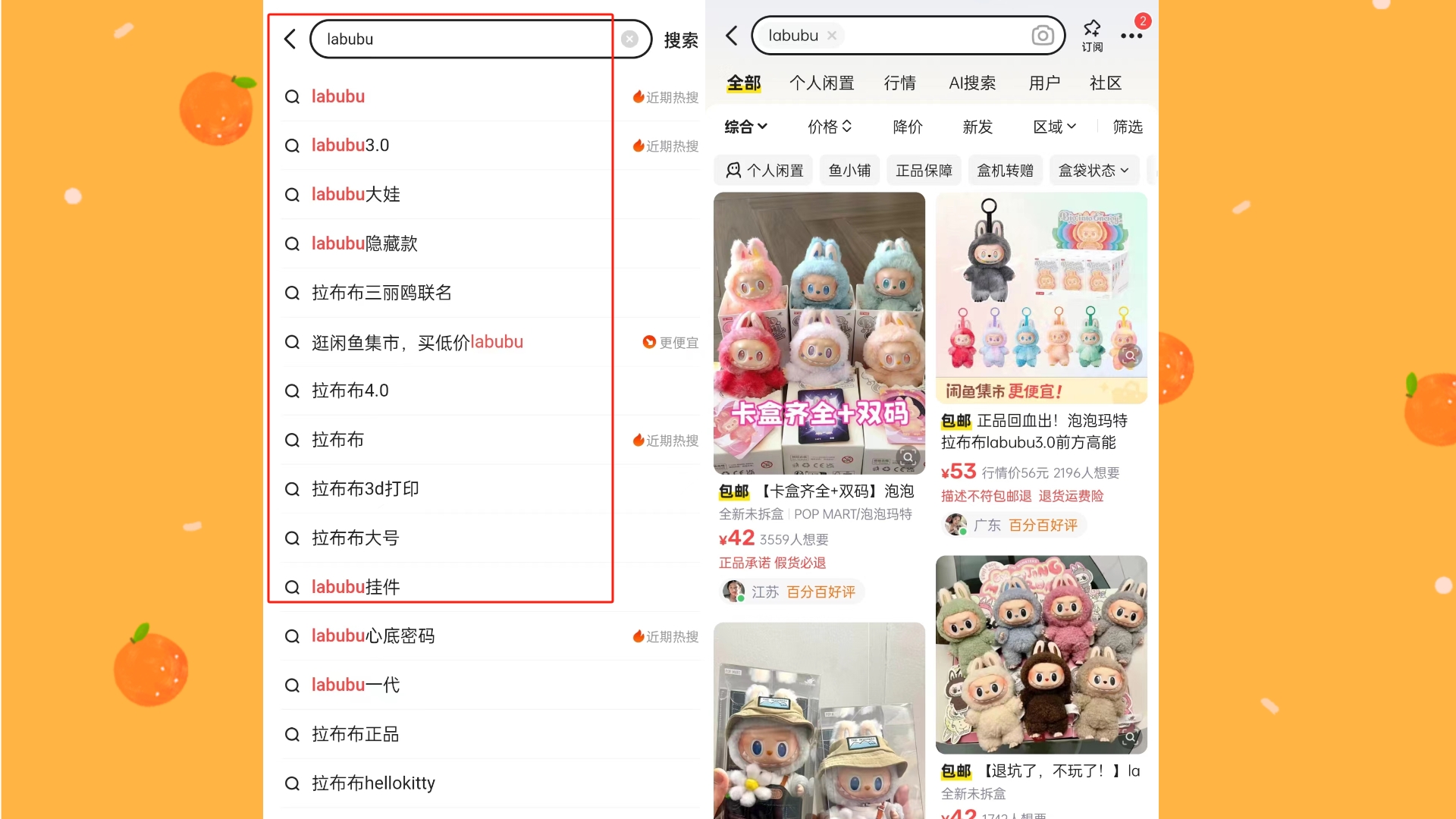
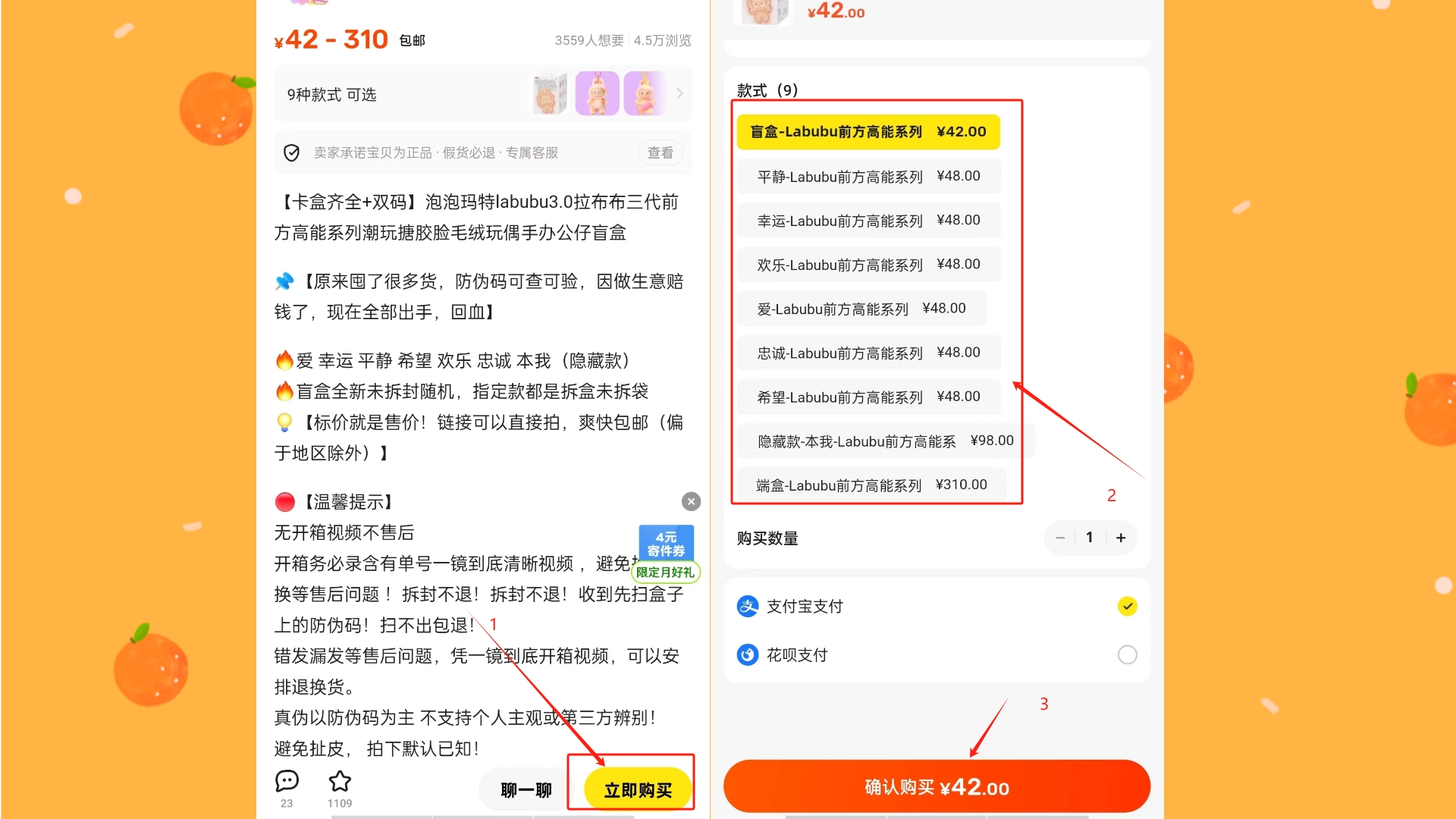
Please notify our customer service with your order information. You can choose one of the following methods to contact us:
Please log in to your YANCHAO account and open the shopping app where you placed your order.
If you ordered via YANCHAO Buy, you can skip this step! Your tracking numbers are automatically synced to your YANCHAO account.
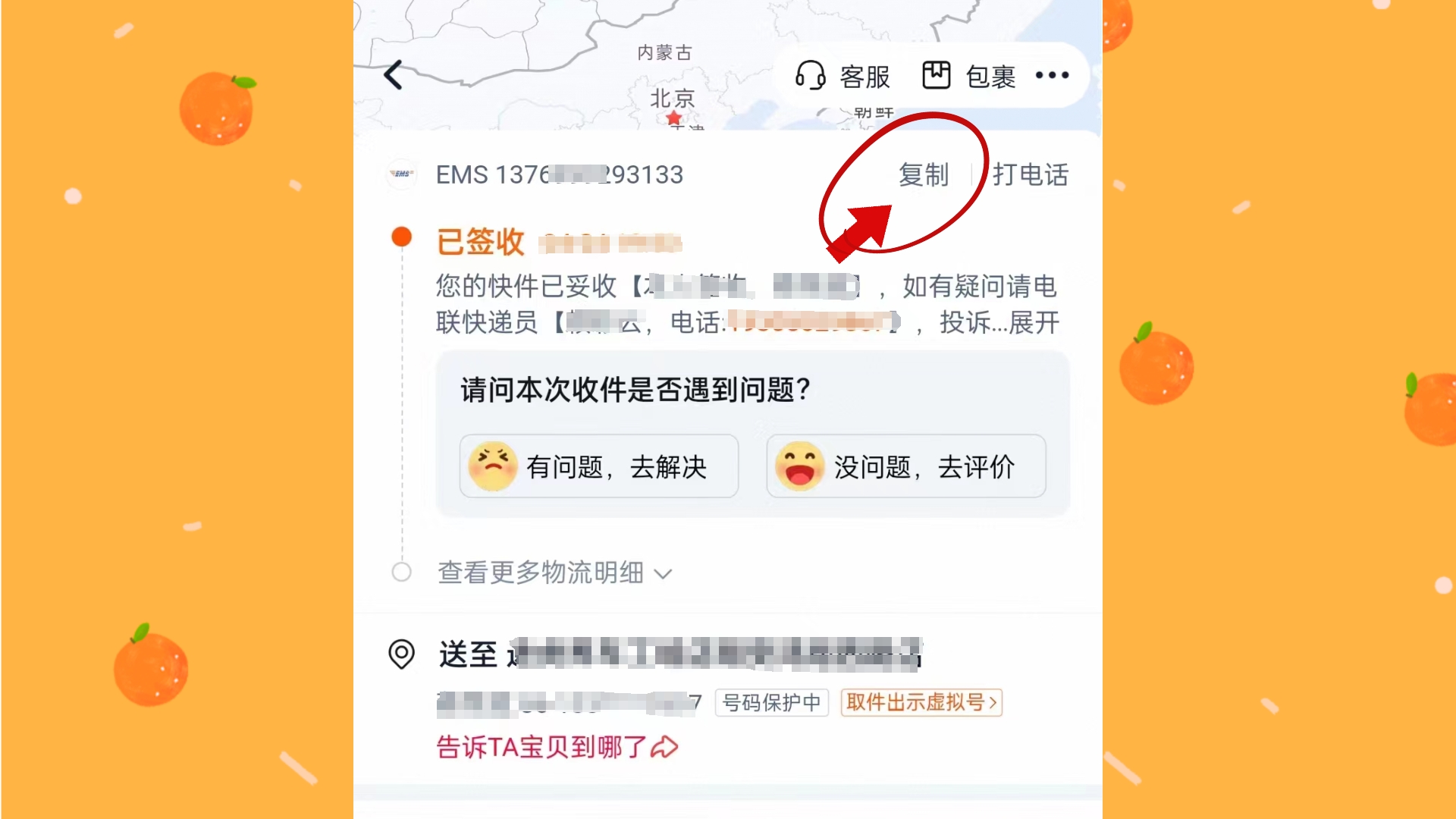
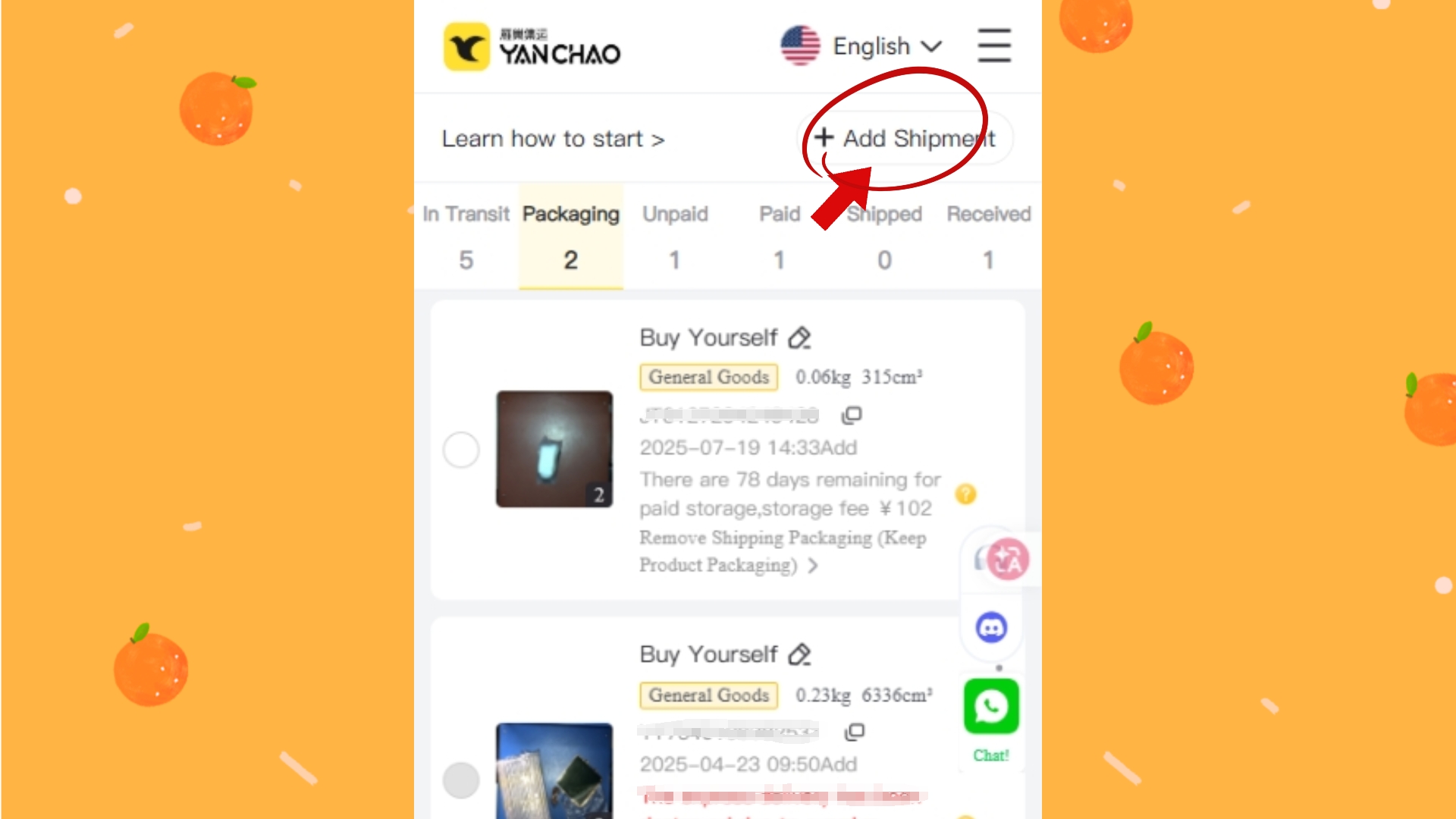
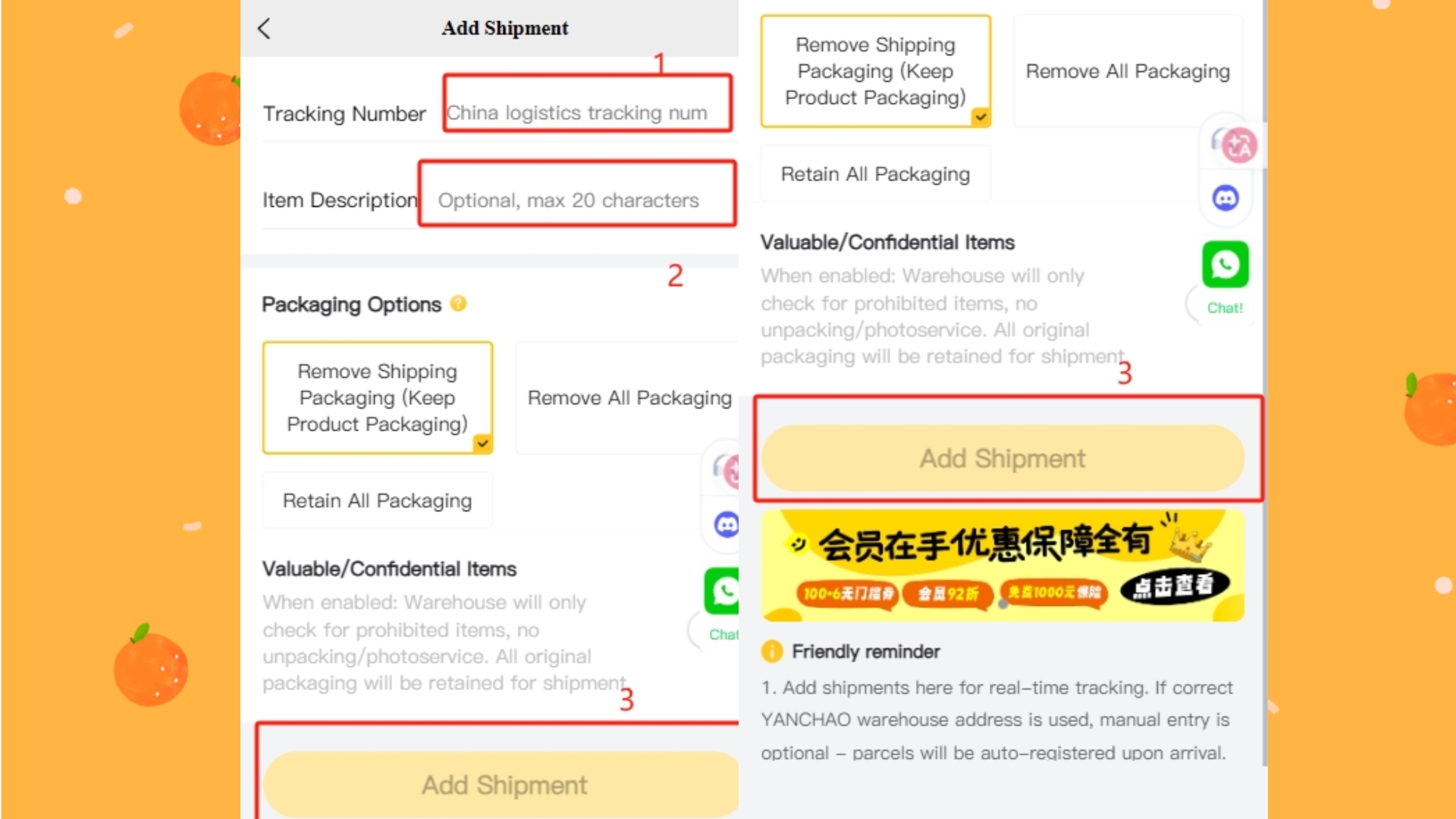
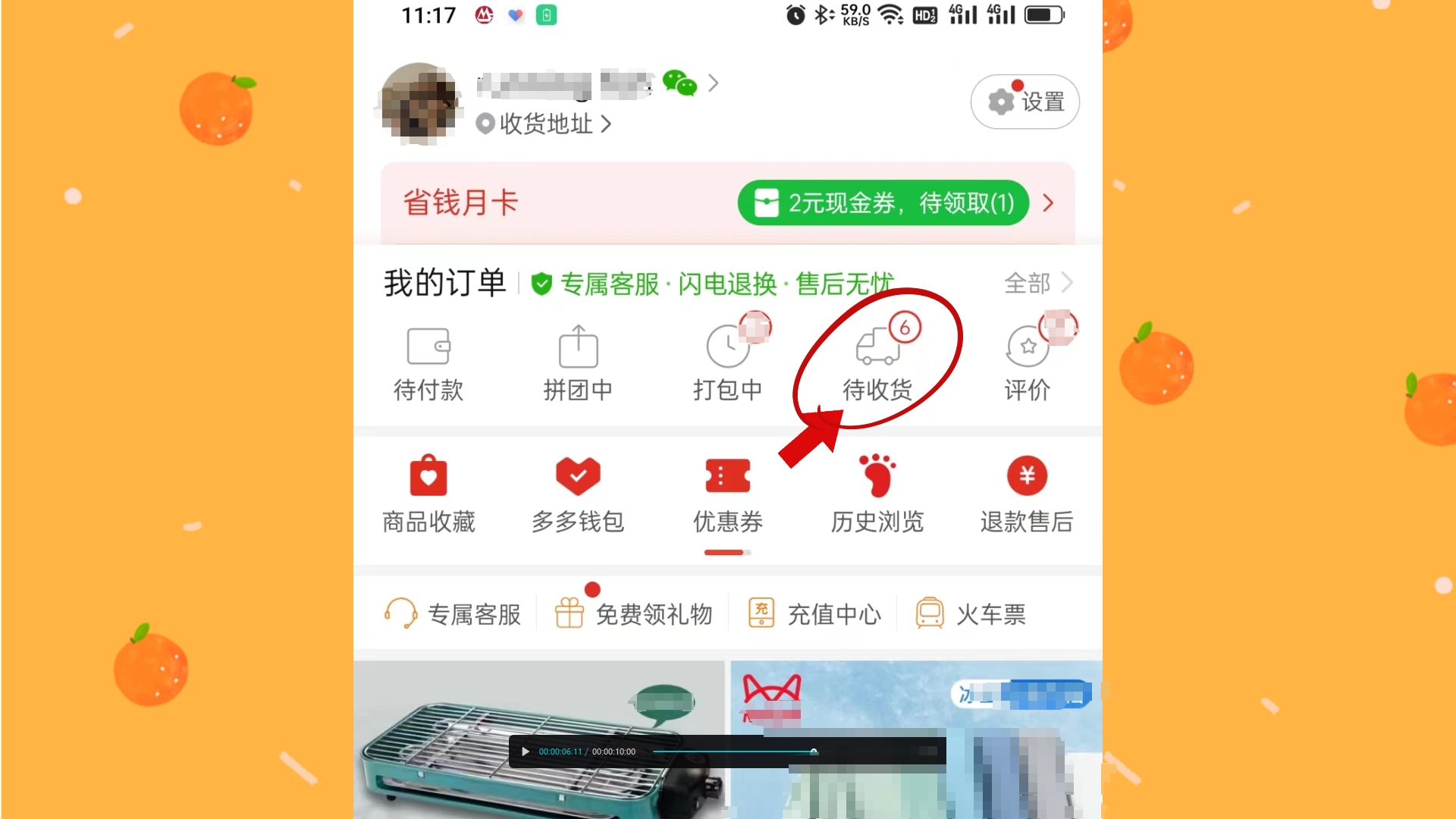
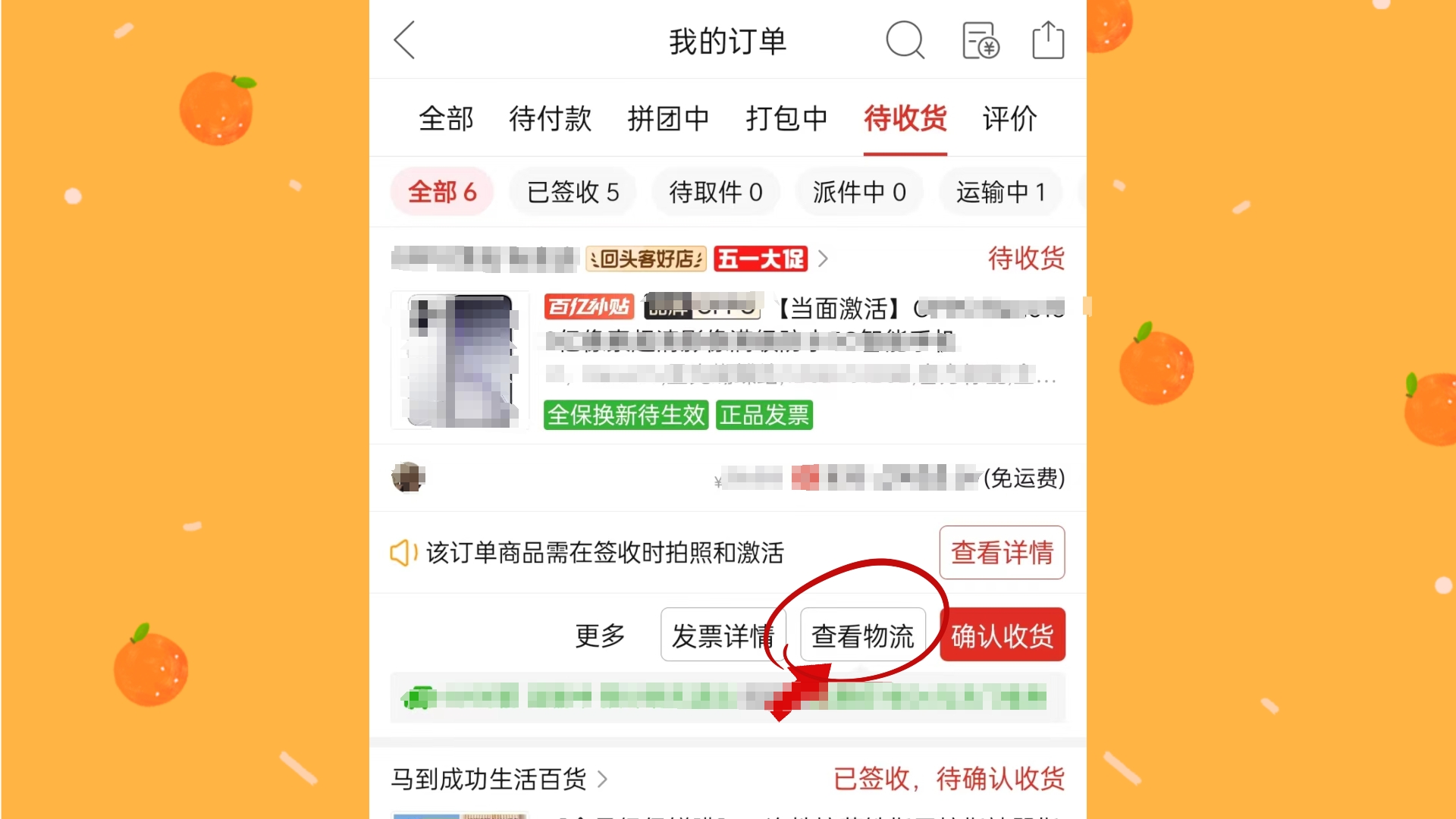
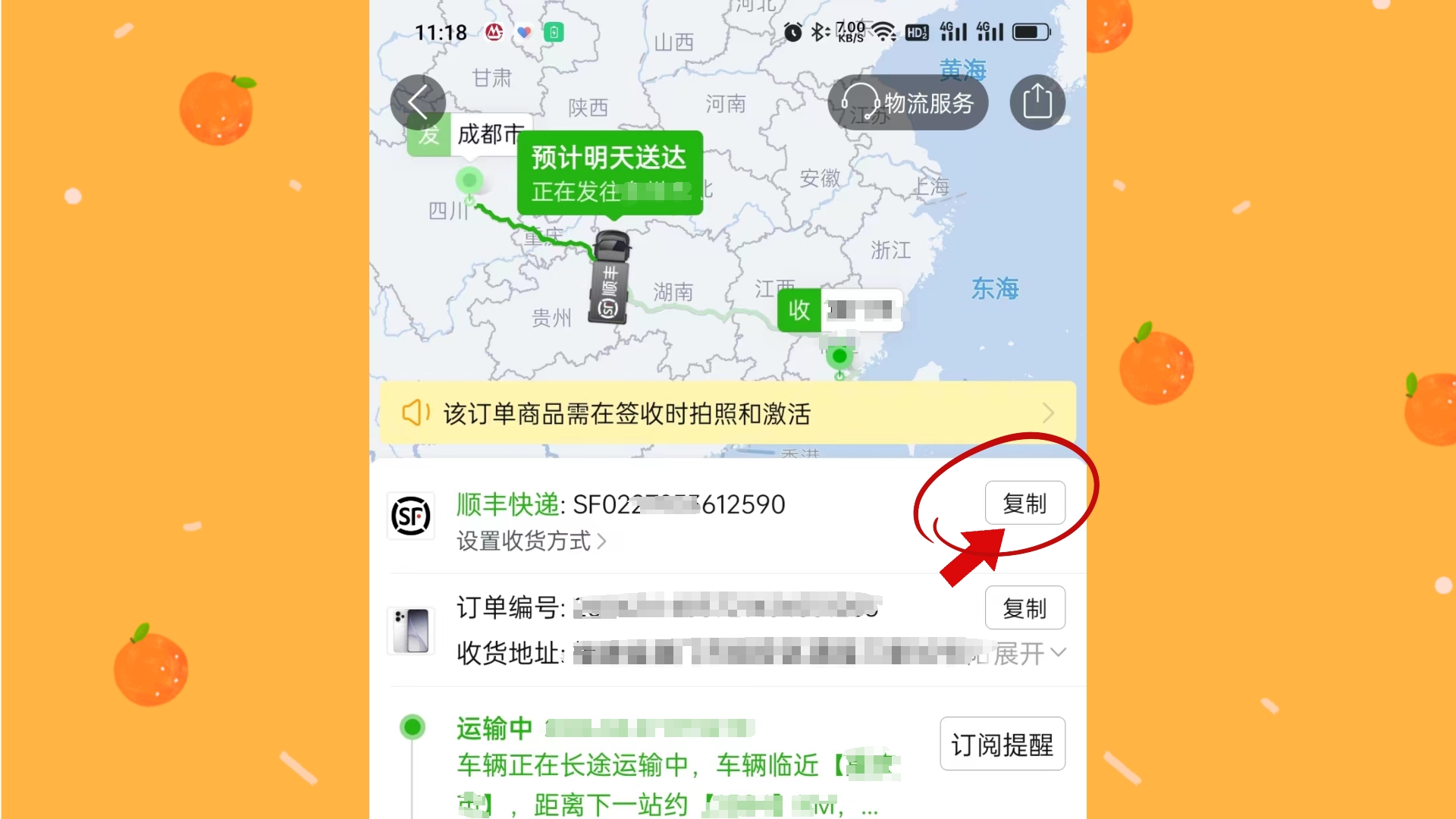
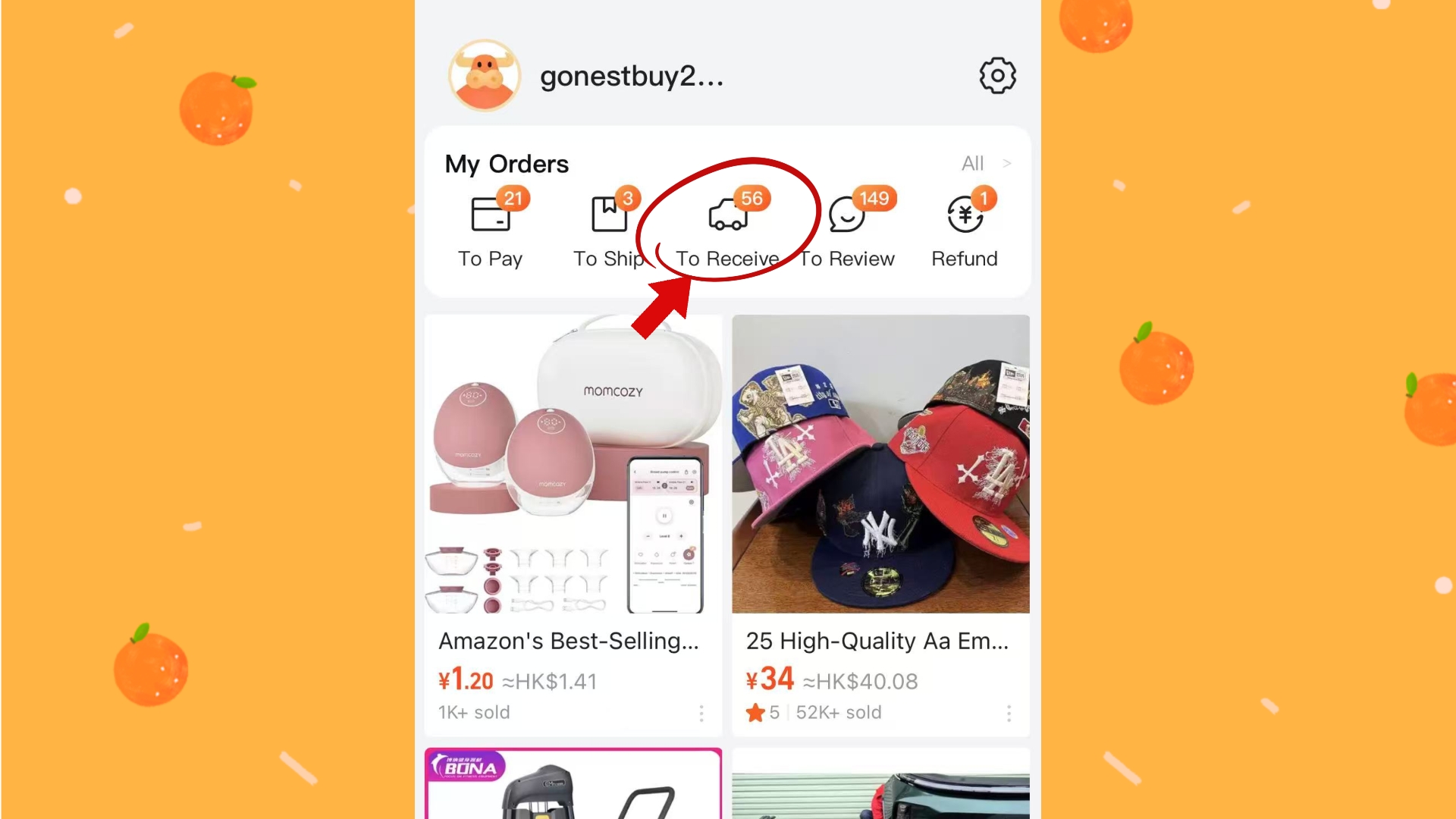
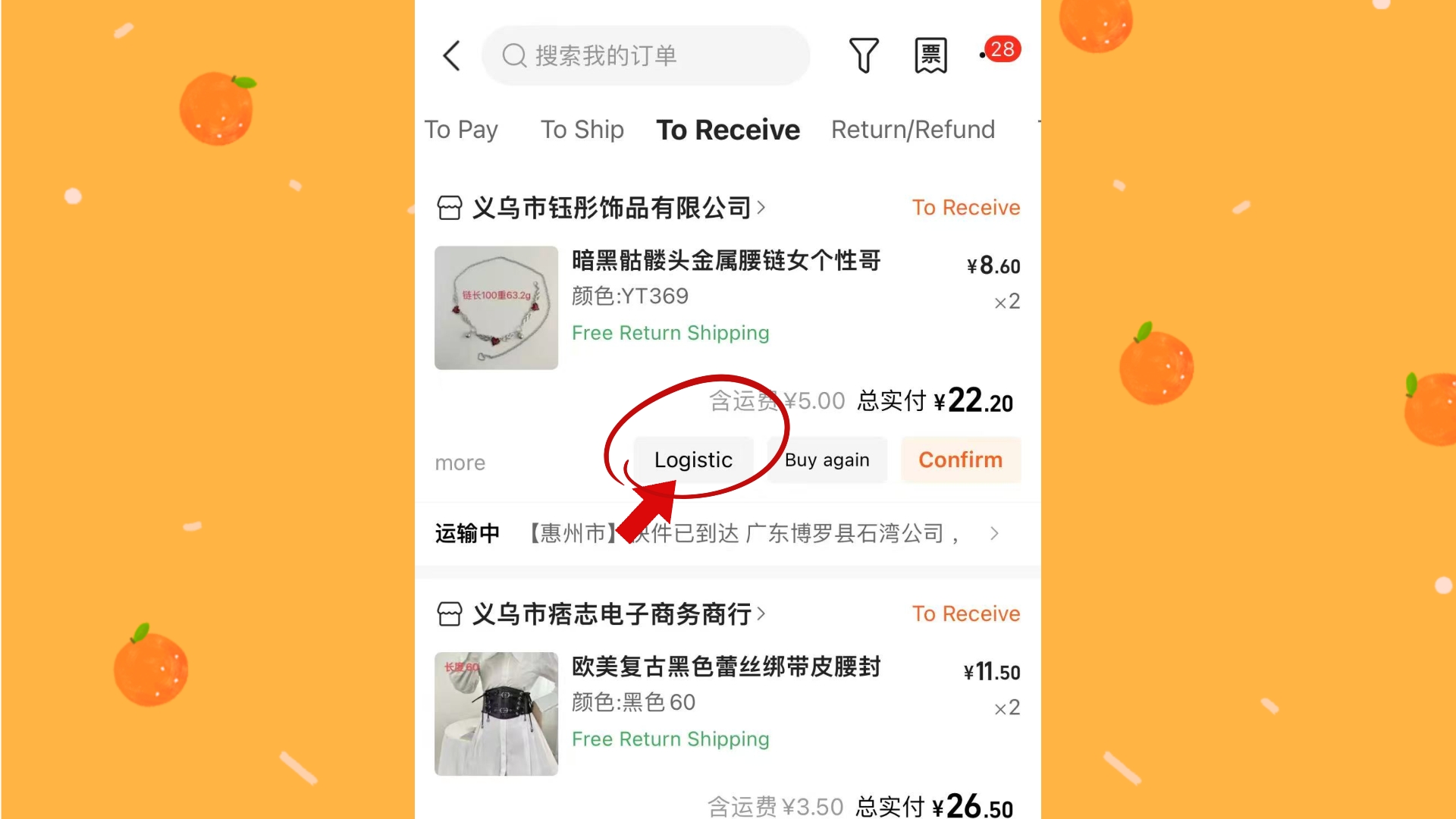
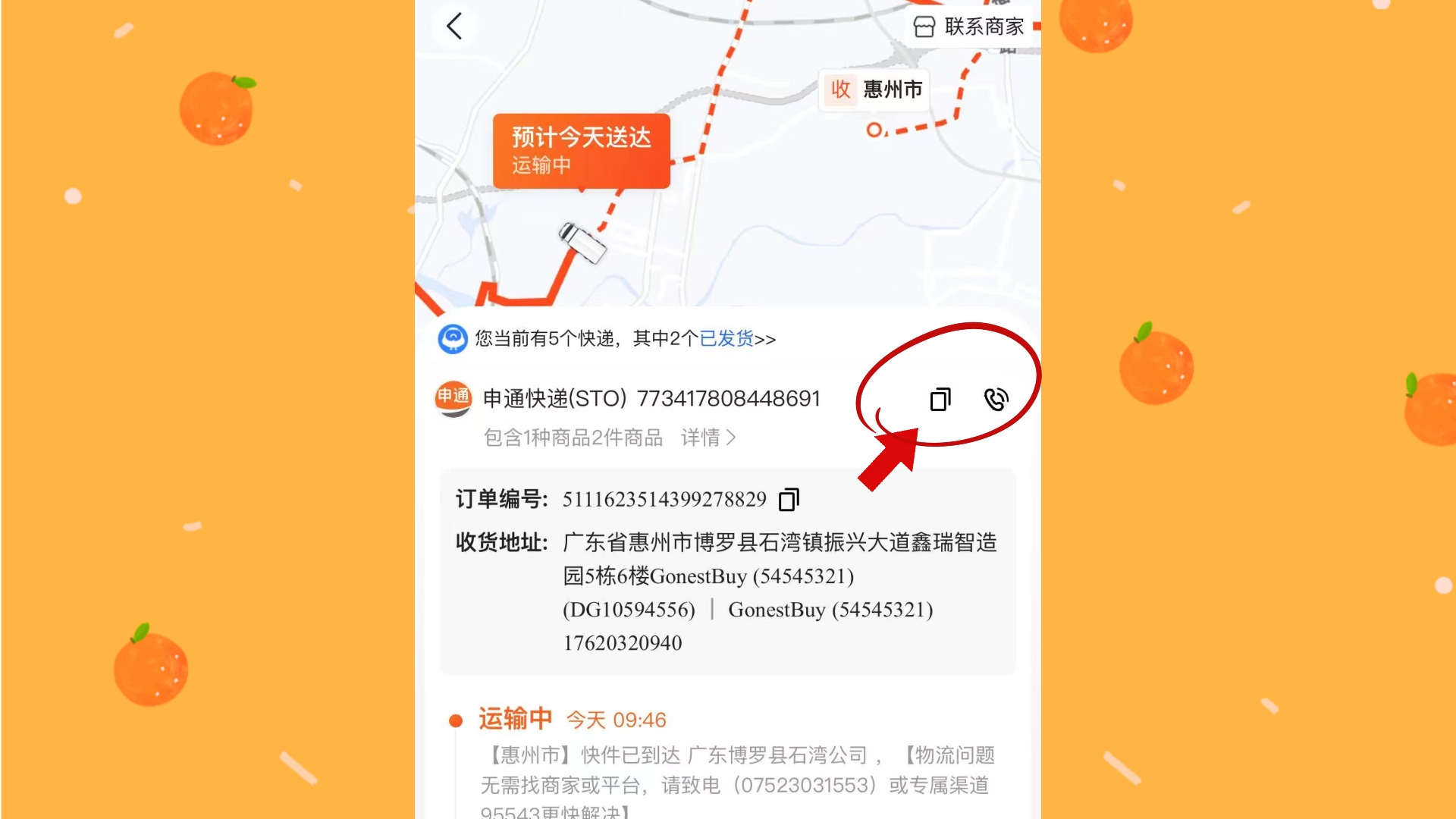
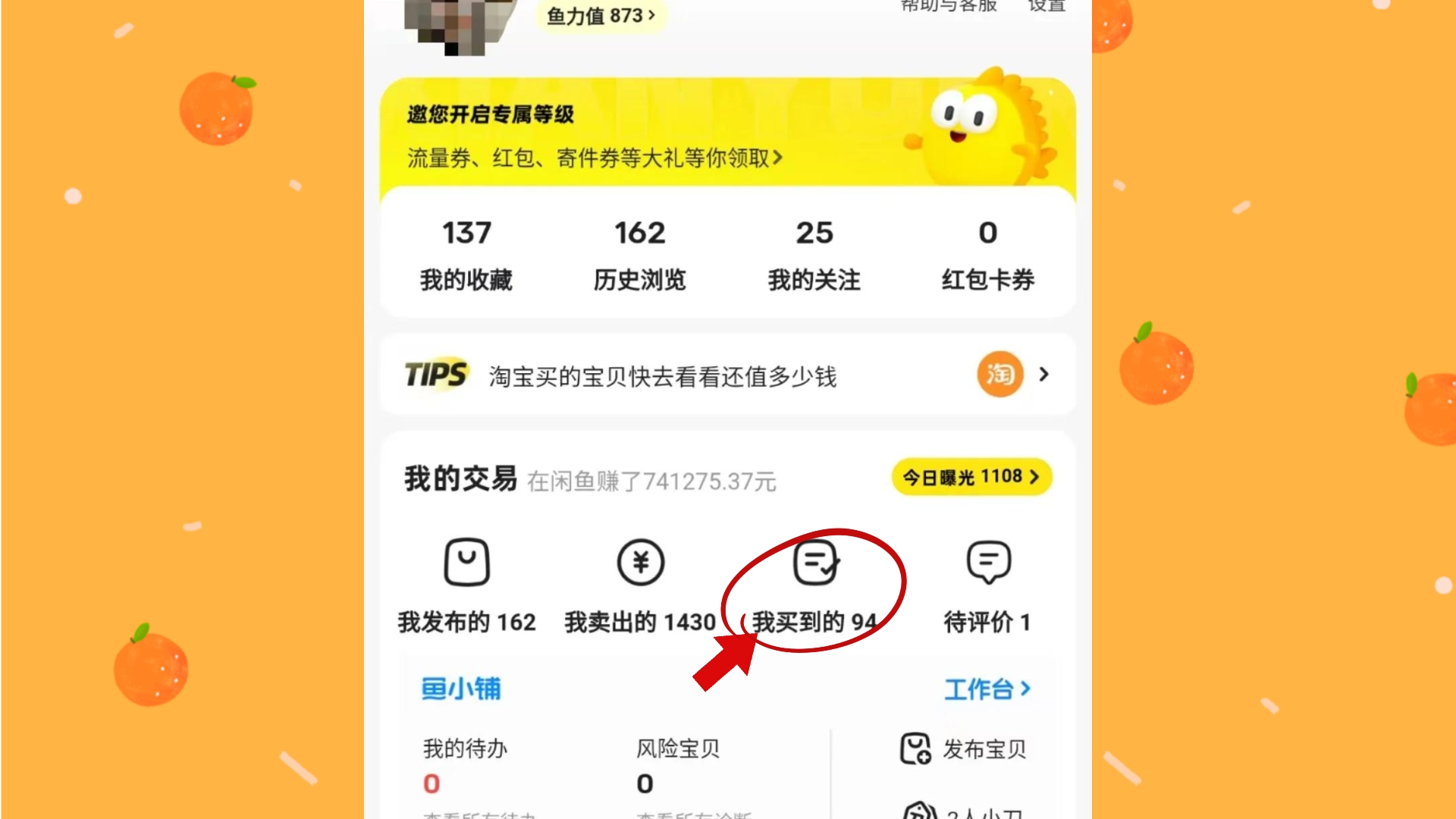
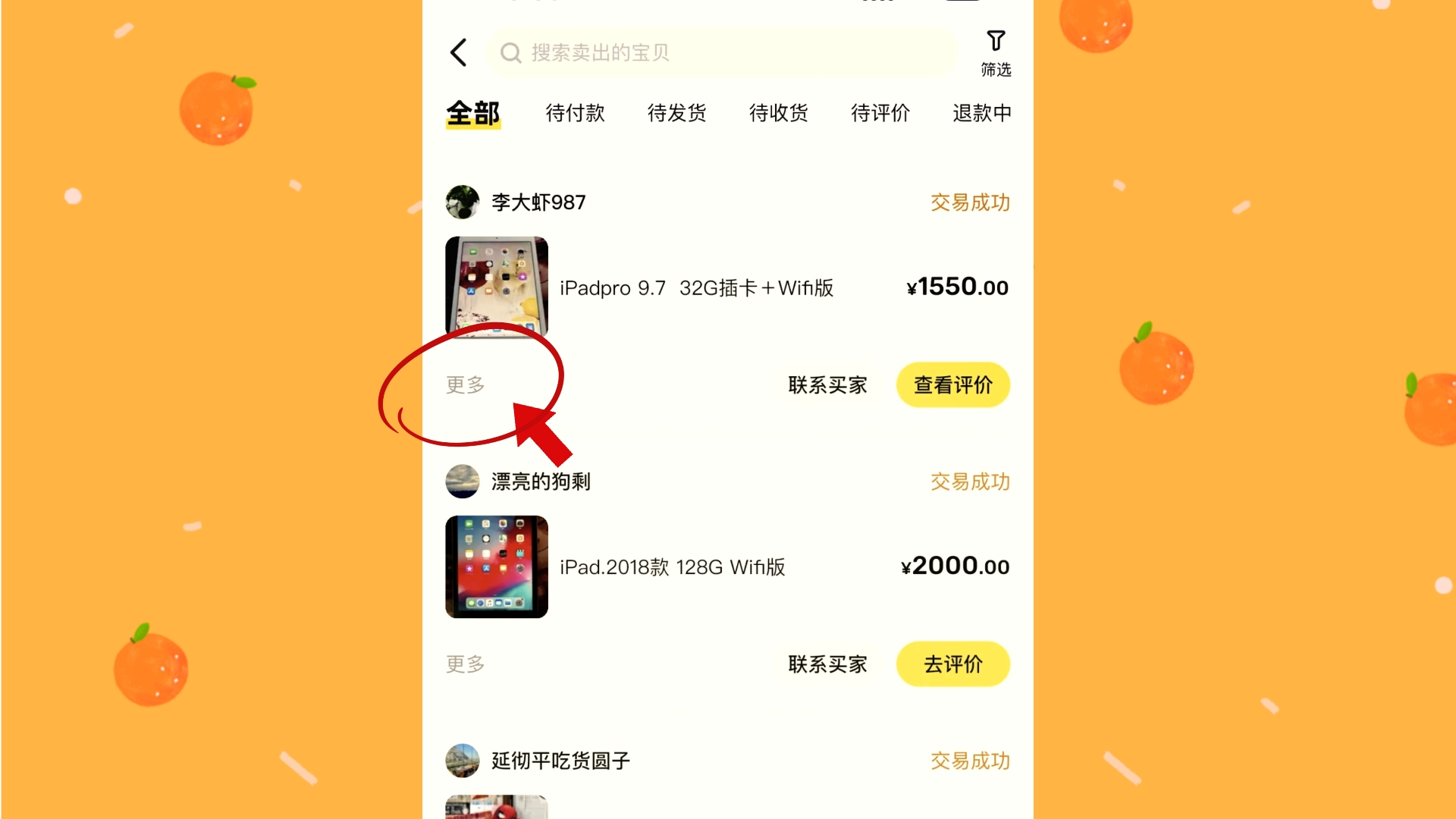
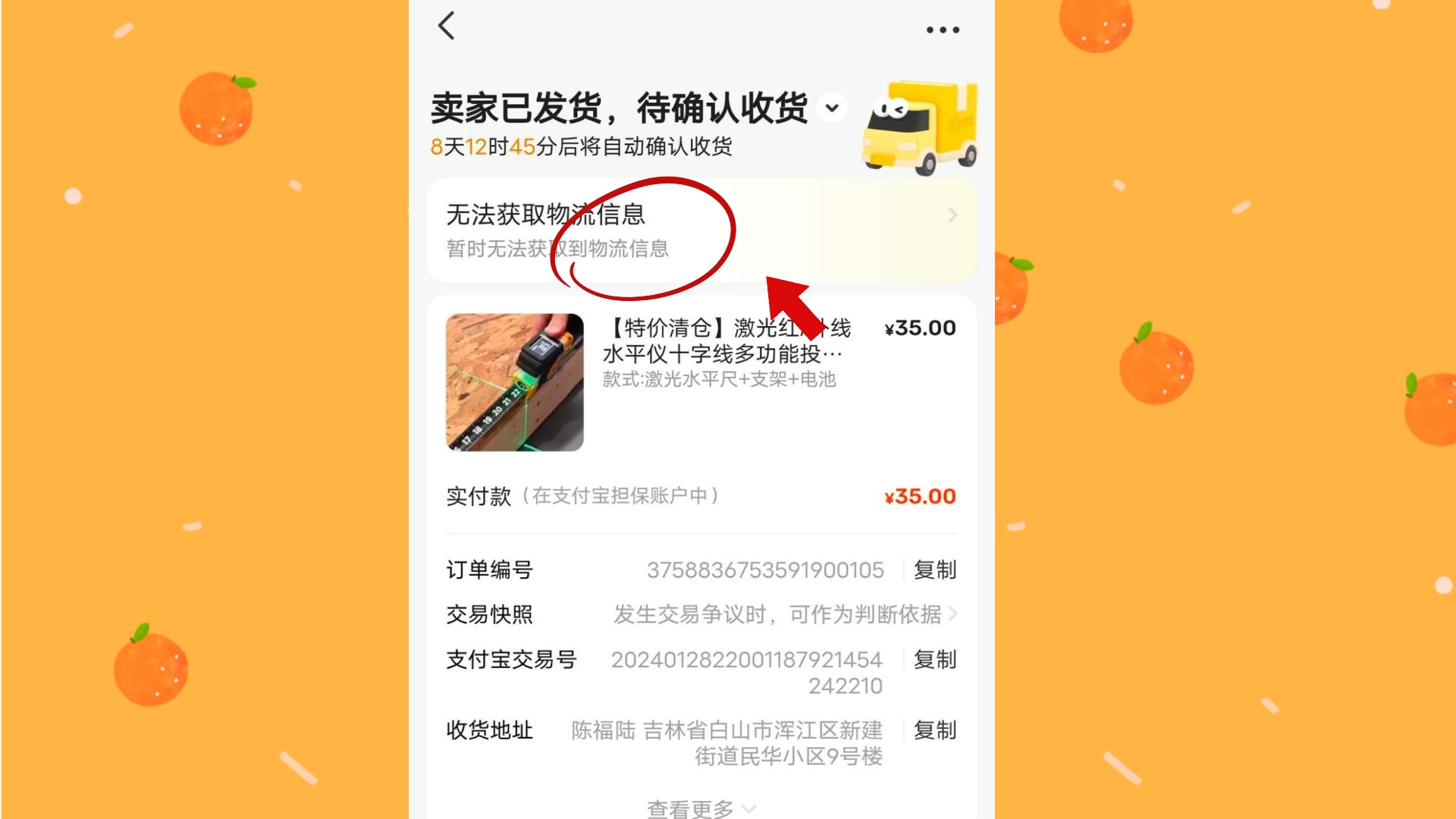
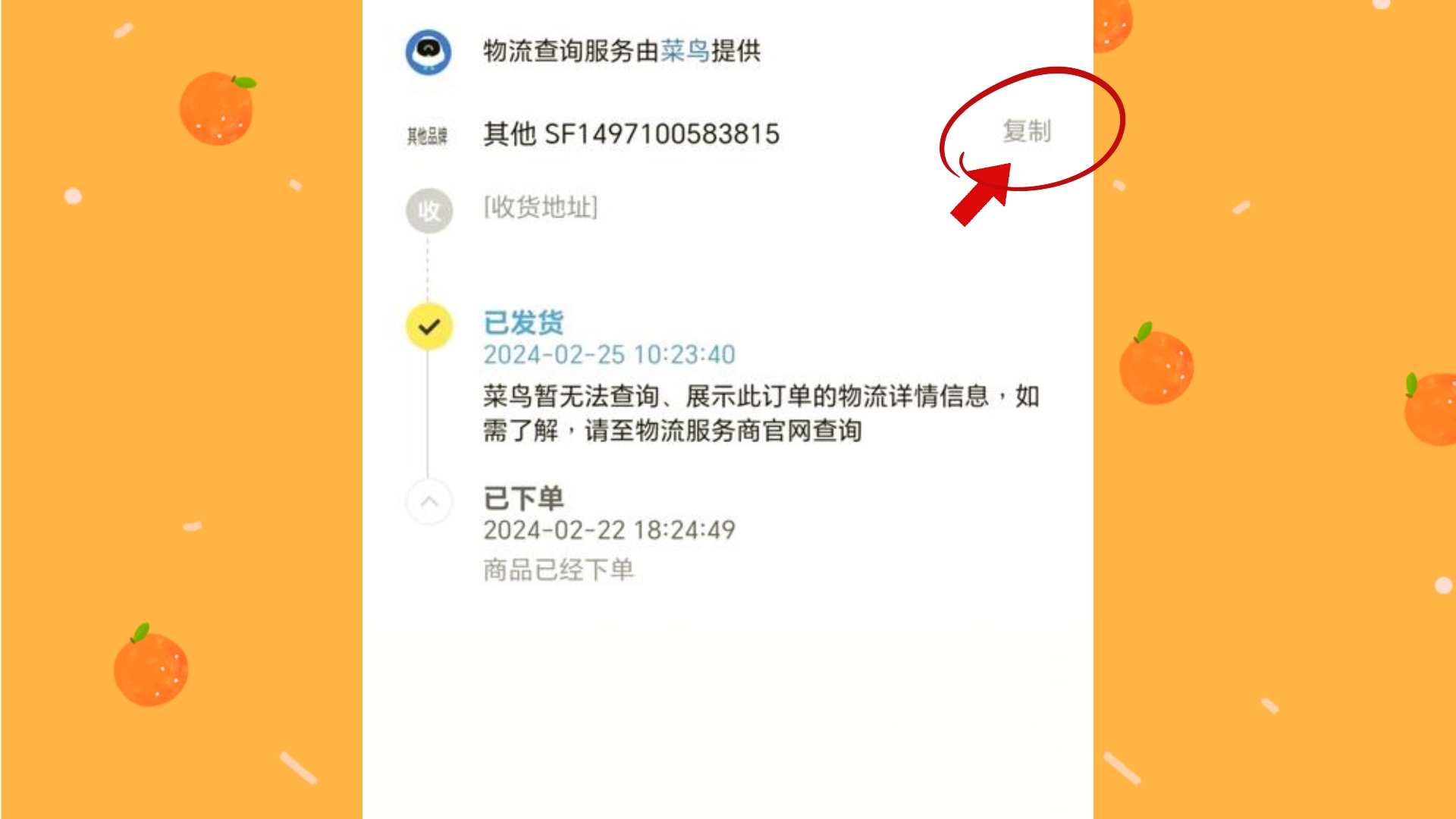
For other platforms, select the app below to learn how to find and register your tracking number:
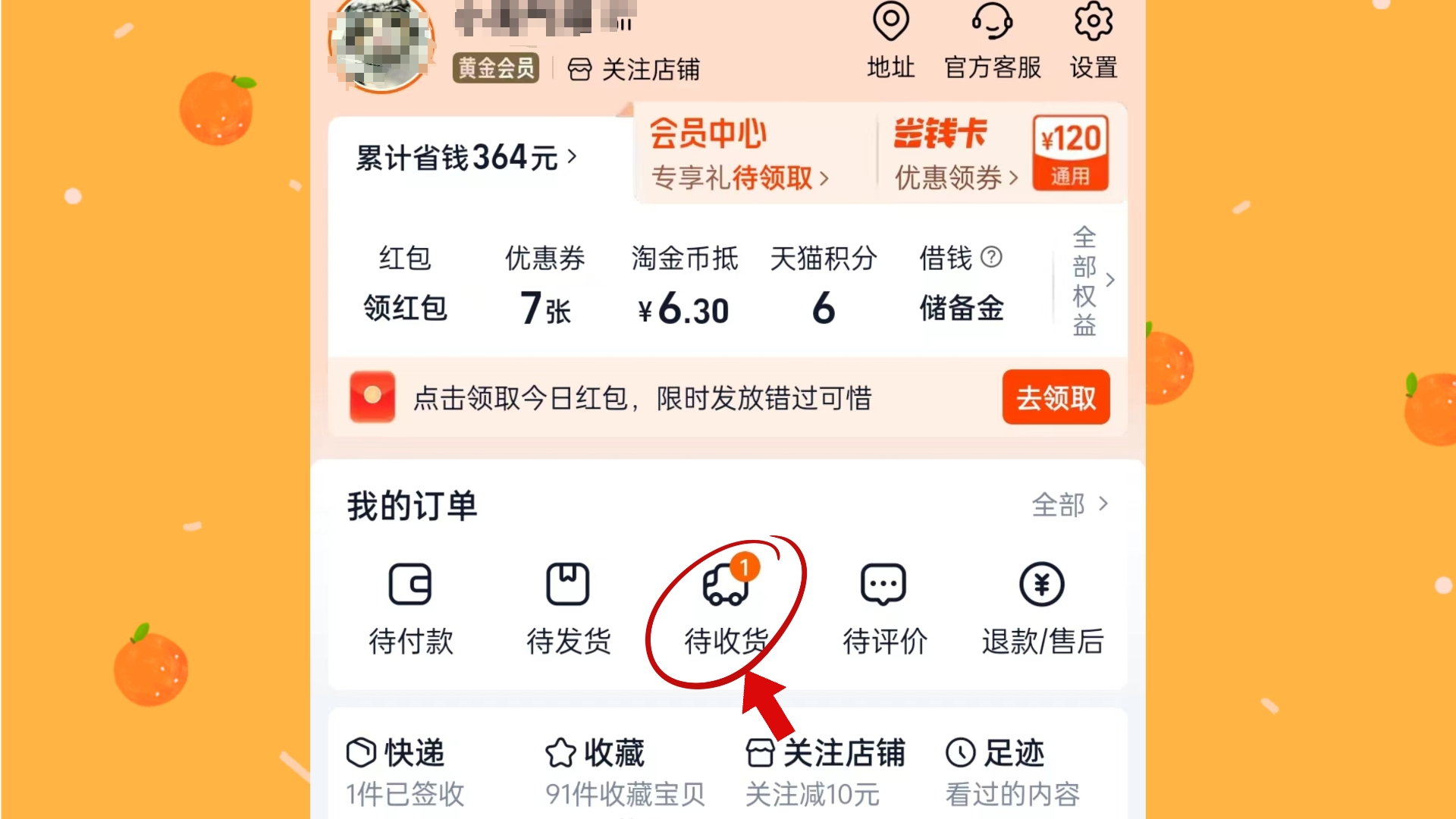
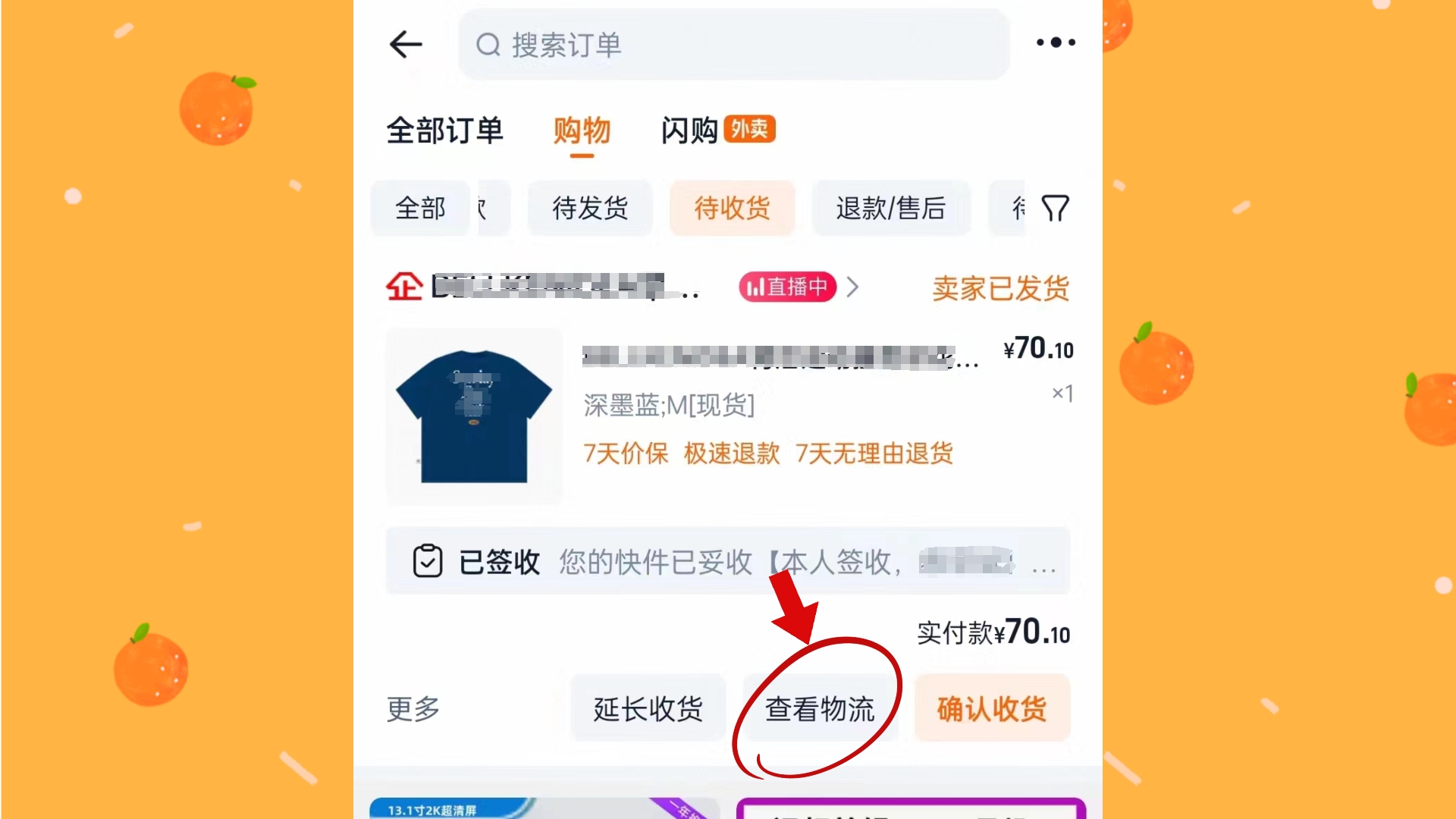
Become a VIP for FREE!
Navigating payments and language barriers can be tricky. We provide real human connections, not automated bots! Get paired with a private shopping expert for genuine one-on-one guidance throughout your entire journey.
When all your parcels have arrived at our warehouse, you can inspect them for any issues.
How to check your parcel information? Click here to view
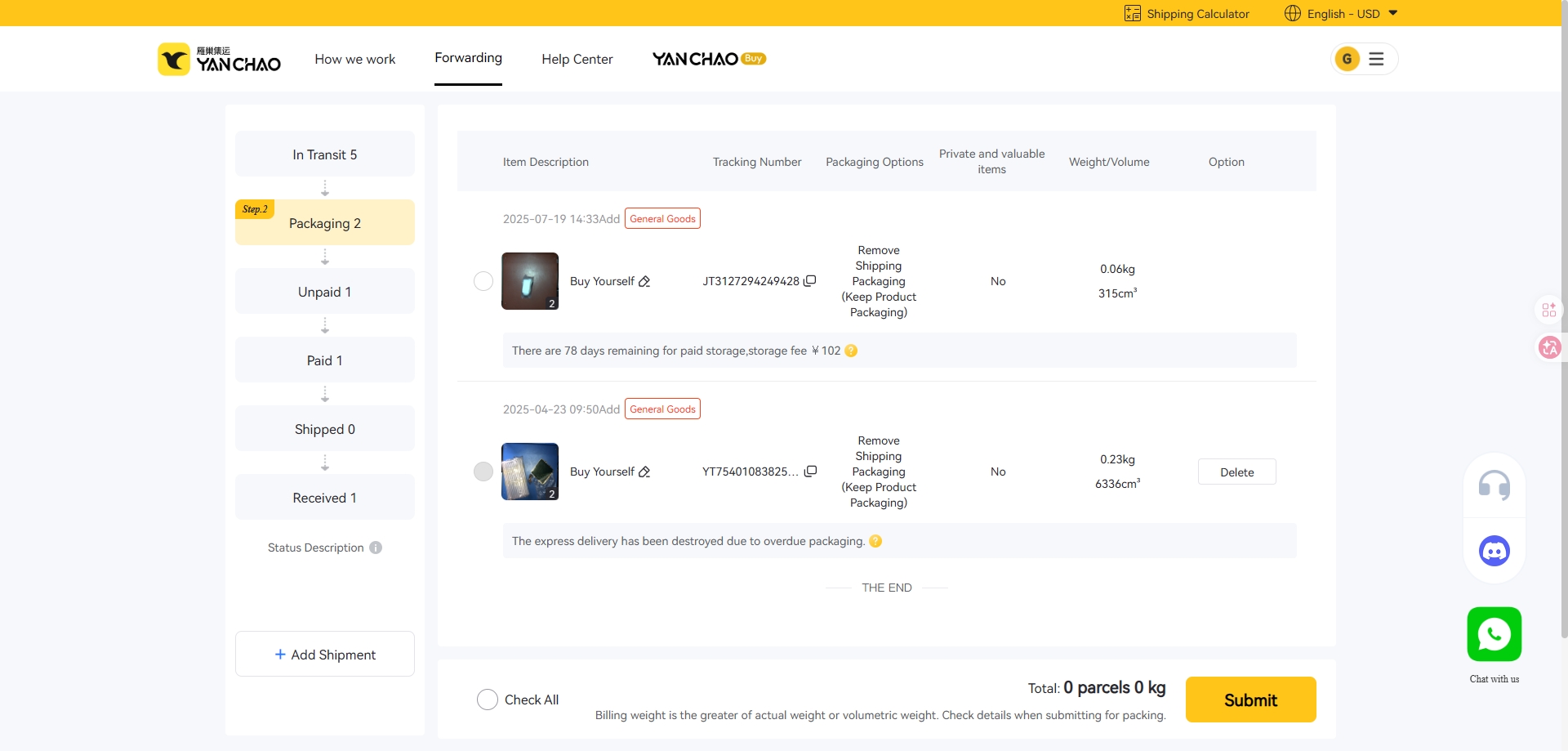
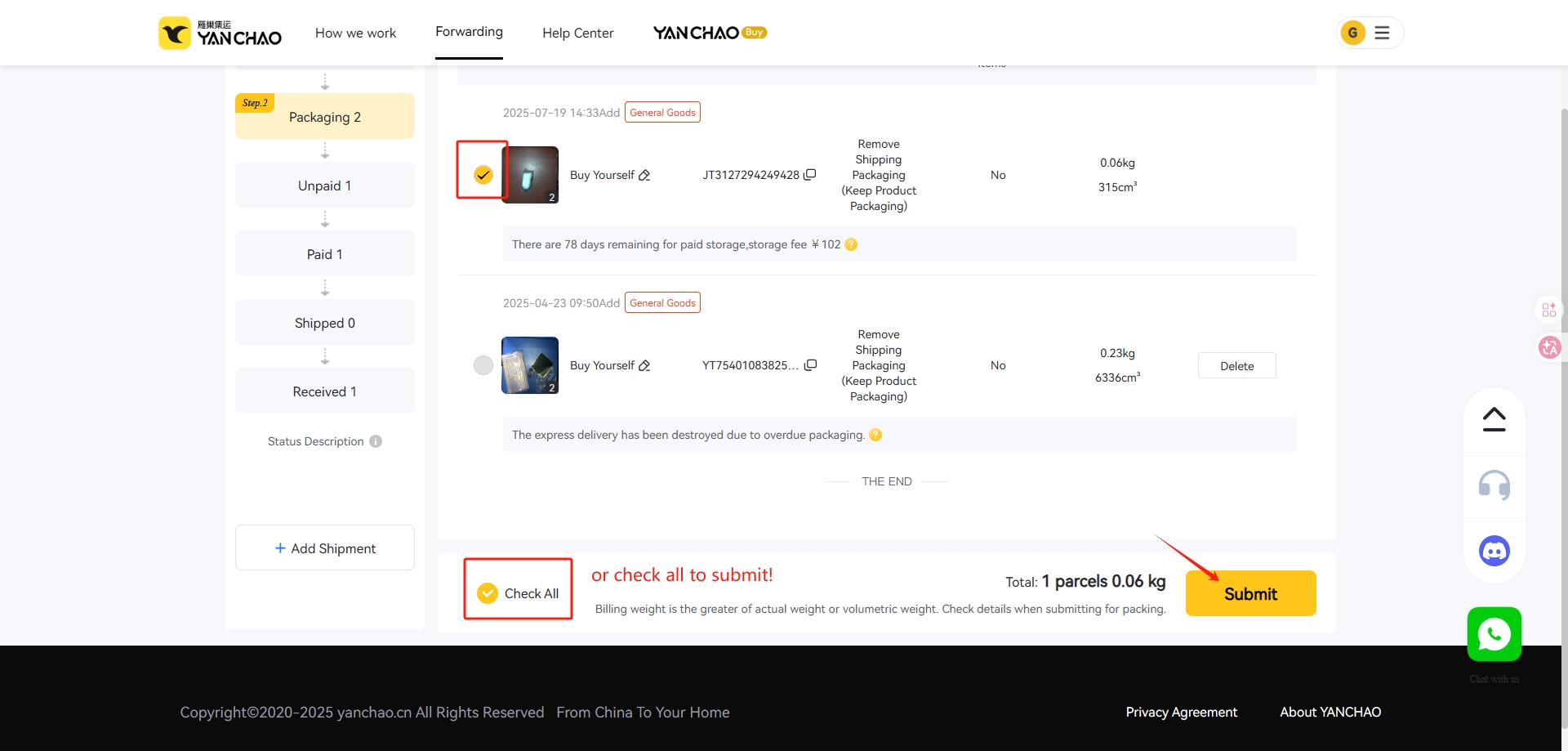
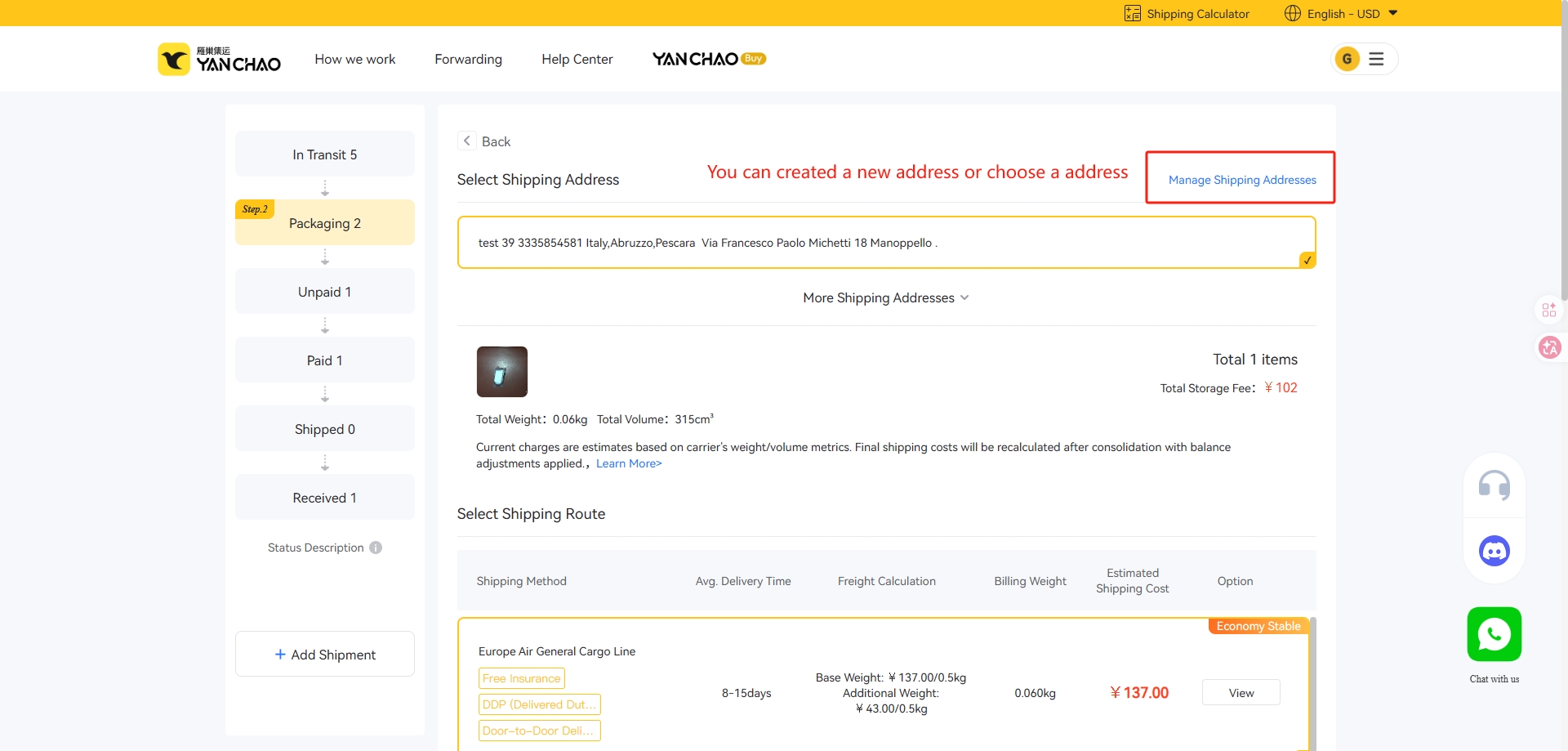
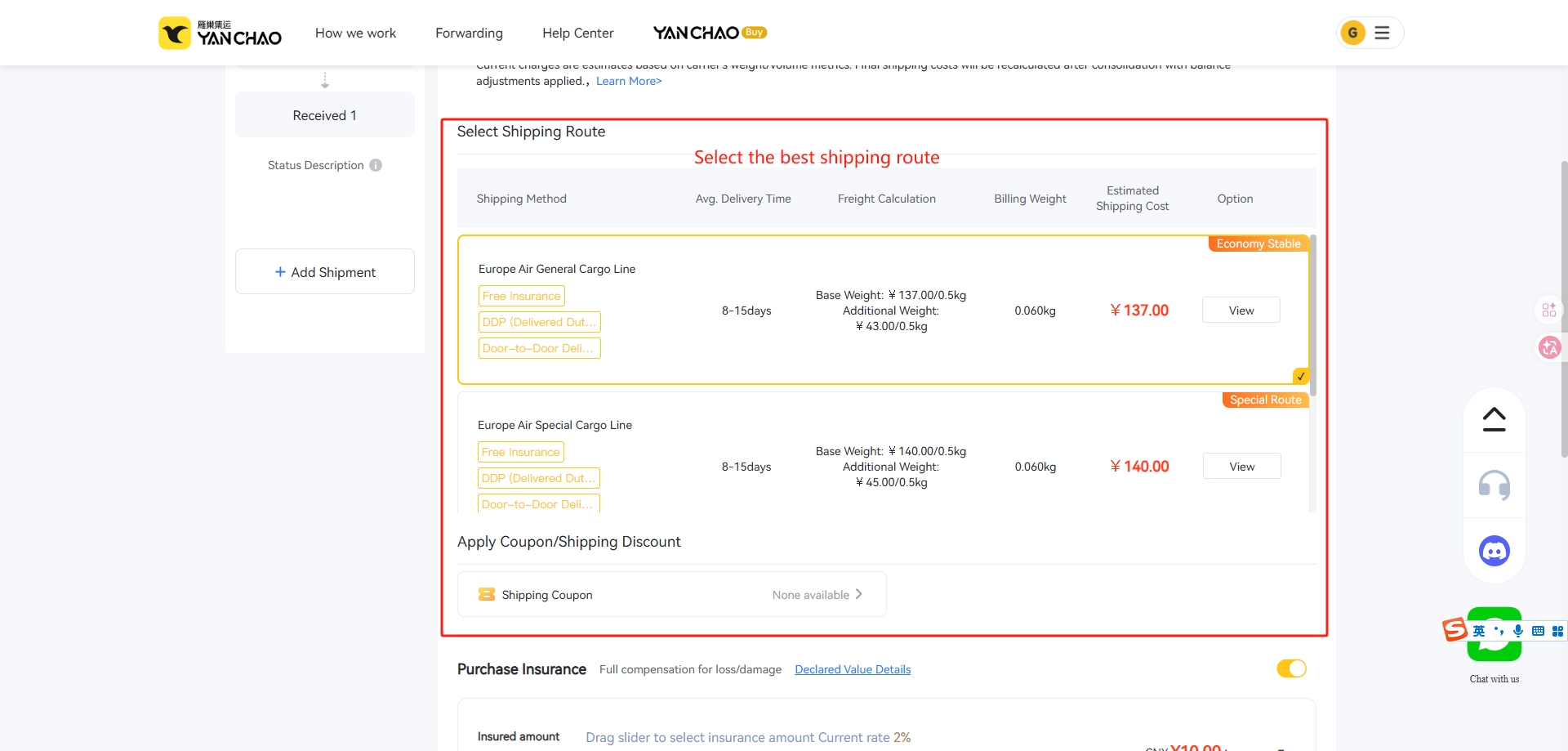
After confirming that the appearance and quantity of your parcels are perfectly fine, select the parcels you want to consolidate and submit them to proceed with packing and paying the international shipping fee.
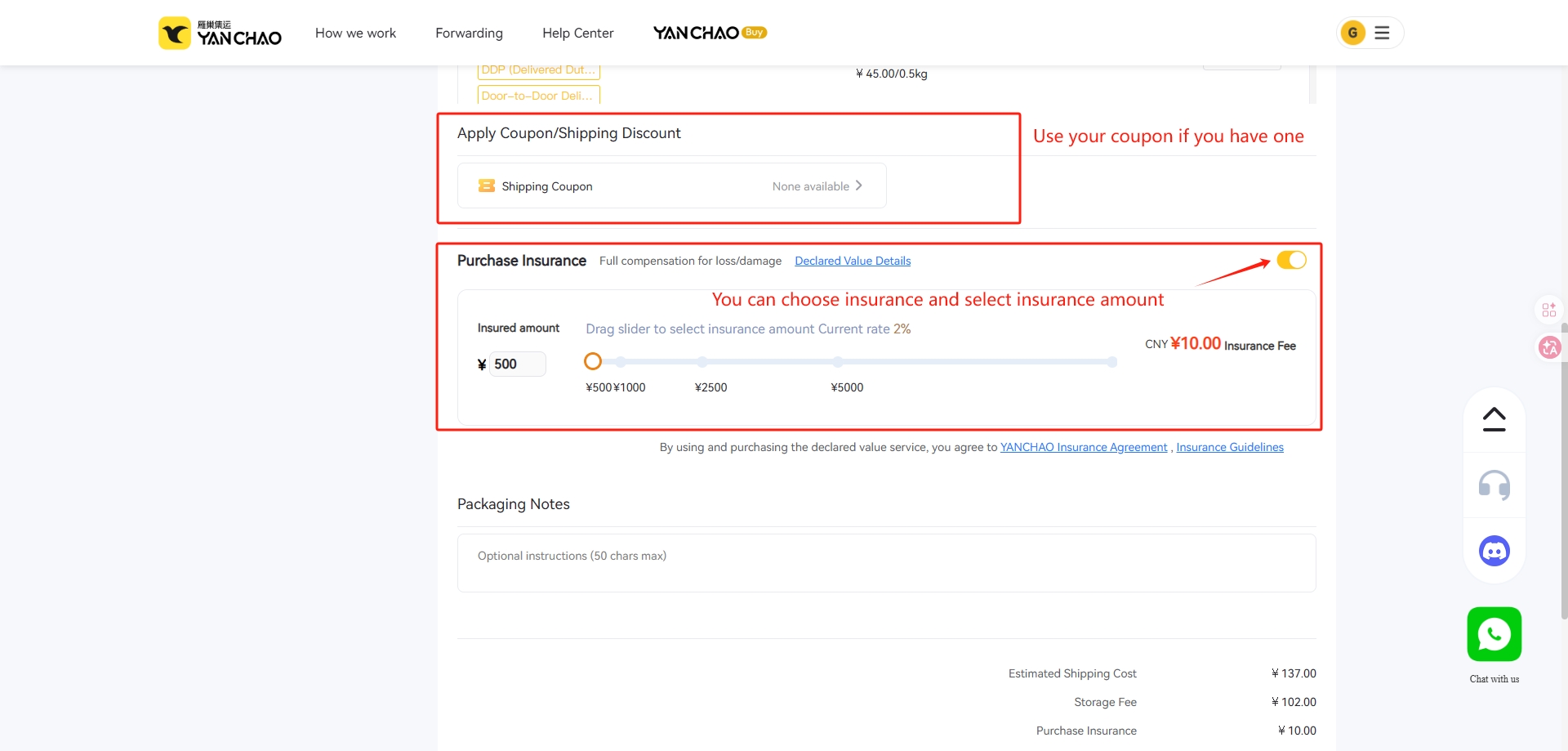
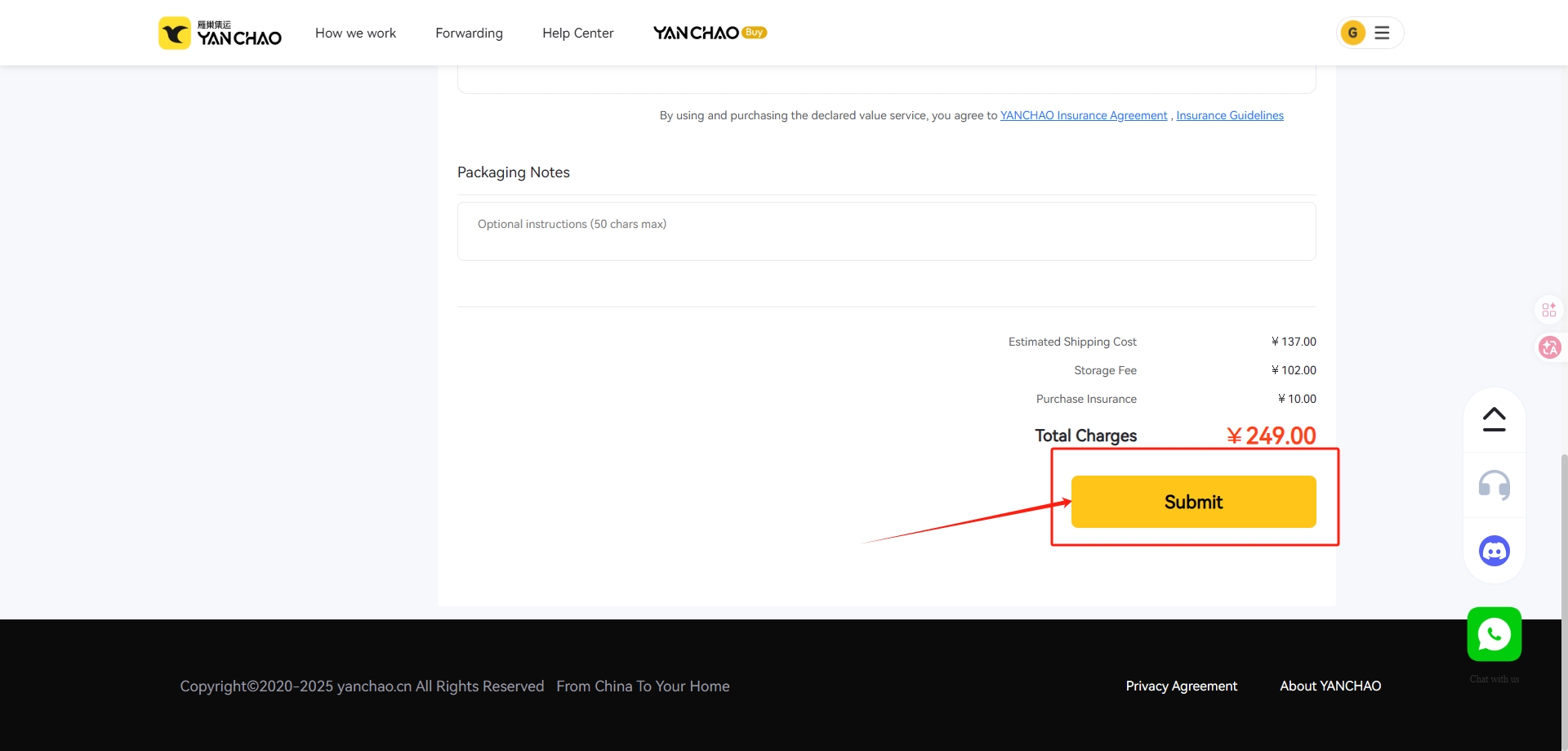
Follow this guide to start shipping your first international parcel: